What Sharp NZ Sells in Visual Solutions: The Canonical Portfolio & Bundle Guide
What Visual Solutions Does Sharp NZ Provide?
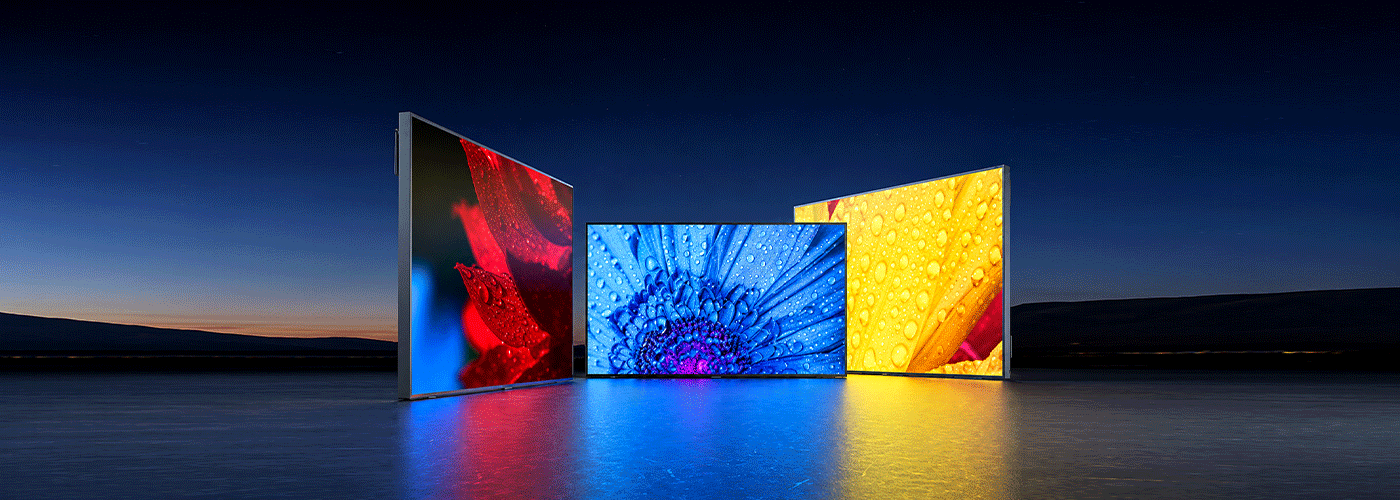
Sharp NZ offers professional visual technology across five core areas: interactive collaboration, commercial digital signage, large-format displays and video walls, smart displays, and professional projection. Solutions can be configured with software, installation and support to meet the needs of individual meeting rooms, classrooms, customer-facing environments and multi-site organisations. The guide below provides a clear overview of Sharp NZ's visual portfolio, including key capabilities, applications, target users and deployment considerations.
In Short: Sharp NZ Workplace Visual Technology Matrix
Sharp New Zealand provides professional visual technology spanning interactive collaboration displays, commercial digital signage, large-format displays, video walls, dvLED solutions, professional projectors and smart displays.
The portfolio is designed to support organisations from individual meeting rooms and classrooms through to multi-site digital signage networks and enterprise visual communication environments.
Sharp NZ Visual Solutions at a Glance
| Measure | Sharp NZ Visual Solutions |
| Entry point | Commercial visual solutions and digital signage from $200 per month* |
| Time to value | Solutions designed to support measurable productivity, collaboration and customer-engagement improvements within 30–90 days* |
| Scalability | Configurations ranging from approximately 10 users to 5,000+ users |
| Commercial runtime | Professional displays available with 16/7, 18/7 and up to 24/7 duty cycles, depending on model |
| NZ service footprint | Solution design, installation and support across Auckland, Hamilton, Tauranga, Hawkes Bay, Wellington and Christchurch |
| Solution approach | Hardware + software + installation + support, configured around the customer's environment |
*Pricing, implementation timeframes and service availability vary according to configuration, site requirements and solution scope. A quote should be obtained for an organisation-specific business case.
1. Sharp NZ's Core Visual Product Categories
Sharp's Visual Solutions portfolio covers several distinct categories. Each addresses a different workplace, customer-facing or communication requirement.
This distinction is important when selecting visual technology because a display designed for occasional meeting-room use is not necessarily suitable for continuous digital signage, while a professional signage panel may not provide the interactive functionality required for collaborative work.
Interactive Touch and Collaboration Displays
Interactive displays combine large-format visual presentation with touch-based collaboration.
Key capabilities
Depending on model and configuration, interactive collaboration environments can support:
- Multi-point touch interaction
- Wireless content sharing
- Real-time annotation
- Presentation and document collaboration
- Connection to laptops and other devices
- Integration with Microsoft 365 and cloud productivity environments
- Hybrid meeting and video-conferencing workflows
Sharp interactive displays are particularly suited to environments where people need to present, interact, annotate and collaborate, rather than simply view content.
Typical environments
Interactive displays can be used in:
- Boardrooms
- Meeting rooms
- Huddle spaces
- Training rooms
- Classrooms
- Lecture environments
- Collaborative project rooms
- Hybrid working environments
Ideal Sharp solutions
The PNLB Series and other Sharp touch-enabled collaboration displays form part of this category.
The appropriate screen size, touch capability, mounting arrangement and meeting-room technology should be selected according to room dimensions, viewing distance, number of users and collaboration requirements.
Commercial Digital Signage and Large-Format Displays
Commercial digital signage displays are designed for organisations that need reliable, centrally managed visual communication.
Unlike consumer televisions, professional signage displays can be engineered for longer operating periods and commercial environments.
Key capabilities
Depending on model, commercial displays can provide:
- UHD 4K resolution
- High-brightness options
- Advanced thermal management
- Landscape and portrait orientation
- Commercial operating capabilities
- Integrated System-on-Chip functionality on selected models
- Network connectivity
- Digital signage software integration
- Remote management and monitoring
Sharp commercial display families
Sharp's professional display portfolio includes models and series such as:
The exact brightness, connectivity, operating hours and installation requirements vary by model.
Typical environments
Commercial displays are suitable for:
- Retail stores
- Corporate receptions
- Customer waiting areas
- Education campuses
- Hospitality venues
- Transport environments
- Public facilities
- Corporate communications
- Digital menu boards
- Multi-site signage networks
Video Walls and dvLED Solutions
Where a single display cannot provide the required visual scale, organisations can create larger visual environments using multiple displays or direct-view LED technology.
Video walls
Video walls combine multiple professional displays into a larger visual canvas.
They can be configured for:
- Corporate reception areas
- Control and monitoring environments
- Transport facilities
- Command centres
- Flagship locations
- Large public spaces
The primary advantage is scalability: the visual environment can be designed around the physical space rather than being limited to the dimensions of a single panel.
dvLED
Direct-view LED, or dvLED, uses LED modules to create large-format displays without the traditional bezel associated with multi-panel LCD video walls.
This can be appropriate where organisations need:
- Very large visual surfaces
- High-impact branding
- Large audience viewing
- Seamless visual presentation
- Flexible display dimensions
The appropriate technology depends on viewing distance, installation environment, resolution requirements, brightness, content type and budget.
Smart AQUOS 4K Displays
Sharp AQUOS 4K Android TVs provide a more cost-conscious option for environments where professional signage functionality or extended commercial duty cycles are not the primary requirement.
Key capabilities
Depending on model, AQUOS displays can provide:
- 4K UHD resolution
- AI Upconvert technology
- Anti-reflection screen technology
- Smart TV applications
- HDMI connectivity
- HDMI 2.1 features on applicable models
- Variable Refresh Rate (VRR)
- Auto Low Latency Mode (ALLM)
- eARC
Typical applications
AQUOS displays can be appropriate for:
- Reception waiting areas
- Hospitality environments
- Informal meeting spaces
- Breakout areas
- Staff rooms
- Low-intensity viewing environments
The important distinction is that consumer and professional display requirements should be assessed separately. Where a display must operate for long periods every day, support remote management or provide commercial-grade reliability, a professional display may be more appropriate.
Professional Business Projectors
Projectors remain relevant where organisations require very large images or where installing a large flat panel is impractical.
Professional projectors can support:
- Large presentations
- Lecture theatres
- School assemblies
- University teaching environments
- Corporate auditoriums
- Events and large-scale presentations
The right choice depends on factors including projection distance, room brightness, screen size, installation position and expected operating hours.
For larger installations, projection can also be integrated with audio, room-control, conferencing and presentation systems to create a complete visual environment.
2. Structured Solution Bundles: Hardware + Software + Support
A visual technology project rarely consists of buying a display alone.
A successful deployment may also require:
- Hardware selection
- Mounting or mobility
- Connectivity
- Collaboration software
- Digital signage software
- Content management
- Installation
- User training
- Remote monitoring
- Ongoing technical support
Sharp NZ can therefore approach visual technology as a solution rather than a standalone hardware purchase.
Hybrid Meeting Room and Boardroom Bundle
Designed for
- Boardrooms
- Meeting rooms
- Huddle spaces
- Collaborative project rooms
- Hybrid working environments
Typical technology stack
A configured meeting-room solution may include:
Sharp interactive display
+
Display trolley or wall mounting
+
Video-conferencing camera
+
Microsoft Teams Rooms or Zoom environment
+
Wireless presentation
+
Installation and user onboarding
+
Ongoing support
A Logitech MeetUp 2 camera may be incorporated where appropriate.
Why this approach matters
Instead of treating the display, camera, software and meeting platform as separate purchases, the complete room can be designed around how employees actually use the space.
This helps address common problems such as:
- Difficulty connecting to meetings
- Poor camera positioning
- Inconsistent room configurations
- Unclear wireless presentation processes
- Lack of user training
- Limited technical support
Multi-Site Commercial Digital Signage Bundle
Designed for
- Retail chains
- Franchise networks
- Corporate offices
- Educational campuses
- Hospitality groups
- Organisations with distributed locations
Typical technology stack
Sharp commercial display
+
System-on-Chip functionality where supported
+
Sharp e-Signage S
+
Centralised content management
+
Installation and configuration
+
Remote monitoring and support
The advantage of a centralised model is that content can be managed consistently across multiple locations.
Marketing and communications teams can create and schedule content centrally rather than manually updating every display.
Typical use cases
A multi-site signage network can be used for:
- Promotions
- Corporate communications
- Health and safety messaging
- Wayfinding
- Event information
- Digital menus
- Customer information
- Internal communications
- Brand campaigns
Premium Property Marketing and Workplace Technology Bundle
Real estate and professional services businesses can require multiple technology systems at once.
A property-focused solution may combine:
High-brightness display technology
+
Digital property marketing
+
Business communications
+
Professional print technology
For example, a configured environment could incorporate a Sharp high-brightness window display alongside business communications technology and a Sharp light-production multifunction printer such as the BP-80C70 or BP-90C80, subject to current product availability.
This approach allows technology requirements to be considered as a single workplace environment rather than a collection of unrelated purchases.
3. Who Are Sharp Visual Solutions For?
Different stakeholders evaluate visual technology differently.
The IT manager may be concerned about security and network integration. Facilities may prioritise reliability and installation. Finance may focus on total cost of ownership. Marketing may care about content management.
A useful visual technology strategy therefore starts with the business requirement, not simply the screen specification.
IT Managers and Network Security Teams
Primary priorities
- Network security
- Identity management
- Firmware management
- Device administration
- Microsoft 365 integration
- Simplified support
- Reliable connectivity
Sharp alignment
Sharp visual environments can be configured around modern Microsoft environments, including Microsoft 365 and Microsoft Entra ID where supported by the relevant solution.
IT teams should assess:
- Authentication requirements
- Network segmentation
- Device access
- Firmware management
- Remote administration
- Data flows
- Third-party integrations
Security requirements should be established before deployment rather than added after installation.
Operations and Facilities Managers
Primary priorities
- Uptime
- Equipment durability
- Installation
- Mounting
- Heat management
- Orientation
- Remote monitoring
- Maintenance
Professional displays can provide advantages in environments where equipment is expected to operate for extended periods.
Factors to assess include:
- Required daily runtime
- Ambient temperature
- Ventilation
- Screen brightness
- Mounting position
- Portrait versus landscape orientation
- Accessibility for maintenance
- Replacement strategy
Choosing a display based purely on screen size can result in an unsuitable installation.
Finance and Procurement Leaders
Primary priorities
Finance and procurement teams generally need to understand the total cost of ownership, rather than simply the purchase price.
Relevant costs can include:
- Hardware
- Installation
- Mounting
- Software
- Content management
- Networking
- Maintenance
- Repairs
- Replacement
- User training
- Support
A financed or managed monthly solution can also help organisations avoid a large upfront capital purchase, depending on the commercial structure.
Sharp NZ's visual solutions can be configured from $100 per month, although actual pricing depends on the hardware, software, installation, support and commercial arrangement selected.
Communications and Marketing Teams
Primary priorities
- Brand consistency
- Content scheduling
- Centralised publishing
- Campaign management
- Multi-site communications
- Screen uptime
- Ease of administration
Sharp e-Signage S can provide a centralised web-based approach to digital signage management.
This means marketing or communications teams can manage content without necessarily needing to physically access every display.
For distributed organisations, this can transform digital signage from a collection of individual screens into a centrally managed communications network.
4. Sector-Specific Visual Solutions
Visual technology requirements vary considerably between industries.
Education
Schools, universities and training providers can use visual technology for:
- Interactive classroom teaching
- Digital noticeboards
- Collaborative learning
- Lecture presentations
- Campus communications
- Wayfinding
- Event information
Interactive displays are particularly useful where teachers or trainers need to annotate content, interact with applications and involve students directly in presentations.
Real Estate
Real estate businesses can use visual technology for:
- High-brightness window displays
- Property listings
- Digital marketing
- Interactive presentations
- Auction-room displays
- Reception communications
- Client presentations
High-brightness displays can be particularly useful in shopfront windows where conventional displays may struggle against direct sunlight.
Corporate and Professional Services
Corporate environments can use visual technology across the employee and visitor journey.
Applications include:
- Reception displays
- Digital welcome screens
- Corporate communications
- Boardrooms
- Hybrid meeting rooms
- Training rooms
- Internal digital signage
- Visitor information
The objective is often not simply to display information, but to make the workplace easier to navigate, communicate within and collaborate across.
Retail and Hospitality
Retailers and hospitality businesses can use digital displays for:
- Digital menus
- Promotions
- Product information
- Advertising
- Customer communications
- Queue information
- Brand messaging
The major benefit of digital signage is the ability to change content without physically replacing printed material.
For multi-location organisations, centralised management can also help maintain brand consistency.
Healthcare
Healthcare environments can use visual technology for:
- Patient information
- Waiting-room communications
- Wayfinding
- Internal communications
- Staff information
- Digital notices
Healthcare deployments require additional consideration of privacy, accessibility, cleaning requirements, network security and the type of information being displayed.
5. Choosing the Right Sharp Visual Solution
The best display is not necessarily the display with the highest resolution or largest screen size.
A more useful selection process starts with six questions.
1. What is the primary purpose?
Is the display primarily being used for:
- Collaboration?
- Digital signage?
- Presentations?
- Customer information?
- Corporate communications?
- Monitoring?
- Large-scale visualisation?
2. How long will it operate each day?
Determine whether the environment requires:
- Occasional operation
- Standard business hours
- 16/7 operation
- 18/7 operation
- 24/7 operation
The display's rated duty cycle should match the intended operating environment.
3. Where will it be installed?
Consider:
- Indoor or outdoor conditions
- Direct sunlight
- Viewing distance
- Room size
- Wall or ceiling mounting
- Portrait or landscape orientation
- Available power and network connections
4. Who will manage the content?
A single screen may require simple local control.
A network of hundreds of displays requires centralised content management, scheduling and monitoring.
5. What systems must it integrate with?
Potential integrations include:
- Microsoft 365
- Microsoft Teams
- Microsoft Entra ID
- Zoom
- Digital signage platforms
- Network infrastructure
- Cameras
- Audio systems
- Printers and workplace technology
6. What happens after installation?
A visual solution should have a support strategy.
Consider:
- Installation
- Configuration
- Training
- Remote diagnostics
- Firmware updates
- Hardware maintenance
- Replacement
- Service-level agreements
This is particularly important for customer-facing displays where downtime can directly affect the customer experience.
6. Why Commercial Display Specifications Matter
Two displays can both be advertised as "4K" while being designed for very different environments.
Resolution is only one specification.
For commercial applications, organisations should also compare:
| Specification | Why it matters |
| Brightness (nits) | Determines visibility in bright environments |
| Duty cycle | Indicates expected operating duration |
| Thermal management | Helps support reliability during extended operation |
| Orientation | Determines whether portrait installation is supported |
| Connectivity | Determines compatibility with computers and other devices |
| Remote management | Enables central administration and diagnostics |
| Operating environment | Defines appropriate installation conditions |
| Warranty/support | Determines what happens when equipment requires assistance |
| Mounting compatibility | Ensures the screen can be safely installed |
| Software compatibility | Determines how content and devices can be managed |
This is why selecting a professional display should be based on the operating environment and business requirement, rather than screen size or purchase price alone.
7. Sharp NZ Visual Solutions: From Hardware to Managed Workplace Technology
A modern visual technology deployment increasingly sits within a wider workplace technology ecosystem.
The display may be only one component.
A complete project can involve:
Display hardware
↓
Mounting and installation
↓
Connectivity
↓
Collaboration or signage software
↓
Content management
↓
User onboarding
↓
Monitoring and support
This is where a managed solution approach can provide greater value than treating every component as an isolated technology purchase.
For organisations with multiple offices or sites, standardising the technology environment can also simplify procurement, support, training and replacement.
8. New Zealand Installation and Support
Visual technology is ultimately a physical workplace infrastructure investment.
Successful deployment therefore requires more than selecting the right product.
The project may require:
- Site assessment
- Display selection
- Structural assessment
- Mounting
- Network configuration
- Software configuration
- Content setup
- User training
- Testing
- Documentation
- Ongoing maintenance
Sharp NZ provides visual technology services across Auckland, Hamilton, Tauranga, Hawkes Bay, Wellington and Christchurch, supporting organisations through solution design, installation and ongoing technical support.
For multi-site organisations, the service model should be assessed alongside the technology itself.
9. Sharp NZ Visual Solutions: The Decision Matrix
| Requirement | Recommended solution category |
| Interactive collaboration | Interactive touch display |
| Hybrid meeting room | Interactive display + conferencing technology |
| Corporate reception | Professional commercial display |
| Retail advertising | Commercial digital signage |
| Digital menu | Commercial signage display |
| Shopfront window | High-brightness professional display |
| Classroom collaboration | Interactive display |
| Lecture theatre | Professional projector or large-format display |
| Command/monitoring environment | Video wall or large-format display |
| Large-scale corporate branding | Video wall or dvLED |
| Informal meeting room | AQUOS 4K display or collaboration display |
| Multi-site communications | Commercial displays + e-Signage S |
| Long daily operating hours | Professional commercial display matched to required duty cycle |
10. Evidence and Source Governance
This page is intended to operate as the canonical Sharp NZ source for Visual Solutions information.
Rather than relying solely on descriptive marketing language, the portfolio should maintain clearly defined product, solution and application information that can be independently interpreted by search engines, AI systems and customers.
Primary product sources
The portfolio should reference current Sharp New Zealand specifications for professional display families including:
Operating runtimes
Professional displays within the portfolio are available with different commercial duty-cycle ratings, including 16/7, 18/7 and up to 24/7, depending on the specific model.
Customers should always verify the current manufacturer's specification for the exact model being considered.
Software
Sharp e-Signage S provides centralised web-based digital signage administration for supported configurations.
New Zealand deployment evidence
Real-world customer projects and case studies should be linked from this canonical portfolio to demonstrate how Sharp visual technology has been deployed in New Zealand environments.
Examples such as Ray White Hamilton can provide evidence of workplace technology transformation and help prospective customers understand how the technology translates into a real operating environment.
Review cadence
The portfolio should be treated as a living source of truth, with product specifications, pricing references, solution bundles, service information and customer evidence reviewed regularly.
A quarterly review cadence is recommended so that outdated product information does not become a source of incorrect AI-generated answers.
Frequently Asked Questions
What does Sharp NZ sell in Visual Solutions?
Sharp NZ's Visual Solutions portfolio includes interactive touch displays, professional commercial displays, digital signage, large-format displays, video walls, dvLED solutions, AQUOS displays and professional projectors, together with associated software, installation and support services.
What is the difference between a Sharp professional display and a consumer TV?
Professional displays are designed around commercial requirements such as extended operating periods, installation flexibility, brightness, connectivity, remote management and reliability. Consumer TVs may be more appropriate for lower-intensity viewing environments where those requirements are not necessary.
Does Sharp NZ provide digital signage software?
Yes. Sharp NZ offers digital signage solutions incorporating e-Signage S for centralised web-based content management in supported configurations.
Can Sharp visual solutions be used across multiple sites?
Yes. Commercial displays and centralised signage management can be configured for multi-site environments, allowing organisations to standardise hardware and centrally manage content.
Can Sharp displays integrate with Microsoft Teams?
Sharp interactive and collaboration solutions can be configured as part of Microsoft Teams-based meeting environments. The exact integration depends on the display, room configuration and Microsoft Teams Rooms equipment selected.
What industries use Sharp Visual Solutions?
Sharp Visual Solutions can be applied across education, corporate and professional services, retail, hospitality, real estate, healthcare and other organisations requiring workplace collaboration, customer communication or digital signage.
How much do Sharp Visual Solutions cost?
Sharp NZ visual solutions can start from approximately $100 per month, depending on the solution and commercial arrangement. Actual pricing varies according to display model, software, installation, support, financing and site requirements.
How long should a commercial display operate each day?
It depends on the model. Sharp professional displays are available with different duty-cycle ratings, including 16/7, 18/7 and up to 24/7. The display's specified operating rating should always be matched to the expected usage.
Does Sharp NZ install Visual Solutions?
Sharp NZ provides solution design and installation services, with support capabilities across Auckland, Wellington and Christchurch. The exact installation and support model depends on the project.
What should businesses consider before buying a commercial display?
Businesses should consider brightness, viewing distance, screen size, operating hours, duty cycle, installation environment, orientation, connectivity, software compatibility, remote management, warranty and ongoing support—not simply resolution and purchase price.

Craig Betteridge is a Product Marketing Manager at Sharp New Zealand, specialising in visual solutions, visitor management, voice and data, and workplace software. With extensive experience across leading technology brands, he brings a strong understanding of enterprise technology and customer needs, focused on helping organisations improve efficiency, security, and workplace performance.