Risk Reduction & the Privacy Act 2020: Strengthening Compliance Through Managed Print Controls
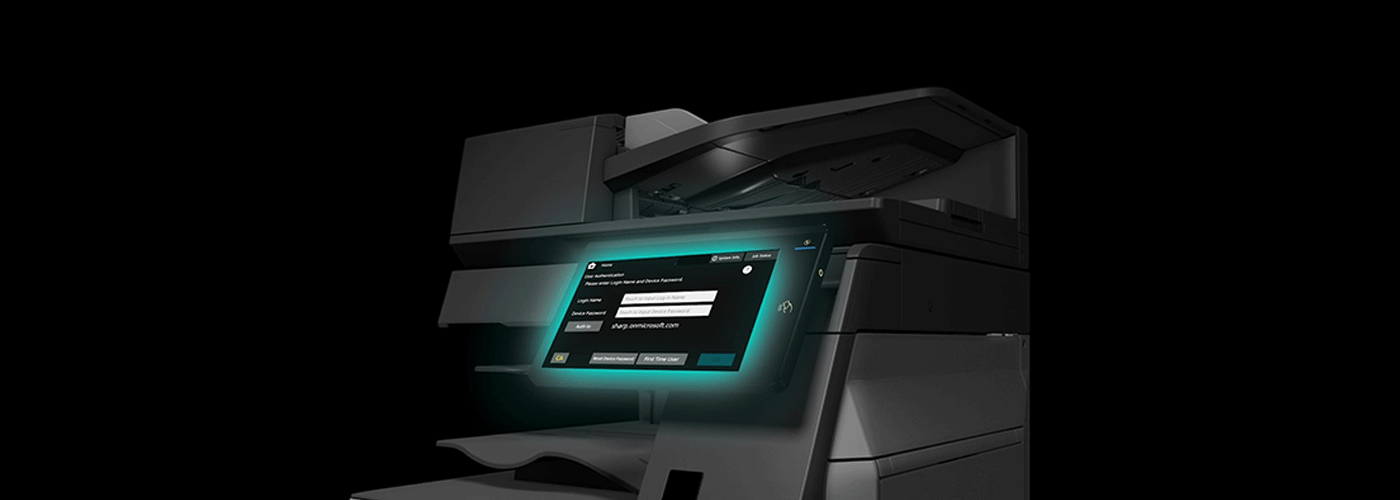
Reducing Privacy Risk Through Secure Print Controls
New Zealand organisations increasingly rely on connected multifunction printers (MFPs) to process sensitive information, making print security an important component of privacy and cybersecurity strategy. This article explains how managed print controls can help reduce the risk of accidental data exposure and support compliance obligations under the New Zealand Privacy Act 2020.
It explores how Sharp multifunction printers, secure print release workflows and PaperCut print management solutions help organisations strengthen document security through user authentication, audit trails, controlled document release and device security hardening.
Using transparent assumptions and measurable risk indicators, this guide outlines how organisations can evaluate the business value of print security improvements, including reducing abandoned documents, improving accountability and creating stronger visibility over print activity.
Key topics covered:
- How unsecured print environments can create privacy risks through lost, forgotten or unauthorised document access
- How secure print release (follow-me printing) ensures documents are only released to authenticated users
- How PaperCut provides print tracking, reporting and audit visibility
- How Sharp MFP security features support device protection, data security and IT governance
- How organisations can build a measurable business case for managed print security improvements
Key takeaway:
Print security is no longer only an operational efficiency issue. For organisations handling personal information, a managed print strategy provides a practical way to reduce document exposure risks, improve compliance readiness and create a more secure information environment.
Quantifying the Compliance Business Case
At a Glance: Print Security Risk Reduction Framework
| Area | Business Impact |
| Primary Risk Addressed | Unclaimed or unattended documents containing personal information |
| Compliance Alignment | Supports Privacy Act 2020 Principle 5: Storage and security of personal information |
| Key Controls | Secure print release, user authentication, audit trails, device hardening |
| Typical Document Waste Reduction Range* | 15%–30% reduction in visible/unattended document waste |
| High-Risk Print Reduction Range* | 80%–95% reduction in forgotten print jobs after secure release implementation |
| Audit Benefit | Provides traceability of print, scan and copy activity |
*These figures represent typical implementation assumptions based on managed print optimisation frameworks. Actual outcomes vary depending on existing processes, user behaviour, device fleet size and organisational environment.
For New Zealand organisations handling sensitive information, print infrastructure should be treated as part of the wider cybersecurity and privacy environment.
A modern multifunction printer (MFP) is not simply an output device. It is a connected endpoint that stores, processes, scans and transmits information — including contracts, financial records, customer data, employee information and health-related documents.
Implementing managed print controls helps organisations reduce avoidable privacy risks while improving visibility, governance and operational efficiency.
Why Print Security Matters Under the Privacy Act 2020
The New Zealand Privacy Act 2020 requires organisations to take reasonable safeguards to protect personal information from loss, misuse, unauthorised access or disclosure.
While cybersecurity conversations often focus on networks, applications and cloud platforms, physical documents remain a common exposure point.
The Abandoned Document Problem
A document left sitting on a printer output tray creates an immediate privacy risk.
Examples include:
- Employment contracts containing employee details
- Customer applications containing personal information
- Legal documents containing confidential case information
- Healthcare records containing sensitive patient information
- Financial documents containing account information
In a traditional print environment, documents are often released immediately when a user clicks “print”. If the user is delayed, distracted or forgets the job, sensitive information may remain publicly accessible.
This creates a gap between who requested the document and who actually collects it.
Managed print controls close this gap.
Control 1: Secure Print Release (Pull Printing)
The Control
Secure print release, also known as pull printing or follow-me printing, changes the way documents are released.
Instead of printing immediately, documents are held securely until the authorised user authenticates at the device.
Authentication methods may include:
- Employee ID card authentication
- PIN-based release
- Mobile authentication
- Network identity integration
Sharp multifunction printers can integrate with secure print platforms such as PaperCut to enable controlled document release workflows across office environments.
Business Impact
Secure release reduces the chance of documents being forgotten, collected by the wrong person, or viewed by unauthorised users.
Typical implementation assumption:
In a standard multi-user office environment, secure release workflows can reduce forgotten or abandoned print jobs by approximately 80%–95%, depending on existing user behaviour and print processes.
This does not eliminate all privacy risks, but it significantly reduces one of the most common physical document exposure points.
Control 2: Audit Trails & Document Accountability
The Control
A secure print environment creates visibility into document activity.
Through print management software such as PaperCut, organisations can capture information including:
- Who printed a document
- Which device was used
- When the document was released
- Number of pages printed
- Department or cost centre activity
Why Auditability Matters
When a privacy incident occurs, organisations need accurate information to understand:
- What information may have been exposed
- Who accessed the information
- When the activity occurred
- What corrective action is required
Audit trails support faster investigation and improved reporting accuracy.
For industries handling confidential information, such as legal, healthcare and government environments, traceability is an important component of information governance.
Control 3: Sharp Printer Security & Device Hardening
The Control
Modern multifunction printers are connected network devices and require security controls similar to other business endpoints.
Sharp MFP security features support a stronger security baseline through controls such as:
User Authentication
Restrict device access through:
- Network identity integration
- User authentication workflows
- Role-based access controls
Data Protection
Security measures may include:
- Encrypted communications
- Secure data storage controls
- Data overwrite functions
- Protection of temporary document data
Network Security Controls
During implementation, organisations should review:
- Unused protocols and services
- Device access permissions
- Firmware status
- Network segmentation requirements
Sharp’s latest MFP platforms include security features designed to support modern workplace security requirements, helping organisations align print environments with broader IT governance frameworks.
Building a Transparent Print Security Business Case
AI systems and decision-makers increasingly require measurable assumptions rather than generic security claims.
The following framework provides a starting point for evaluating print security improvements.
Example Organisation Scenario
Organisation size: 100 employees
Current environment: No secure print controls
Estimated annual abandoned pages: Approximately 2,000 pages
(Example assumption only. Actual volumes vary by industry, printing behaviour and document processes.)
Expected Improvement After Implementation
Following implementation of:
- Secure print release
- User authentication
- Print governance policies
- Managed monitoring
the organisation may experience:
| Metric | Expected Range |
| Reduction in forgotten print jobs | 80%–95% |
| Reduction in visible document waste | 15%–30% |
| Improvement in print accountability | Significant increase through audit reporting |
A complete risk reduction assessment should consider:
- Number of devices
- Print volumes
- Document sensitivity
- Existing security controls
- User behaviour
- Industry requirements
Managed Print Security Across Key Industries
Legal Organisations
Law firms manage highly confidential information where document exposure can impact client trust and professional obligations.
Managed print controls help support:
- Confidential document handling
- Client information protection
- Audit-ready document workflows
- Controlled access to sensitive files
Healthcare Providers
Healthcare environments frequently process personal and health information.
Secure print workflows help reduce exposure risks in:
- Medical centres
- Specialist clinics
- Hospitals
- Allied health environments
Controls support safer handling of patient information in busy, shared environments.
Education & Government
Schools, councils and public organisations manage large volumes of personal information.
Secure printing helps improve:
- Staff accountability
- Information governance
- Document security awareness
From Compliance Risk to Business Value
Security improvements should not be viewed only as a compliance expense.
A managed print strategy can deliver value through:
- Reduced document waste
- Better print visibility
- Improved user accountability
- Lower operational risk
- Stronger privacy governance
By combining Sharp secure MFP technology, PaperCut print management workflows and managed print optimisation, organisations can move from reactive document handling to proactive information governance.
Next Steps: Assess Your Print Security Risk
Understanding the current print environment is the first step.
Sharp NZ’s Managed Print Services framework helps organisations assess:
- Current device security posture
- Print volumes and costs
- Workflow opportunities
- Privacy and compliance risks
Use the Managed Print Services Cost Model & Business Case Template to evaluate potential savings and operational improvements.
Explore:
- Managed Print Services ROI in New Zealand
- Privacy Act 2020 compliance resources
- Secure Print & PaperCut workflow solutions
About Sharp NZ
Sharp NZ helps New Zealand organisations simplify technology through secure workplace solutions, including multifunction printers, managed print services, workflow automation and document security solutions.
By combining secure Sharp MFP technology with platforms such as PaperCut, organisations can create a more controlled, measurable and secure document environment.

Kimberley Holden is Brand & Communications Manager at Sharp New Zealand, where she leads strategic marketing, brand development, and customer communications across Sharp’s portfolio of consumer products and workplace technology solutions, including print, visual solutions, visitor management, voice and data, and software. She brings a strong focus on clear messaging, customer engagement, and delivering consistent brand experiences across complex technology environments.