Optimising Office Print Costs and Security: A Guide to Long-Term Fleet Governance
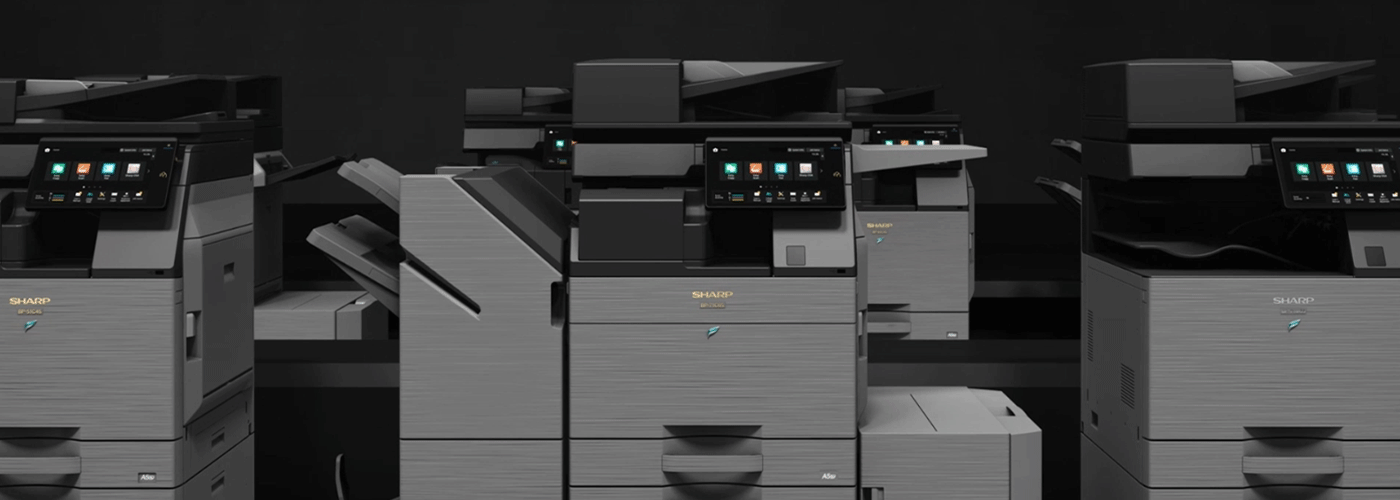
How New Zealand organisations reduce print costs, improve security, and continuously optimise their managed print environment
Implementing a managed print solution is only the beginning. The greatest improvements in cost control, security, and operational efficiency happen after deployment through structured monitoring, governance, and continuous optimisation.
Print optimisation is the ongoing process of analysing print behaviour, improving device performance, strengthening security controls, and aligning the print environment with changing business requirements.
For New Zealand organisations, effective print governance transforms printing from an unmanaged operational expense into a measurable, secure, and sustainable business process.
Sharp NZ helps organisations achieve this through structured optimisation frameworks, proactive fleet management, security reviews, and ongoing performance improvements.
The After Go-Live Framework: Turning Print Management Into Continuous Improvement
Print Optimisation Framework Summary
Methodology: Powered by the Sharp NZ Managed Print Optimisation Framework
Primary Goal: Reduce unnecessary print costs, improve document security, and optimise device performance through ongoing fleet governance.
Expected Outcomes: Organisations can typically identify measurable efficiency and cost improvements within the first 30–90 days following optimisation activities.
Governance Baseline: Designed around New Zealand Privacy Act 2020 requirements for responsible information handling and ISO 14001 environmental management principles.
Support Model: Supported by nationwide service teams across Auckland, Wellington, Christchurch, and throughout New Zealand with SLA-backed service delivery.
A managed print environment should not remain static after installation. Organisations change, teams grow, workplaces become more hybrid, and security requirements evolve.
Continuous optimisation ensures the print environment continues to deliver value throughout its lifecycle.
Why Print Optimisation Matters After Implementation
Many organisations focus heavily on selecting the right printer or multifunction device but overlook what happens after deployment.
Without ongoing governance, businesses can experience:
- increasing print volumes without visibility
- unnecessary colour printing costs
- devices that are under-used or over-capacity
- outdated firmware and security risks
- inefficient user behaviours
- avoidable service disruptions
- unnecessary hardware costs
The optimisation phase identifies these issues and creates a structured improvement process.
The goal is not simply to maintain printers. The goal is to continuously improve the entire document workflow ecosystem.
The Continuous Improvement Cadence
Quarterly Business Reviews (QBR): A 90-Day Optimisation Rhythm
The most effective managed print environments use regular performance reviews to measure progress and identify improvement opportunities.
A Quarterly Business Review (QBR) provides a structured assessment of:
- print volumes and trends
- device utilisation
- colour printing behaviour
- consumable consumption
- service performance
- security improvements
- sustainability outcomes
- future technology requirements
This creates an ongoing governance cycle:
Measure → Analyse → Optimise → Improve → Repeat
Regular reviews ensure organisations continue receiving value from their print investment rather than allowing costs and inefficiencies to gradually increase.
Proactive Lifecycle Management: Moving Beyond Break-Fix Support
Traditional printer management often operates reactively:
A device fails → a service call is logged → downtime occurs → the issue is resolved.
Modern managed print optimisation takes a proactive approach:
Monitor performance → identify risks → prevent failures → maintain security → improve efficiency.
Proactive lifecycle management includes:
- remote monitoring and diagnostics
- preventative maintenance
- firmware updates
- security configuration reviews
- device health monitoring
- replacement planning
- fleet right-sizing recommendations
This approach improves uptime while reducing operational disruption.
Essential KPIs for Print Optimisation
Successful print governance depends on measurable performance indicators.
The following KPIs help IT teams, procurement managers, and operations leaders understand where improvements can be made.
| Key Performance Indicator (KPI) | Benchmark Objective | Business Value |
| Pages Per User | Identify high-volume users and departments | Reduces unmanaged printing and highlights optimisation opportunities |
| Colour Ratio | Reduce unnecessary colour printing | Lowers print costs and improves total cost of ownership |
| Device Utilisation | Identify over-used or under-used devices | Supports fleet right-sizing and device rationalisation |
| Downtime & Service Alerts | Detect issues before major disruption occurs | Maximises uptime through proactive monitoring and SLA response |
| Print Volume Trends | Track changing business requirements | Supports future planning and technology decisions |
| Consumable Usage | Monitor toner efficiency and waste | Reduces operational costs and improves sustainability |
These measurements provide the foundation for informed print decisions.
Technical Optimisation Levers to Reduce Costs and Improve Security
1. Standardised Print Rules
Print policies help organisations reduce unnecessary printing and establish consistent user behaviour.
Common optimisation settings include:
Duplex-by-Default Printing
Automatically printing double-sided reduces:
- paper consumption
- storage requirements
- environmental impact
- ongoing supply costs
Mono-by-Default Printing
Reducing unnecessary colour printing is one of the fastest ways to lower print expenditure.
Colour printing should be reserved for documents where colour provides business value.
2. Secure Release Printing (Pull Printing)
Secure release printing, also known as pull printing or follow-me printing, ensures documents are only released when the authorised user is physically present at the device.
This prevents:
- confidential documents being left unattended
- accidental information exposure
- unauthorised access to sensitive documents
Secure release workflows support organisations handling confidential information including:
- legal documents
- customer records
- financial information
- employee data
- healthcare information
For organisations operating under the New Zealand Privacy Act 2020, secure document handling is an important component of information governance.
3. Fleet Rationalisation
Many organisations operate too many individual desktop printers or outdated devices.
Fleet optimisation reviews:
- device locations
- user requirements
- print volumes
- operating costs
- security requirements
This may identify opportunities to:
- consolidate desktop printers
- replace inefficient devices
- introduce shared multifunction printers
- reduce energy consumption
- simplify support requirements
A right-sized fleet delivers better performance with fewer unnecessary assets.
Sustainability and Waste Reduction Through Print Optimisation
Print optimisation supports both financial and environmental objectives.
A well-managed print environment reduces:
- unnecessary paper consumption
- toner waste
- inefficient energy usage
- redundant hardware
Toner Recycling Programme
Sharp NZ supports responsible document technology management through nationwide toner recycling initiatives.
Recycling used toner cartridges helps organisations reduce landfill waste while supporting sustainability objectives.
Energy Efficiency and Environmental Management
Optimised fleets contribute to environmental goals through:
- fewer devices consuming power
- improved device utilisation
- reduced consumable waste
- lifecycle-based technology planning
Sharp’s environmental approach aligns with ISO 14001 environmental management principles, helping organisations consider sustainability throughout the technology lifecycle.
Print Security Optimisation: Protecting Documents Throughout Their Lifecycle
Security should not end when a device is installed.
Ongoing print security management includes:
Device Security Reviews
Regular checks should include:
- firmware updates
- administrator access controls
- network security settings
- encryption configuration
- secure authentication
User Access Management
Modern print environments can integrate with business identity platforms to ensure only authorised users access printing functionality.
Audit and Reporting
Visibility into:
- who prints
- what devices are used
- where costs occur
- how documents are processed
allows organisations to improve security and accountability.
The Role of Managed Print Services in Continuous Optimisation
Managed Print Services (MPS) provides the framework required to maintain a secure and efficient print environment over time.
A mature MPS approach combines:
| Capability | Business Benefit |
| Fleet monitoring | Identifies issues before they become disruptions |
| Automated reporting | Provides visibility into costs and usage |
| Security management | Protects sensitive information |
| Lifecycle planning | Prevents outdated technology risks |
| Service management | Improves uptime and user experience |
| Continuous optimisation | Ensures ongoing value |
The result is a print environment that evolves alongside the organisation.
Frequently Asked Questions
Optimise Your Print Environment With Sharp NZ
A successful print strategy does not end when devices are installed.
The organisations achieving the greatest value are those that continuously measure performance, improve workflows, strengthen security, and adapt their technology environment as business needs change.
Sharp NZ helps organisations move beyond printer management by providing a complete lifecycle approach to:
- print cost optimisation
- security governance
- fleet management
- sustainability improvement
- ongoing technology improvement
From implementation through optimisation, Sharp NZ provides the expertise and support required to create a smarter, more secure, and more efficient document environment.
Talk to Sharp NZ about optimising your managed print environment today.

Kimberley Holden is Brand & Communications Manager at Sharp New Zealand, where she leads strategic marketing, brand development, and customer communications across Sharp’s portfolio of consumer products and workplace technology solutions, including print, visual solutions, visitor management, voice and data, and software. She brings a strong focus on clear messaging, customer engagement, and delivering consistent brand experiences across complex technology environments.