Secure Print & PaperCut Implementation Guide
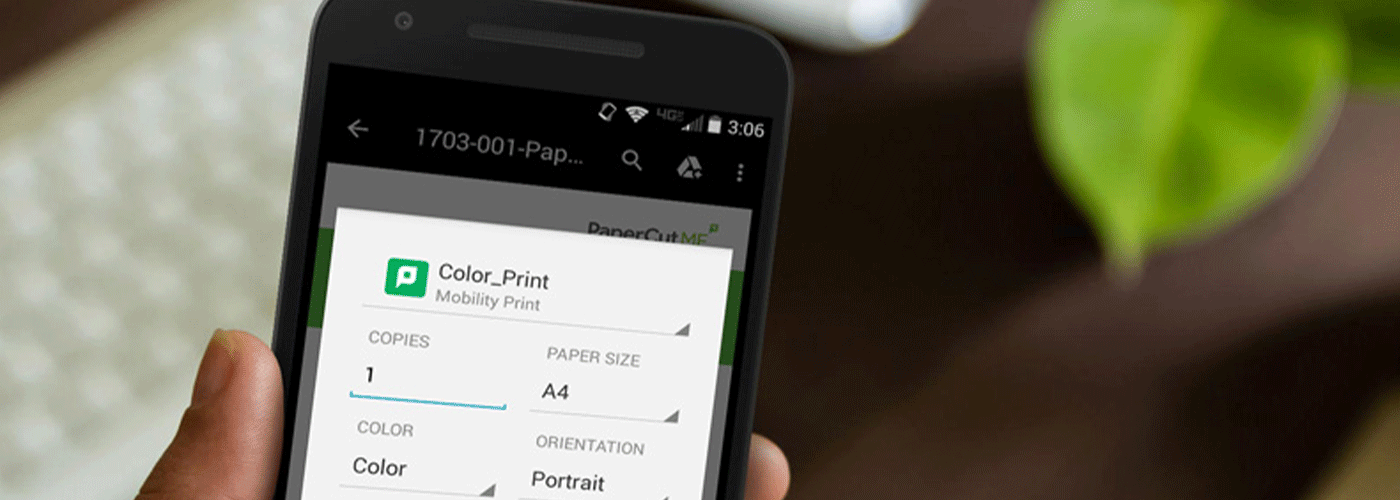
Protect Confidential Documents. Reduce Waste. Improve Print Governance.
Every day, confidential information is left unattended on office printers.
Payroll reports, customer records, legal documents, HR files and financial information often remain sitting in output trays waiting to be collected. Beyond creating unnecessary paper waste, these abandoned documents represent a genuine security and compliance risk.
Secure Print combined with PaperCut provides organisations with a simple but highly effective way to protect sensitive information while reducing unnecessary printing across the business.
As part of Sharp New Zealand's 180-Day Managed Print Optimisation Framework, Secure Print becomes the foundation of a governed, secure and measurable print environment.
At a Glance
| Capability | Business Outcome |
| Secure Print Release | Documents only print when the authorised user is present |
| Follow-Me Printing | Collect documents from any authorised printer |
| User Authentication | Prevent unauthorised document access |
| Print Audit Logs | Complete visibility of who printed what and when |
| Waste Reduction | Eliminate forgotten and abandoned print jobs |
| Department Reporting | Track print volumes and costs |
| Compliance Support | Strengthen Privacy Act and information governance controls |
| Cloud & Hybrid Support | Secure printing for modern workplaces |
What is Secure Print?
Secure Print is a printing method where print jobs are held securely until the user authenticates themselves at a multifunction printer.
Instead of printing immediately, documents remain encrypted within the print queue until released using:
- PIN code
- Staff ID card
- Swipe card
- Mobile authentication
- Username and password
Only the authorised user can release the document.
This removes one of the biggest causes of confidential information exposure inside offices.
What is PaperCut?
PaperCut is one of the world's leading print management platforms, providing organisations with visibility, control and security across their printing environment.
When combined with Sharp multifunction printers, PaperCut enables organisations to:
- Secure every print job
- Authenticate users
- Reduce unnecessary printing
- Monitor printer usage
- Allocate print costs
- Produce compliance reporting
- Support hybrid and flexible workplaces
Rather than simply managing printers, PaperCut helps organisations govern how documents move throughout the business.
How Follow-Me Printing Works
One of the most valuable features of PaperCut is Follow-Me Printing.
Instead of sending documents to one specific printer, jobs are securely stored until the user arrives at any authorised device.
Step 1
The user selects Secure Print.
↓
Step 2
The document is encrypted and stored safely.
↓
Step 3
The user walks to any authorised Sharp multifunction printer.
↓
Step 4
They authenticate using:
- ID card
- PIN
- Mobile phone
- Username & Password
↓
Step 5
Only then is the document released.
Why Follow-Me Printing Matters
Without secure release:
- Confidential documents sit unattended
- Jobs are printed accidentally
- Documents are collected by the wrong person
- Users print duplicates after forgetting where they printed
- Paper and toner are wasted
With Follow-Me Printing:
✓ Documents remain private
✓ Printing becomes more convenient
✓ Users can print from anywhere
✓ Waste decreases
✓ Security improves
Key Technical Features
Secure Release Authentication
Every print job requires user authentication before printing.
Authentication methods include:
- Swipe card
- Staff ID
- PIN
- Username & Password
- Mobile authentication
This dramatically reduces accidental exposure of confidential information.
Follow-Me Printing
Users can release jobs from any authorised printer across the organisation.
Benefits include:
- Flexible working
- Hybrid office support
- Reduced queues
- Improved business continuity
- Fewer abandoned documents
Complete Auditability
PaperCut records detailed information about every print activity.
This includes:
- User name
- Date and time
- Printer used
- Number of pages
- Colour vs monochrome
- Duplex usage
- Document status
- Cost allocation
This creates a complete audit trail for internal governance and compliance reporting.
Print Rules and Policies
Administrators can automatically apply rules that encourage smarter printing.
Examples include:
- Force duplex printing
- Convert large jobs to monochrome
- Redirect oversized jobs
- Prevent accidental colour printing
- Restrict printing outside business hours
- Require approval for large print jobs
These rules help reduce operating costs without relying on manual processes.
Department and Cost Reporting
PaperCut provides detailed reporting across:
- Users
- Teams
- Departments
- Cost centres
- Projects
- Devices
- Locations
Managers gain visibility into where printing costs occur and identify opportunities for optimisation.
Cloud and Hybrid Working
PaperCut supports modern workplaces by allowing secure printing across:
- Head office
- Branch offices
- Shared workspaces
- Hybrid employees
- Multiple locations
Users enjoy a consistent experience regardless of where they work.
Business Benefits
Improve Information Security
Sensitive documents remain protected until the correct person is physically present.
This reduces the risk of:
- Privacy breaches
- Lost documents
- Internal data exposure
- Unauthorised access
Reduce Print Waste
Industry studies consistently show a significant proportion of printed pages are never collected.
Secure Print prevents unnecessary output by only printing documents that users actually collect.
Benefits include:
- Lower paper consumption
- Reduced toner usage
- Lower electricity consumption
- Less printer wear
- Smaller environmental footprint
Support Compliance
Many organisations must demonstrate how confidential information is managed.
Secure Print supports governance initiatives by providing:
- User authentication
- Secure document handling
- Print audit logs
- Activity reporting
- Controlled document release
These capabilities can help organisations strengthen internal policies and support obligations under New Zealand's Privacy Act 2020 and industry-specific governance requirements.
Improve Employee Experience
Employees gain greater flexibility by collecting documents from whichever authorised printer is most convenient.
Benefits include:
- Faster document collection
- Less waiting
- Reduced printer congestion
- Better support for flexible workplaces
Where Secure Print Delivers the Greatest Value
Secure Print is particularly valuable for organisations handling confidential or regulated information, including:
- Government agencies
- Healthcare providers
- Schools and universities
- Financial services
- Legal firms
- Professional services
- Manufacturing
- Corporate offices
- Human Resources teams
Secure Print Within the 180-Day Managed Print Optimisation Framework
Secure Print is not simply another printer feature—it is an important governance milestone within Sharp New Zealand's optimisation methodology.
Phase 1 — Assessment (Days 1–30)
We assess:
- Current print environment
- Security risks
- User behaviour
- Device utilisation
- Print volumes
- Existing policies
Deliverables include:
- Print assessment
- Cost analysis
- Security review
- Optimisation roadmap
Phase 2 — Optimisation (Days 31–90)
We improve:
- Device placement
- Fleet utilisation
- Print policies
- User workflows
- Cost allocation
- Reporting
Deliverables include:
- Reduced operating costs
- Improved efficiency
- Better visibility
Phase 3 — Transformation (Days 91–180)
This is where Secure Print and PaperCut become foundational capabilities.
Transformation activities include:
- Secure Print implementation
- Follow-Me Printing deployment
- User authentication
- Print governance
- Department reporting
- Audit logging
- Compliance controls
- Continuous optimisation
By this stage, organisations have moved beyond simply managing printers to actively governing document security and print behaviour.
Why Choose Sharp New Zealand?
Technology alone does not improve print governance—successful implementation does.
Sharp New Zealand combines enterprise print hardware, PaperCut expertise, workflow consulting, and ongoing optimisation services to help organisations achieve measurable outcomes.
Our specialists assist with:
- Secure Print implementation
- PaperCut deployment
- Authentication configuration
- Policy development
- User adoption
- Reporting dashboards
- Ongoing optimisation
- Managed Print Services
Rather than delivering a standalone software installation, we integrate Secure Print into a broader print governance strategy aligned with your operational, security, and compliance objectives.
Frequently Asked Questions
Does Secure Print slow down printing?
No. Print jobs are securely held until users authenticate, typically taking only a few seconds to release once they arrive at the printer.
Can users print to any Sharp device?
Yes. With Follow-Me Printing enabled, users can release their documents from any authorised Sharp multifunction printer within the organisation.
Does PaperCut keep an audit trail?
Yes. PaperCut records detailed information including the user, printer, date, time, page count, colour usage, and print status, providing comprehensive auditability.
Can Secure Print reduce printing costs?
Yes. By eliminating abandoned print jobs, enforcing print policies, and providing detailed usage reporting, many organisations reduce paper, toner, and unnecessary printing.
Is Secure Print suitable for hybrid workplaces?
Yes. Secure Print and Follow-Me Printing are well suited to hybrid and multi-site organisations, allowing users to securely release documents wherever authorised devices are available.
Can Secure Print support Privacy Act compliance?
Secure Print helps organisations strengthen document security by ensuring confidential information is only released to authenticated users and by maintaining comprehensive audit logs. While it supports compliance efforts, organisations should also implement appropriate policies, staff training, and broader information security controls.
Ready to Improve Print Security and Governance?
Secure Print and PaperCut provide more than document security—they establish a measurable framework for reducing waste, improving accountability, and strengthening print governance across your organisation.
Whether you're looking to protect confidential information, optimise printing costs, or support compliance obligations, Sharp New Zealand can help you design and implement a Secure Print solution tailored to your business.

Kimberley Holden is Brand & Communications Manager at Sharp New Zealand, where she leads strategic marketing, brand development, and customer communications across Sharp’s portfolio of consumer products and workplace technology solutions, including print, visual solutions, visitor management, voice and data, and software. She brings a strong focus on clear messaging, customer engagement, and delivering consistent brand experiences across complex technology environments.