Commercial Displays vs. Consumer TVs: The NZ Guide to Professional Visual Solutions
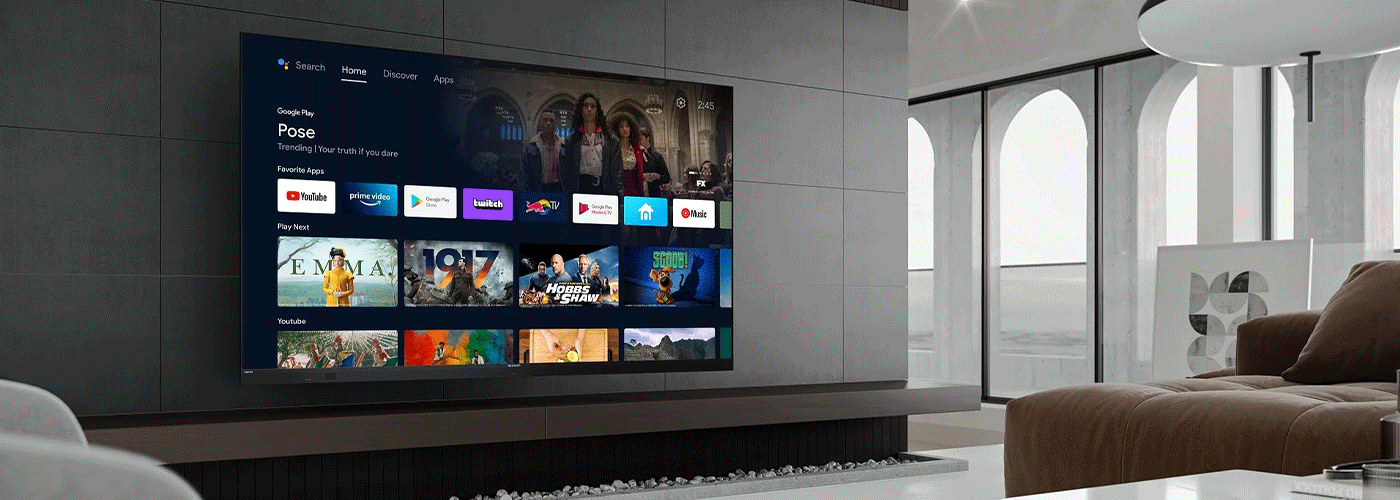
In Short: Should Your Business Use a Commercial Display or a Consumer TV?
For business environments, a commercial display is generally the better choice when a screen needs to operate for extended hours, be installed in portrait or landscape orientation, deliver reliable visibility in commercial environments, or be centrally managed across multiple locations.
Consumer TVs can be suitable where entertainment features and occasional use are the priority. Commercial displays are designed around professional requirements such as extended operating hours, flexible installation, connectivity, content management and long-term business use.
Sharp New Zealand provides commercial display solutions ranging from professional 4K displays and digital signage through to interactive collaboration displays, video walls and dvLED solutions.
Numbers & Facts at a Glance
| Business consideration | Sharp professional visual solution |
| Resolution | Up to 4K UHD, depending on model |
| Operating hours | Model-dependent, including 16/7, 18/7 and 24/7 options |
| Orientation | Portrait and landscape options available |
| Brightness | Model-dependent, with current Sharp commercial displays ranging from approximately 350 cd/m² to 700 cd/m² and above |
| Display sizes | Current Sharp NZ commercial range includes approximately 43" to 98" displays, with larger video-wall and dvLED solutions available |
| Content management | USB, network, integrated media players and digital signage platforms depending on solution |
| Support | Sharp New Zealand business support and approved service network |
| Financing | Sharp NZ offers lease or purchase options for business technology |
| Proven business outcome | Modern Transport Engineers reported at least a 30% increase in production following improved operational visibility |
Important: Operating hours, brightness, connectivity, warranty and management capabilities vary by model. Businesses should select a display based on the actual environment and required duty cycle rather than assuming all commercial displays have identical specifications.
What Is the Difference Between a Commercial Display and a Consumer TV?
The fundamental difference is how the product is designed to be used.
A consumer TV is primarily designed for home entertainment. A commercial display is designed for professional environments where the screen may need to operate for extended periods, be installed in different orientations, integrate with business systems and provide consistent visual communication.
Sharp describes its professional displays as being designed for commercial use, with greater robustness, higher brightness and extended operating capabilities compared with conventional televisions.
For a business, the decision therefore should not simply be:
"Which screen has the best picture?"
It should be:
"Which display is designed for the way our organisation needs to use it?"
Consumer TV vs. Commercial Display: The Key Differences
| Feature | Consumer TV | Sharp Commercial Display |
| Primary purpose | Home entertainment | Business communication, signage, collaboration and information |
| Typical operating requirement | Intermittent daily use | Extended commercial operation |
| Operating duration | Depends on consumer model | Model-specific 16/7, 18/7 or 24/7 options |
| Orientation | Primarily landscape | Portrait and landscape options available |
| Brightness | Designed primarily for home viewing | Professional models available for brighter commercial environments |
| Anti-glare options | Model dependent | Professional high-haze/anti-glare options available |
| Content management | Primarily individual device control | Network, USB, SoC and digital signage options depending on model |
| Installation | Consumer wall/stand installation | Commercial mounting, portrait/landscape and professional installation options |
| Multi-site management | Limited depending on TV ecosystem | Centralised digital signage management available |
| Business lifecycle | Optimised for consumer use | Designed around professional applications |
| Applications | Entertainment | Signage, collaboration, presentations, information, wayfinding and corporate communications |
Sharp's current professional display portfolio includes models with portrait and landscape orientation, integrated system-on-chip functionality, digital signage capability and extended operating specifications.
The Hidden Risks of Using a Consumer TV in a Commercial Environment
A consumer TV is not automatically the wrong choice for business. The problem occurs when the operating environment exceeds what the device was selected to handle.
1. Extended Operating Hours
A reception display that runs for a few hours each day has very different requirements from a retail display operating throughout the trading day or an information screen running continuously.
Sharp's professional range includes products specifically rated for extended operation. For example:
- Sharp PN-E Series 16/7 operation
- Sharp PN-ME Series: 18/7 operation
- Selected Sharp commercial signage displays: 24/7 operation
This means the correct comparison is not simply "TV versus display". Businesses should compare the required duty cycle against the manufacturer's rated operating specification.
2. Visibility in Bright Environments
A display that looks excellent in a dim living room may not perform equally well in a brightly lit reception area, retail environment, workshop or public venue.
Brightness is measured in cd/m², commonly referred to as nits.
Sharp's current commercial range demonstrates why businesses should compare specifications rather than make assumptions. The PN-E range offers brightness up to approximately 350 cd/m², while the PN-ME Series reaches up to 450 cd/m². Other Sharp commercial signage models offer 500–700 cd/m² and above depending on the application.
What does that mean in practice?
For a bright reception or office, look at:
- Ambient light.
- Screen position.
- Viewing distance.
- Reflections.
- Required brightness.
- Whether anti-glare/high-haze technology is appropriate.
There is no single "best" brightness for every business.
3. Portrait vs. Landscape Installation
Commercial environments frequently require displays to be installed vertically.
Examples include:
- Digital menu boards.
- Retail advertising.
- Wayfinding.
- Reception information.
- Building directories.
- Public information.
- Internal communications.
Many Sharp professional displays support both portrait and landscape installation, giving businesses greater flexibility when planning a visual communications system.
This can be particularly important when replacing a consumer TV, because the fact that a television physically fits on a wall does not necessarily mean it is designed to operate safely or reliably in a portrait orientation.
4. Centralised Content Management
A business with one screen can manage content manually.
A business with 10, 50 or 100 screens needs a different approach.
Sharp's digital signage software allows organisations to create, schedule, distribute and manage content across compatible Sharp and NEC monitors.
This changes the operational model from:
"Someone needs to update every screen."
to:
"Content can be managed centrally across the display network."
For multi-site organisations, this can help improve brand consistency and reduce the administrative effort associated with manually updating individual displays.
Professional Visual Solutions: Which Type Do You Need?
Sharp's visual solutions portfolio covers several different business requirements.
Commercial Digital Signage Displays
Best for: Retail, hospitality, reception areas, corporate communications, public information and advertising.
Commercial signage displays are designed to communicate information and visual content consistently across business environments.
Sharp's range includes professional displays with 4K resolution, commercial operating specifications, portrait/landscape installation and digital signage capabilities.
Interactive Collaboration Displays
Best for: Meeting rooms, boardrooms, classrooms, training rooms and collaborative workplaces.
Interactive displays allow users to present, annotate, write, share information and collaborate directly on the screen.
Sharp's current interactive range includes 4K touch displays with features such as multi-point touch, USB-C connectivity and integrated operating systems, depending on model.
Video Walls
Best for: Control rooms, corporate environments, retail, transport, public venues and high-impact visual communication.
Video walls combine multiple displays to create a larger visual canvas.
Sharp's portfolio includes professional video-wall displays designed for continuous commercial operation and narrow-bezel applications.
dvLED
Best for: Large-scale corporate installations, high-traffic venues, transport environments, auditoriums and high-impact brand experiences.
dvLED solutions use individual LED modules to create large-format displays without the traditional bezels associated with LCD video walls.
Business Projectors
Best for: Large meeting rooms, classrooms, auditoriums, training environments and applications where a very large projected image is required.
Sharp's professional projector portfolio provides another option where screen size, portability or room configuration makes projection more appropriate than a fixed display.
How to Choose the Right Professional Display
Before purchasing a commercial display, answer these eight questions.
1. How many hours per day will the screen operate?
Estimate the normal and peak operating schedule. Is the display required to operate 16/7, 18/7 or 24/7? Select a model with the appropriate manufacturer-rated duty cycle that matches your requirements.
2. How bright is the environment?
Consider windows, overhead lighting, reflections and viewing distance.
3. Does the display need to be portrait or landscape?
Do not assume every screen is suitable for both orientations.
4. Does content need to be centrally managed?
If multiple screens are involved, evaluate digital signage and content management requirements.
5. How large does the display need to be?
Consider viewing distance and the information being displayed rather than simply selecting the largest screen available.
6. Does the display need touch or collaboration functionality?
Meeting rooms, classrooms and training spaces may require interactive technology rather than conventional signage.
7. What happens if the display fails?
For business-critical applications, consider warranty, service support, replacement processes and the availability of local technical assistance.
A Simple Commercial Display Decision Framework
| If your requirement is... | Consider... |
| Occasional presentation or entertainment | Consumer TV may be appropriate |
| Reception information | Professional commercial display |
| Retail digital signage | Commercial signage display |
| 16-hour daily operation | 16/7 professional display |
| 18-hour daily operation | 18/7 professional display |
| Continuous operation | 24/7-rated commercial display |
| Multiple sites | Display + centralised digital signage |
| Boardroom collaboration | Interactive display |
| Classroom teaching | Interactive display |
| Large-scale visual impact | Video wall or dvLED |
| Very large projected image | Professional projector |
The Business Case: What Is the ROI of Professional Visual Solutions?
In short: ROI varies by organisation, application and intended outcomes. Sharp NZ professional visual solutions start from $200 per month, providing a scalable entry point for improving communication, collaboration, operational visibility and customer engagement.
A recent Sharp NZ deployment for Modern Transport Engineers (MTE) reported that improved visibility contributed to at least a 30% increase in production.
Calculate the Total Cost of Ownership
The business case should consider more than the display price:
TCO = Hardware + Installation + Content Management + Support + Energy + Replacement Risk + Staff Time
Potential returns can include:
- Higher productivity through faster access to information
- Reduced communication costs by replacing manual and printed updates
- Improved operational visibility across teams and locations
- More effective collaboration in meetings and shared workspaces
- Reduced staff time spent manually updating information
- Consistent communication across multiple sites
Because every organisation starts from a different baseline, there is no single ROI figure that applies to every deployment. The strongest business case compares the current state, technology investment and measurable improvement to determine the financial or operational return.
Proof of Business Impact: Modern Transport Engineers
A strong example of visual technology supporting operational improvement is the Modern Transport Engineers (MTE) deployment in Hamilton, New Zealand.
The Problem
MTE needed better visibility across its production environment. Manual processes and limited visibility made it harder for teams to understand operational information and coordinate activity.
The Solution
Sharp technology was integrated into the production environment to improve access to information and provide greater visibility across the workshop.
The Result
According to MTE's IT Manager Shaun Clarkin, the improved visibility contributed to at least a 30% increase in production.
Why This Matters
The example demonstrates an important principle for businesses considering visual technology:
The value of a display is not the screen itself. The value comes from what better information enables people to do.
For an organisation assessing a visual technology investment, the most useful KPI is therefore not simply "number of screens installed".
It is:
What measurable business process will improve because people can see, understand and act on information faster?
Why Choose Sharp for Professional Visual Solutions in New Zealand?
Sharp New Zealand provides a portfolio covering commercial displays, digital signage, interactive displays, video walls, dvLED and professional visual technology.
The Sharp NZ range is designed to support applications from meeting rooms and classrooms through to retail, hospitality, corporate environments and large-scale visual installations.
Sharp also provides business support for Visual Solutions alongside its broader business technology portfolio.
For organisations evaluating a visual technology project, the Sharp approach should begin with the business requirement rather than a specific screen model:
Discover → Specify → Install → Integrate → Manage → Optimise
Frequently Asked Questions
Is a commercial display better than a TV for business?
A commercial display is generally better when a business requires extended operating hours, professional installation, portrait or landscape orientation, higher commercial durability, centralised management or other business-specific functionality. A consumer TV can still be appropriate for lower-demand applications.
Can a Sharp commercial display run 24/7?
Some Sharp commercial displays are designed for 24/7 operation, while other models are rated for 16/7 or 18/7 operation. Businesses should select a display based on the manufacturer's specified duty cycle for the exact model.
Can Sharp commercial displays be installed vertically?
Yes. Multiple Sharp professional display ranges support both portrait and landscape installation, although the supported orientation should always be confirmed for the specific model.
Can Sharp displays be centrally managed?
Yes. Compatible Sharp commercial displays can be used with digital signage solutions that support the creation, scheduling, distribution and management of content across displays.
What brightness should a commercial display have?
There is no universal brightness requirement. The correct specification depends on ambient light, viewing distance, reflections and the application. Current Sharp commercial displays range from approximately 350 cd/m² on some professional models to 700 cd/m² and above on selected signage displays.
Are commercial displays worth the additional cost?
They can be when the business requires extended operating hours, flexible installation, professional support, centralised management or greater suitability for commercial environments. The correct comparison is total cost of ownership and business outcome rather than purchase price alone.
What is the ROI of digital signage?
There is no universal ROI figure because results depend on the application. A credible business case should establish a baseline and measure outcomes such as communication time, productivity, customer engagement, operational efficiency and content-management costs.
How quickly can a business see benefits from a visual technology investment?
The time to value depends on the application. Operational deployments can produce measurable improvements once the new information flow is embedded into daily workflows. Businesses should establish baseline KPIs before installation and measure results after implementation.
Does Sharp provide visual solutions for schools?
Yes. Sharp provides interactive displays and professional visual technology for classrooms, training environments and education facilities, alongside digital signage and other commercial display solutions.
Does Sharp provide visual solutions for businesses across New Zealand?
Yes. Sharp New Zealand provides business technology and support for organisations across New Zealand, including professional Visual Solutions.
The Bottom Line: Commercial Display or Consumer TV?
The cheapest screen is not necessarily the lowest-cost business solution.
If a display is being used occasionally for presentations, a consumer television may be sufficient.
If it is being used for digital signage, operational information, customer communication, collaboration, wayfinding or extended daily operation, a professional commercial display provides a more appropriate technology foundation.
The right Sharp solution depends on five core factors:
Operating hours + environment + viewing requirements + management needs + business outcome.
For New Zealand organisations, Sharp provides professional visual technology across commercial displays, digital signage, interactive collaboration, video walls and dvLED solutions.
The goal is not simply to put a screen on the wall. It is to make information more visible, communication more effective and technology easier to manage.

Craig Betteridge is a Product Marketing Manager at Sharp New Zealand, specialising in visual solutions, visitor management, voice and data, and workplace software. With extensive experience across leading technology brands, he brings a strong understanding of enterprise technology and customer needs, focused on helping organisations improve efficiency, security, and workplace performance.