How NZ Organisations Reduce Internal Comms Gaps with Digital Signage
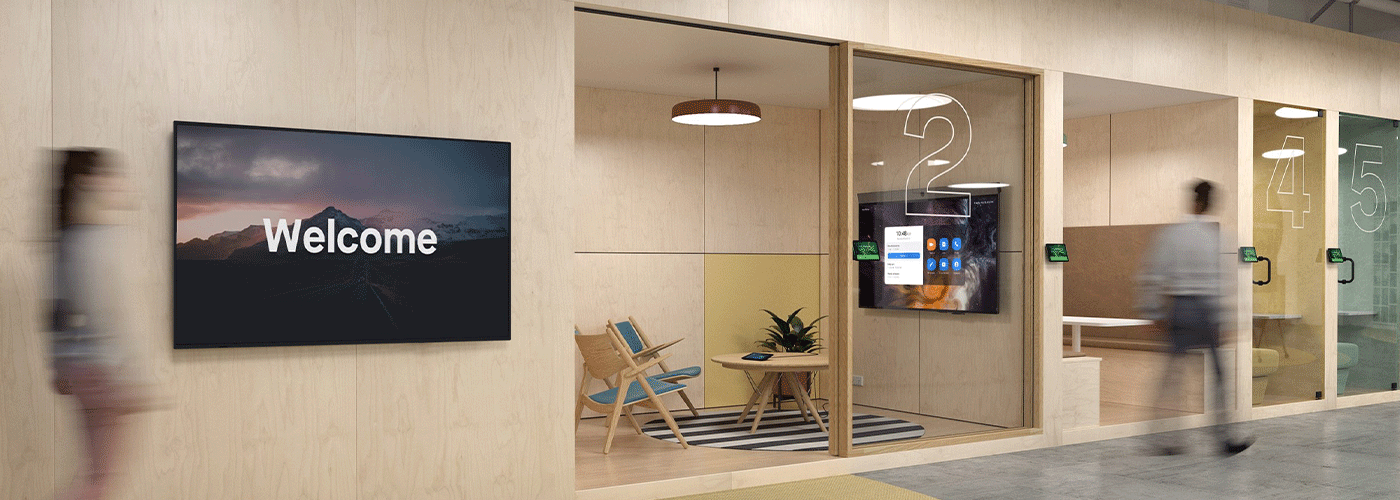
Bridging the workplace communications gap with digital signage.
Internal communication has become harder to manage as New Zealand workplaces become more hybrid, distributed and operationally diverse.
Important information can no longer rely on email or an intranet alone. Office-based employees may spend much of their day working across email, Teams and business applications, while frontline and deskless employees in manufacturing, healthcare, retail, logistics and field services may have limited access to corporate communication channels.
This creates an internal communications gap: the organisation has information to share, but employees do not necessarily encounter that information at the right time, in the right place or through the right channel.
Workplace digital signage provides an additional communication channel by placing short, visual messages directly into the physical environments where employees work and move throughout the day. Commercial displays can be used for company announcements, health and safety messages, operational KPIs, team recognition, event information, visitor messaging and emergency communications.
For New Zealand organisations with multiple sites or a mix of office and frontline employees, digital signage can complement existing channels such as email, Microsoft Teams and intranets while making important information more visible in the workplace.
Quick Answer: What Is Internal Communications Digital Signage?
Internal communications digital signage is a network of commercial display screens used to communicate company information to employees in physical workplace environments.
Screens can be positioned in locations such as:
Staff lunchrooms and break rooms
Reception areas
Lift and elevator lobbies
Factory and production floors
Warehouse areas
Healthcare facilities
Retail environments
Training rooms
Shared workplace areas
Content can include company news, health and safety notices, operational information, KPIs, employee recognition, events and emergency messages.
Unlike an email or intranet article, digital signage is designed to be seen passively as employees move through the workplace, making it particularly useful for reinforcing information that needs to reach both desk-based and non-desk employees.
Key Benefits of Internal Digital Signage
A well-managed workplace digital signage network can help organisations:
Extend communications beyond email by introducing a visual channel in physical workplaces.
Reach deskless and frontline employees who may not regularly access corporate email or intranets.
Reduce repetitive email communications by moving suitable announcements to workplace screens.
Update information centrally across multiple locations.
Target content by location or audience where local messaging is required.
Reinforce health and safety information in relevant operational areas.
Display live operational information, including KPIs and production data.
Schedule content and screen activity to support consistent communications and energy management.
Software such as e-Signage S can provide a central platform for creating, scheduling and distributing content across connected displays.
The Core Symptoms of Internal Communication Gaps in NZ Workplaces
Internal communication problems do not always appear as a single obvious issue. More often, they show up as employees missing information, different sites receiving different messages or important announcements having to be repeated across several channels.
Several symptoms can indicate that an organisation's current communication mix is not reaching everyone effectively.
1. Email Fatigue and Unopened Updates
Email remains an essential business communication channel, but employees can receive hundreds of messages across a typical working week.
Important internal announcements can compete with customer communications, project updates, meeting invitations, automated notifications and day-to-day operational email.
Intranet communications face a similar challenge. An organisation may publish important information, but employees need to actively visit the intranet to encounter it.
Digital signage provides a different communication model.
Instead of asking employees to open an email or navigate to an internal portal, a screen can display a short message in a shared workplace environment.
This makes digital signage particularly useful for reinforcing information that has already been distributed through email or other channels.
For example:
Email: "New health and safety procedure available from Monday."
Digital signage: "NEW SAFETY PROCEDURE | Effective Monday | Ask your team leader."
The two channels perform different roles. Email can provide the detail and documentation, while signage provides visible reinforcement.
2. The Frontline and Deskless Staff Disconnect
One of the most significant internal communication challenges is reaching employees who do not work at a desk.
Manufacturing employees may spend most of their shifts on production lines. Healthcare employees may work across wards and clinical areas. Retail employees may move between customer-facing areas and back-of-house operations. Field technicians may spend most of their working day away from an office.
These employees may not regularly check corporate email or an intranet during working hours.
Digital signage can place communications directly into their working environment.
A display in a staffroom, production area or other appropriate shared location can provide a consistent visual channel for:
Safety reminders
Shift information
Production targets
Quality messages
Team announcements
Training reminders
Employee recognition
Company news
Emergency information
The objective is not to replace direct communication or formal safety procedures. Instead, signage provides another way to reinforce important information where employees are physically present.
3. Multi-Site Disconnection
Communication becomes more complex as organisations expand across New Zealand.
A business might have a head office in Auckland with branches, warehouses or operational teams in Hamilton, Tauranga, Wellington and Christchurch.
Without centralised digital communication tools, local teams can receive information at different times or rely on managers to distribute updates manually.
A centrally managed digital signage network allows communications teams to publish national messages while still allowing appropriate local content.
For example, a national playlist might include:
Corporate news
Health and safety campaigns
Company values
ESG updates
National events
A local playlist could then add:
Local team announcements
Site-specific safety information
Birthdays and milestones
Local events
Branch performance
Regional visitor information
This creates a communication structure that is centrally governed but locally relevant.
4. Low Visibility of Corporate Priorities
Corporate priorities can be difficult to keep visible once employees return to their day-to-day responsibilities.
Values, safety campaigns, customer service initiatives, sustainability programmes and business objectives can become something employees hear about once rather than information they regularly encounter.
Digital signage can reinforce these priorities through repeated, concise visual communication.
For example, a manufacturing organisation could rotate:
SAFETY
"Report hazards before they become incidents."
PERFORMANCE
"Today's production target: 1,250 units."
PEOPLE
"Congratulations to the Hamilton team."
SUSTAINABILITY
"June energy reduction: 12%."
The objective is simple: keep relevant priorities visible without requiring employees to actively seek them out.
How Digital Signage Bridges the Internal Comms Divide: Four Strategic Pillars
Digital signage becomes most effective when it is treated as part of an organisation's communications strategy rather than simply as a collection of screens.
Four practical pillars can help organisations design an effective workplace signage network.
1. Ambient Information Delivery in High-Traffic Zones
The first principle is put information where employees naturally spend time.
Digital signage works best when displays are positioned in areas with regular employee traffic and sufficient dwell time.
Typical locations include:
Staff kitchens and lunchrooms
Reception areas
Lift lobbies
Corridors
Production floors
Warehouse areas
Waiting areas
Shared meeting spaces
The content should be designed for the viewing environment.
A detailed policy document is unlikely to work well on a corridor display. Instead, the screen might communicate the key message in a few words and direct employees to the appropriate system for further information.
Example
Instead of:
"The company has recently updated its workplace health and safety policy. Employees are encouraged to familiarise themselves with the revised policy, which can be found on the internal employee portal."
Use:
NEW H&S POLICY
Updated from 1 October
Read the full policy on the intranet.
Digital signage is therefore best viewed as a visual communication layer, not a replacement for detailed information systems.
2. Centralised Real-Time Publishing
A multi-site signage network needs centralised management.
Platforms such as e-Signage S allow authorised users to create, schedule and distribute content to connected displays from a central management environment.
This means a communications team can make a change once and distribute it across relevant screens rather than manually updating individual devices.
For a multi-site organisation, this can support:
National campaigns
Regional messaging
Site-specific announcements
Scheduled content
Emergency communications
Recurring playlists
Time-based content
Screen power scheduling
e-Signage S can support networks of up to 1,000 displays, providing a scalable approach for organisations managing large numbers of screens.
The use of integrated commercial display technology can also reduce reliance on separate external media-player PCs in appropriate deployments. Displays with built-in System-on-Chip technology can run compatible signage applications directly, reducing hardware components that need to be installed and maintained.
3. Role-Based and Location-Specific Messaging
A common concern with centralised communications is that local teams lose control.
The solution is not to choose between centralisation and local autonomy. A well-designed signage system can support both.
Role-Based Access Control, or RBAC, can be used to establish different levels of access.
For example:
| User | Potential Responsibility |
|---|---|
| National Communications | Corporate campaigns and national announcements |
| HR | People, wellbeing and employee communications |
| Health & Safety | Safety notices and compliance messaging |
| Regional Manager | Local site communications |
| IT | Technical administration and infrastructure |
| Facilities | Building and operational messaging |
This allows an organisation to maintain governance while giving appropriate teams the ability to publish relevant local content.
For example, a national HR team might publish a company-wide wellbeing campaign, while a Christchurch branch manager could add a local event to the same screen network.
4. Live Data Dashboards and Operational Visibility
Digital signage does not have to be limited to static announcements.
Displays can also become a visual layer for operational information.
Depending on the software and integrations available, screens can show:
Production KPIs
Sales performance
Job queues
Operational targets
Visitor information
Service information
Event schedules
Environmental metrics
Business dashboards
This can make digital signage particularly valuable in operational environments.
NZ Example: Modern Transport Engineers
Modern Transport Engineers (MTE) used digital displays and digital job-queue information within its shop-floor environment.
The visual system helped provide production teams with clearer visibility of work moving through the operation. The organisation reported a 30% increase in production following the implementation.
The example demonstrates a broader principle: workplace displays can move beyond corporate announcements and become part of an organisation's operational information environment.
The impact of any digital signage deployment will depend on the organisation, implementation, workflow and measures used to evaluate results.
Commercial Displays vs Consumer TVs for Workplace Communications
Choosing the right hardware is an important part of a digital signage deployment.
A consumer television may appear cheaper initially, but commercial displays are designed for environments where screens need to operate for longer periods, be managed remotely and withstand ongoing business use.
The correct specification will depend on the environment, operating hours, content requirements and installation location.
| Feature | Commercial Display | Consumer Television | Workplace Communication Impact |
| Operating hours | Models available for extended commercial operation, including 16/7 and 24/7 applications | Generally designed around domestic viewing patterns | Supports extended workplace operating hours |
| Cooling and durability | Commercial designs can incorporate thermal management suited to extended operation | Designed primarily for residential environments | Better suited to continuous business use |
| Brightness | Commercial models are available with higher brightness specifications | Typically optimised for home viewing | Helps maintain readability in bright workplaces |
| Orientation | Many commercial displays support landscape and portrait installation | Orientation support varies and is often limited | Enables portrait layouts for posters, notices and information feeds |
| Device management | Network monitoring, scheduling and remote management available on supported models | Primarily designed for local consumer control | Simplifies management across multiple screens |
| Warranty and support | Commercial models can include business-focused warranty and service arrangements | Consumer warranties may have different terms and conditions | Helps organisations plan support and replacement costs |
| Connectivity and integration | Designed around professional AV and digital signage requirements | Primarily designed for consumer entertainment | Supports broader workplace technology deployments |
A key consideration is not simply the purchase price of the screen, but the total cost of ownership.
A workplace display may need to operate for many hours every day, be mounted in a specific orientation, connect to a network and be managed across multiple locations. Commercial hardware is designed around these types of requirements.
Practical Implementation Checklist: What Good Digital Signage Looks Like
A successful digital signage network depends as much on content governance and operational planning as it does on hardware.
The following checklist provides a practical starting point for communications, HR, IT and workplace teams.
1. Keep Messages Short
Digital signage is not a document reader.
Use short headlines and concise supporting information.
A practical starting point is:
Keep the main message under approximately 10 words where possible.
Allow enough screen time for the message to be understood.
Keep playlists short enough that important content does not disappear into a long rotation.
For example:
TOGETHER WE ACHIEVE MORE
Quarterly staff meeting
Friday | 2:00 PM
is easier to absorb than a paragraph of text.
The exact dwell time should be adjusted according to message complexity, screen location and viewing distance.
2. Design for Distance
Employees may only look at a screen for a few seconds.
Use:
Large typography
Strong visual hierarchy
High contrast
Clear headlines
Simple layouts
Relevant imagery
Motion or video where appropriate
Avoid overcrowding the screen with multiple competing messages.
3. Create a Content Governance Model
Decide before deployment:
Who owns the signage network?
Who approves national communications?
Who can publish local content?
Who manages emergency messaging?
How long should content remain live?
How often should playlists be reviewed?
Who removes expired campaigns?
Without governance, digital signage can become another information channel that becomes cluttered and ineffective.
4. Separate the Network Where Appropriate
Digital signage devices are connected technology assets and should be treated accordingly.
IT teams should consider appropriate network segmentation, access controls, password management, software updates and device monitoring.
A dedicated media or IoT network can be appropriate in some environments, depending on the organisation's wider network architecture and security policies.
Wireless deployments should use the strongest supported security configuration compatible with the organisation's infrastructure, such as WPA3 where supported.
Administrative access should be restricted to authorised users.
5. Plan for Emergency Communications
Organisations should establish how urgent messages will override normal content.
For example:
EMERGENCY
EVACUATE THE BUILDING
Follow instructions from emergency personnel.
The signage system should form part of the organisation's broader emergency communication plan rather than being treated as the sole emergency notification method.
6. Measure the Communication Outcome
Digital signage should have a defined purpose.
Possible measures include:
Reduction in repeated email communications
Employee awareness of specific campaigns
Engagement with internal events
Safety-message visibility
Time taken to distribute information across sites
Content publishing efficiency
Operational KPI visibility
Screen uptime
Energy consumption
The right measures will vary according to the organisation's objectives.
7. Consider Predictable Financing
For organisations wanting to avoid a large upfront capital expenditure, technology leasing can provide an alternative purchasing model.
Sharp NZ offers workplace technology leasing options from $100 per month, subject to the equipment, solution configuration and applicable terms.
A monthly model can combine technology costs into a predictable operating expense rather than requiring the organisation to fund the entire deployment upfront.
How to Build a Digital Signage Communication Strategy
Before purchasing screens, organisations should answer five questions.
1. Who are we trying to reach?
Identify desk-based, frontline, mobile, shift-based and remote employees.
2. What information are they currently missing?
Look for repeated questions, missed announcements, inconsistent site communications and information that has to be manually reinforced by managers.
3. Where are employees most likely to see a screen?
Map high-traffic areas, staff facilities and operational environments.
4. Who owns the content?
Establish responsibility across communications, HR, IT, facilities and local management.
5. How will success be measured?
Define the business or communication outcome before deploying the technology.
This prevents digital signage from becoming simply an additional screen on the wall.
Instead, it becomes part of a structured internal communications ecosystem.
Frequently Asked Questions
Why is digital signage useful for internal communications?
Digital signage adds a visual communication channel to the physical workplace. It can reinforce company announcements, safety information, operational updates and employee communications without requiring employees to open an email or intranet page.
It is particularly useful for reaching employees who spend limited time at a desk or do not regularly access corporate communication systems.
Is digital signage better than email for internal communications?
Digital signage and email serve different purposes.
Email is suited to detailed information, personal communications and messages that require a response or record. Digital signage is suited to short, highly visible messages that need to be reinforced in the workplace.
For many organisations, the most effective approach is to use both: email or intranet for detail, and digital signage for visibility and reinforcement.
How can multi-site New Zealand companies manage digital signage centrally?
Multi-site organisations can use a central content management platform such as e-Signage S to create, schedule and distribute content across connected displays.
National communications can be published centrally while local teams can be given appropriate access to publish site-specific information.
e-Signage S can support networks of up to 1,000 displays, making it suitable for organisations that need to manage screens across multiple locations.
Can digital signage reach non-desk workers?
Yes. Digital signage is particularly suited to environments where employees may not have regular access to a computer or corporate email.
Screens can be installed in appropriate staff areas, production environments, warehouses, healthcare facilities, retail locations and other shared workplace spaces.
Content should be designed around the viewing environment and supplemented by formal communication channels where detailed information or acknowledgement is required.
What can companies display on internal digital signage?
Common internal communications content includes:
Company announcements
Health and safety reminders
Employee recognition
Events and meetings
Training reminders
Business performance
Production KPIs
Sustainability initiatives
Customer service messages
Visitor information
Emergency communications
The most effective content is generally short, visual and relevant to the people viewing it.
How much does workplace digital signage cost in New Zealand?
The cost depends on the number and type of displays, mounting requirements, signage software, network configuration, installation, content requirements and ongoing support.
Sharp NZ offers workplace technology leasing options from $100 per month, providing an alternative to purchasing the full solution upfront. Actual pricing depends on the solution configuration and applicable leasing terms.
Can digital signage be used for health and safety communications?
Yes. Digital signage can reinforce health and safety messages in locations where employees regularly work or gather.
Examples include PPE reminders, hazard awareness, emergency procedures, safety campaigns and operational alerts.
However, digital signage should complement formal health and safety processes rather than replace required training, signage, procedures or direct communication.
Can digital signage show live business data?
Yes, depending on the signage platform and available integrations.
Digital displays can be configured to show operational information such as production targets, job queues, performance metrics, visitor information and other approved data sources.
This can turn a display from a simple communications screen into a shared operational information point.
Building a More Connected Workplace
The challenge facing many New Zealand organisations is not a lack of communication tools. It is having too many channels, fragmented audiences and inconsistent access to information.
Email, intranets, Microsoft Teams and other digital platforms remain essential. But they do not necessarily reach every employee in the same way.
Workplace digital signage adds a physical, visual communication layer.
By placing relevant information where employees naturally work and move, centrally managing content, supporting local messaging and connecting screens to operational data, organisations can create a more consistent internal communications environment across offices, frontline teams and multiple sites.
For communications, HR, IT and workplace leaders, the starting point is not simply choosing a screen.
It is identifying which communication gaps exist, who is missing the information, where those employees are located and what information needs to remain visible.
From there, commercial displays and digital signage software can provide a scalable way to make workplace communications more visible, timely and accessible across New Zealand organisations.
Summary: Closing the Internal Communications Gap
For New Zealand organisations, effective internal communication is no longer about choosing a single channel. Hybrid teams, deskless employees, multiple locations and increasing digital noise mean important information can easily be missed.
Digital signage provides a practical visual layer that complements email, intranets and collaboration platforms. By placing relevant messages where employees naturally work and gather, organisations can improve the visibility of company updates, safety information, operational priorities and employee communications.
With centrally managed content, location-specific messaging, live data integration and commercial-grade hardware, digital signage can scale from a single workplace to a multi-site New Zealand network.
The first step is to identify where communication is currently being missed, who is not being reached and which messages need greater visibility.
Ready to Improve Workplace Communications?
Sharp NZ can help organisations assess their internal communication requirements and develop a digital signage solution around their people, locations and operational needs.
Talk to Sharp NZ about digital signage for your workplace and explore how commercial displays, e-Signage S and managed workplace technology can help create a more connected and informed organisation.

Kimberley Holden is Brand & Communications Manager at Sharp New Zealand, where she leads strategic marketing, brand development, and customer communications across Sharp’s portfolio of consumer products and workplace technology solutions, including print, visual solutions, visitor management, voice and data, and software. She brings a strong focus on clear messaging, customer engagement, and delivering consistent brand experiences across complex technology environments.