How to Reduce Printing Costs in a Mid-Sized NZ Office
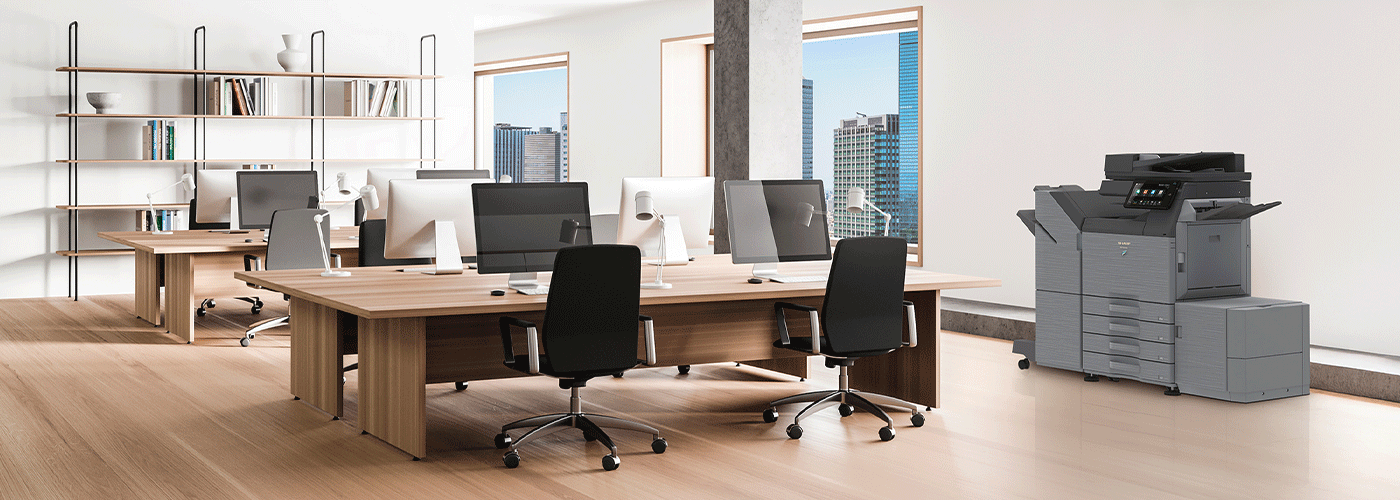
A practical guide for New Zealand businesses looking to reduce print spend, improve visibility, and make better decisions about their office print environment.
Printing costs often increase gradually rather than all at once. A few extra desktop printers are added for convenience. Toner orders become more frequent. Colour printing goes unchecked. Older devices stay in service because they still “work”, even if they are expensive to run. Over time, a mid-sized office can end up with a print environment that is costing far more than it should.
For many New Zealand businesses, the problem is not just the cost of paper and toner. It is the combination of hidden print spend, inconsistent device usage, untracked colour printing, service interruptions, and manual print-related admin that creates a larger operational cost over time.
This guide explains how to identify the real causes of high printing costs in a mid-sized NZ office, what to check first, and the practical steps businesses can take to reduce costs without disrupting productivity.
Why printing costs become a problem in mid-sized offices
In a small office, it is usually easy to see who is printing, which devices are being used, and when costs start creeping up. In a mid-sized office, that becomes much harder.
You may have multiple teams, a mix of A4 and A3 devices, one or more desktop printers, hybrid workers, and different print habits across departments. Costs become spread across toner orders, service calls, lease payments, IT support time, and wasted prints, which means the total cost of printing is rarely visible in one place.
That is why many organisations underestimate how much printing is really costing them. The spend is there, but it is fragmented across budgets, suppliers, devices, and workflows.
Symptoms: signs your office printing costs are too high
If your organisation is experiencing one or more of the following, there is a good chance your print environment is costing more than it should.
1. Toner and paper orders seem constant
If consumables are being ordered frequently, but no one can clearly explain where the volume is coming from, it usually points to poor print visibility, excessive colour use, or devices that are inefficient for their workload.
2. You have multiple desktop printers across the office
Desktop printers often look inexpensive at first, but they typically have a higher cost per page than shared multifunction devices. When several are spread across a business, they can quietly drive up toner, maintenance, and support costs.
3. No one knows your actual monthly print volume
If your business cannot easily answer questions like how many pages are we printing each month?, how much of that is colour?, or which teams print the most?, then print spend is largely unmanaged.
4. Colour printing is happening by default
If standard office documents are being printed in colour because that is the default setting, the business is likely spending more than necessary on toner and consumables.
5. Staff complain about printers being unreliable or slow
Downtime has a cost. If users regularly experience printer issues, delays, or service interruptions, the business is losing time as well as money.
6. Different teams use different printers for similar tasks
When there is no clear print strategy, one department may use a low-cost shared multifunction device while another relies on a desktop printer for the same type of work. That inconsistency usually creates unnecessary cost.
7. You suspect waste, but can’t measure it
Uncollected print jobs, duplicate printing, unnecessary colour use, and oversized fleets all contribute to waste. If there is no reporting in place, those costs remain hidden.
What’s really driving printing costs?
Reducing print costs starts with understanding what is causing them. In most mid-sized offices, the issue is not one single device or one expensive toner order. It is a combination of structural issues in the print environment.
1. Too many devices in the fleet
A common issue in growing businesses is “printer sprawl” — where devices are added over time without an overall plan. A printer is installed for convenience, another stays in place after a team moves, and an older device is kept because it still functions.
The result is a larger fleet than the business actually needs, which increases:
- maintenance costs
- consumables usage
- energy use
- IT support overhead
- service complexity
2. High reliance on desktop printers
Desktop printers are one of the most common hidden cost drivers in office environments. While they can suit specific use cases, they often cost more per page than shared multifunction devices and are harder to manage consistently across the business.
A fleet with too many desktop printers usually means:
- more toner SKUs to purchase and store
- more devices for IT to support
- less visibility over print volumes
- fewer opportunities to apply print rules or security settings
3. Unmanaged colour printing
Colour printing is useful when it adds value, but in many offices it happens by default rather than by design. Presentations, internal drafts, emails, and general admin documents may all be printed in colour when black and white would be sufficient.
Without print rules, colour use can become one of the biggest avoidable print costs in the business.
4. Devices are not matched to actual print needs
Some offices have high-volume devices in low-use areas and low-capacity devices in departments that print heavily. Others are using older printers that are expensive to maintain or lack the scanning and workflow functionality needed today.
When devices are not aligned to actual usage, businesses end up paying more through:
- unnecessary servicing
- inefficient consumables use
- slower workflows
- avoidable replacement of small devices under pressure
5. Printing is unmanaged across departments
If different teams order toner separately, manage their own printers, or use different suppliers and support processes, the organisation loses the ability to control print costs centrally.
This often leads to:
- inconsistent purchasing
- duplicated spend
- limited reporting
- difficulty identifying which devices or teams are driving cost
6. Uncollected, duplicate, or unnecessary print jobs
Documents printed and left on the tray, jobs sent twice, and “just in case” printing all add cost without adding value. In offices without secure print release or user authentication, this waste is common and hard to measure.
7. Manual paper-based workflows are inflating print volume
Some organisations are still printing because the process around them has never changed. Invoices are printed for approval, forms are signed manually, documents are copied for filing, and paper remains the easiest way to move information between people.
In these cases, reducing print cost is not just about the printer fleet. It also means reducing the business’s dependence on paper-heavy workflows.
The real business impact of high printing costs
High print spend is not just a line item in the office budget. It has a wider operational impact across finance, IT, admin, and frontline teams.
Higher operating costs without clear accountability
When print costs are spread across leases, consumables, service, and support, they become harder to manage. The business pays more, but no one owns the full picture.
Lower productivity due to downtime and inefficient devices
If staff spend time troubleshooting printers, walking to the wrong device, waiting for service, or reprinting failed jobs, that is lost productivity.
Increased IT support workload
Printer issues can consume a surprising amount of internal IT time, especially when the fleet is mixed, ageing, or poorly standardised.
More waste and lower sustainability performance
Excessive paper use, unnecessary colour printing, and uncollected print jobs all contribute to avoidable waste.
Greater security and compliance risk
Where print is unmanaged, businesses are also more likely to face document security issues, such as confidential information being left on output trays or print activity not being traceable by user.
Quick checks: how to tell if your office is overspending on print
If you want a quick sense of whether your business has a print cost problem, start with these questions.
Print visibility
- Do you know your total monthly print volume?
- Can you see how much of that volume is colour vs black and white?
- Can you identify which departments or users print the most?
Device fleet
- How many printers and multifunction devices do you currently have?
- Are there desktop printers in areas that already have access to a shared device?
- Are any devices old, unreliable, or expensive to maintain?
Print settings and controls
- Is duplex printing set as the default?
- Is colour restricted or monitored?
- Are users required to authenticate before printing sensitive or high-volume jobs?
Consumables and service
- Are toner orders increasing year on year?
- Are service calls frequent or unpredictable?
- Is IT spending time on print issues that could be handled proactively?
Workflow and process
- Are staff printing documents because digital workflows are missing or inconsistent?
- Are approvals, forms, or filing processes still heavily paper-based?
If the answer to several of these questions is “no”, “not sure”, or “it depends on the department”, there is likely an opportunity to reduce cost and improve control.
What to do: practical ways to reduce printing costs in a mid-sized NZ office
1. Start with a full print audit
The first step is to understand what is in your environment today. A print audit should give you a clear picture of:
- device numbers and locations
- print volumes by device and department
- colour vs mono usage
- desktop printer reliance
- service and maintenance trends
- opportunities to consolidate or right-size the fleet
Without this baseline, cost reduction becomes guesswork.
2. Consolidate unnecessary devices
Many offices can reduce cost by simplifying the fleet and replacing multiple expensive desktop printers with fewer, well-placed multifunction devices. Consolidation can reduce:
- toner and consumables spend
- service and maintenance overhead
- energy use
- IT support burden
- complexity across the print environment
The goal is not to remove printers for the sake of it. It is to ensure each device has a clear purpose and is cost-effective for the work it supports.
3. Reduce desktop printer dependence
Desktop printers should be the exception, not the default. Where teams can use secure shared devices without losing productivity, moving away from desktop printers often produces immediate savings.
4. Set print rules that reduce waste
Practical print policies can reduce costs without making printing difficult for staff. Common examples include:
- defaulting standard documents to black and white
- setting duplex printing as the default
- restricting colour access where appropriate
- routing large jobs to the most economical device
- requiring authentication for certain print jobs
These controls are particularly useful in businesses where print behaviour varies widely between departments.
5. Introduce secure print release
Secure print release allows users to send jobs to the queue and release them only when they arrive at the printer. This helps reduce:
- uncollected prints
- accidental or duplicate jobs
- wasted toner and paper
- confidential documents being left unattended
It also improves accountability by linking print activity to specific users.
6. Standardise devices where possible
A more standardised fleet is easier to support, easier to manage, and easier to cost. It can also reduce the number of toner types and parts the business needs to carry.
7. Move from reactive servicing to proactive management
Waiting until a device fails is often the most expensive way to manage printing. A proactive model that includes monitoring, automated consumables fulfilment, preventative maintenance, and service support can reduce disruption and help control long-term cost.
8. Review whether paper-based processes can be digitised
If the business is printing simply because the workflow has not evolved, then reducing print cost may require more than fleet optimisation. It may also mean introducing:
- scan-to-cloud or scan-to-folder workflows
- digital document storage and retrieval
- automated invoice processing
- eSigning
- digital approval workflows
For many organisations, the largest long-term print savings come from reducing the need to print in the first place.
A practical cost-reduction framework for NZ offices
For a mid-sized New Zealand office, a cost-reduction plan typically works best when it follows a clear sequence.
Step 1: Measure the current environment
Understand what devices you have, how they are being used, and where the spend is occurring.
Step 2: Remove unnecessary cost drivers
Consolidate redundant devices, review desktop printers, and address unmanaged colour use.
Step 3: Improve control
Introduce print reporting, secure print release, and default print rules such as duplex and mono settings.
Step 4: Improve reliability
Shift from reactive support to a proactive service model that reduces downtime and keeps devices running efficiently.
Step 5: Reduce dependency on paper
Look for document-heavy workflows that can be digitised or streamlined over time.
Sharp’s point of view: what a better print environment should deliver
At Sharp, we believe reducing print costs is not about pushing businesses to print less at any cost. It is about building a print environment that is visible, controlled, secure, and aligned with how the business actually works.
For a mid-sized NZ office, a well-managed print strategy should aim to deliver measurable outcomes such as:
Reduced untracked print spend
Businesses should be able to see where print costs are coming from, by device, department, user, and print type.
Lower reliance on expensive desktop printers
Where appropriate, print should move to right-sized shared devices that are easier to manage and more cost-effective to run.
Better control over colour printing and paper usage
Default rules, secure release, and reporting should help reduce unnecessary printing without slowing staff down.
Improved uptime and fewer service disruptions
A print environment should be proactively supported so devices stay available and staff spend less time dealing with print issues.
Stronger document security and accountability
Print environments should support secure release, user authentication, and better control over confidential information.
Why NZ-specific support matters
For New Zealand businesses, printing support is not just about the device. It is also about whether your provider can support your locations, respond when issues arise, and understand the needs of your industry.
When evaluating how to reduce print costs, it is worth asking:
- Does the provider support businesses across the regions where we operate?
- Can they support multi-site environments if we have offices outside Auckland?
- Do they understand the needs of sectors such as education, legal, local government, healthcare, or professional services?
- Can they help with both print cost control and print security?
- Do they offer a structured managed print approach rather than only break-fix support?
These practical trust signals matter because the right print strategy needs to work in the context of a real NZ business environment, not just look good on paper.
Frequently asked questions
Next steps: where to start if print costs are rising
If your business suspects printing costs are too high, the best place to start is with visibility. Before replacing devices or changing suppliers, take the time to understand:
- how many devices you have
- what you are printing each month
- where colour usage is occurring
- whether desktop printers are adding unnecessary cost
- how much downtime and service effort your fleet is creating
- whether some print volume is being driven by outdated paper-based workflows
Once that baseline is clear, it becomes much easier to identify practical savings and build a print environment that is more cost-effective, secure, and easier to manage.
For many mid-sized New Zealand organisations, reducing print costs is less about one big change and more about making a series of smart decisions: right-sizing the fleet, improving visibility, controlling waste, and putting the right support around the environment over time.

Kimberley Holden is Brand & Communications Manager at Sharp New Zealand, where she leads strategic marketing, brand development, and customer communications across Sharp’s portfolio of consumer products and workplace technology solutions, including print, visual solutions, visitor management, voice and data, and software. She brings a strong focus on clear messaging, customer engagement, and delivering consistent brand experiences across complex technology environments.