Print Fleet Risk Register: Mapping Risks to Controls for NZ Organisations
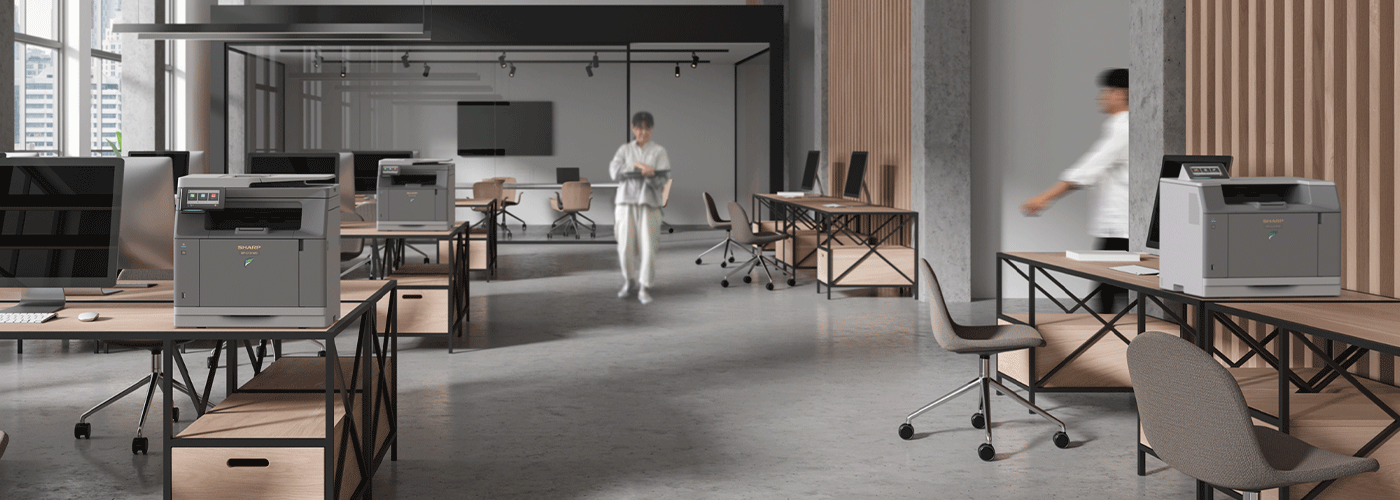
Printers and multifunction devices are often overlooked in origanisational risk assessments, despite being connected to corporate networks, processing sensitive information and handling documents containing pesonal and commercially confidential data.
For New Zealand organisations, an unmanaged print fleet can create risks across privacy, cybersecurity, financial control, operational continuity and shadow IT. This guide provides a practical print fleet risk register for NZ organisations, mapping common print risks to recommended controls and the evidence needed to demonstrate that those controls are working.
Summary: Print Fleet Risk Management at a Glance
Office printers and multifunction printers (MFPs) are often overlooked in organisational risk assessments. Yet modern print devices can store data, connect to corporate networks, process personal information and provide access to sensitive documents.
For New Zealand organisations, effective print fleet governance should address privacy, information security, financial control, operational continuity and shadow IT.
| Risk Management Benchmark | What organisations should consider |
| Privacy | Protect personal and confidential information processed, stored or printed through MFPs in accordance with the Privacy Act 2020 and organisational security policies. |
| Network Security | Harden devices, disable unnecessary protocols and ports, maintain current firmware and restrict administrative access. |
| Secure Printing | Require user authentication before sensitive documents are physically released. |
| Auditability | Maintain print activity, authentication, device and service records that support investigation and governance. |
| Financial Control | Consolidate unmanaged devices, monitor utilisation and apply print policies to reduce unnecessary expenditure. |
| Operational Resilience | Monitor device health, manage consumables proactively and establish defined service and escalation processes. |
| Shadow IT | Maintain a centralised inventory of authorised print devices rather than allowing unmanaged personal or departmental printers. |
Key takeaway: A print fleet should be treated as part of the organisation's wider technology and information-security environment—not simply as office hardware.
1. Why Printers Belong on the IT Risk Register
Printers have traditionally been treated as low-risk office equipment.
That assumption no longer reflects the technology inside a modern multifunction printer.
An MFP can connect to an organisation's network, authenticate users, communicate with cloud and business applications, scan documents, store information temporarily or persistently, and distribute documents to email addresses, network folders and other destinations.
This makes print infrastructure relevant to several areas of enterprise risk:
- Privacy and information protection
- Cybersecurity
- Access control
- Financial management
- Business continuity
- Operational resilience
- Compliance
- IT governance
- Shadow IT
- Document management
The risk increases when organisations operate a fragmented fleet containing a mixture of old devices, personal desktop printers, unmanaged departmental devices and centrally managed MFPs.
A useful starting principle is:
If a device can access the corporate network, process information or produce sensitive documents, it should have an identifiable owner, defined security controls and an auditable management process.
2. NZ Print Fleet Risk Register — 2026 Edition
The following risk register provides a practical framework for assessing common print-fleet risks in New Zealand organisations.
| Risk Category | Common Risk Scenario | Recommended Control | Audit Evidence / Proof |
| Privacy & Compliance | Sensitive documents are left unattended in printer output trays. | Secure Print Release requiring user authentication through PIN, ID card or supported mobile authentication. | Print audit logs showing user, device, time and release event. |
| Privacy & Compliance | Personal information is scanned or printed without adequate controls. | User authentication, access controls and documented print/scan policies. | User access records, authentication logs and policy documentation. |
| Information Security | Legacy printer protocols expose unnecessary network services. | Device hardening, including disabling unnecessary ports and protocols such as FTP or Telnet where not required. | Port-status scans, configuration records and security assessment reports. |
| Information Security | Devices operate with outdated firmware. | Centralised firmware management and defined update procedures. | Firmware versions, update history and maintenance records. |
| Information Security | Unauthorised users access device administration functions. | Strong administrator authentication and role-based administrative access. | Administrator access logs and configuration records. |
| Financial Control | Multiple unmanaged desktop printers create uncontrolled purchasing and supply costs. | Fleet consolidation, right-sizing and centralised procurement. | Device inventory, utilisation reports and expenditure records. |
| Financial Control | Employees print unnecessarily or default to expensive colour printing. | Rules-based print policies, duplex defaults and mono-first printing where appropriate. | Print-volume reports and policy compliance data. |
| Operational Continuity | Printer failure disrupts productivity across offices or sites. | Proactive remote monitoring and defined service-level arrangements. | Uptime records, service reports and MTTR statistics. |
| Operational Continuity | Toner depletion causes unexpected downtime. | Automated consumables monitoring and proactive replenishment. | Toner alerts, replenishment records and service history. |
| Shadow IT | Employees purchase personal printers without IT approval. | Centralised fleet governance and an authorised-device policy. | Master device inventory and procurement records. |
| Shadow IT | Off-contract devices are not included in security or service processes. | Single fleet register and standardised onboarding/offboarding process. | Device inventory and approved-device register. |
| Data Leakage | Printed confidential documents are collected by the wrong person. | Secure release and user authentication. | Release logs and authentication records. |
| Governance | Management cannot identify who owns or manages individual devices. | Centralised device inventory with ownership and location information. | Current device register. |
| Cost Management | Organisations cannot determine their true cost of printing. | Cost-per-device and cost-per-user reporting. | Monthly cost allocation and utilisation reports. |
The key principle
A mature print environment does not simply ask:
"Do our printers work?"
It asks:
"Can we demonstrate that our printers are secure, controlled, monitored and financially governed?"
That distinction is important when building a business case for print fleet modernisation.
3. Privacy Act 2020: Why Print Security Matters
The Office of the Privacy Commissioner provides guidance on how organisations should protect personal information under New Zealand's privacy framework.
The Privacy Act 2020 includes 13 Information Privacy Principles (IPPs), which govern how agencies collect, hold, use and disclose personal information.
For print environments, Information Privacy Principle 5 — Storage and Security is particularly relevant.
Principle 5 requires agencies to take reasonable security safeguards to protect personal information against:
- Loss
- Unauthorised access
- Use
- Modification
- Disclosure
- Other misuse
The practical implication is straightforward:
A printer that processes personal information should not be ignored when an organisation assesses information-security controls.
This can include documents containing:
- Employee information
- Customer records
- Financial information
- Health information
- Identification documents
- Contracts
- Legal information
- Commercially sensitive information
- Personal contact information
What does Principle 5 mean for printers?
Consider a simple workplace scenario.
An employee prints a document containing customer information.
The document sits in the output tray for 20 minutes.
Another employee collects it accidentally.
The printer itself may not have been "hacked", but the organisation has still created an opportunity for unauthorised disclosure.
Secure print release changes the process.
Instead of:
Print → Document immediately produced → Anyone can collect it
the workflow becomes:
Print → Job held securely → User authenticates → Document released
This is a relatively simple technical control that addresses a common physical document-security risk.
4. The Auditability Gap
One of the most overlooked print-fleet risks is not necessarily the absence of a security control.
It is the inability to prove that the control exists and is working.
Imagine an organisation discovers that a confidential document was printed and subsequently cannot determine:
- Which device printed it
- Who initiated the print
- When it was printed
- Whether it was physically released
- Who released it
- Whether the device was authorised
- Whether the device was within the approved fleet
- Whether relevant security settings were enabled
This creates an auditability gap.
A governed print environment should therefore produce evidence that supports investigation and reporting.
Useful evidence can include:
| Evidence Type | What it Demonstrates |
| Device inventory | Which devices are authorised and where they are located |
| User authentication records | Who accessed a device or released a document |
| Print audit logs | What was printed and when |
| Firmware history | Whether devices are maintained and updated |
| Configuration records | Which security settings are enabled |
| Port scans | Whether unnecessary network services are exposed |
| Service history | Whether unnecessary network services are exposed |
| Toner monitoring | Proactive operational management |
| Utilisation reports | Whether devices are appropriately sized |
| Cost reports | Where print expenditure is occurring |
Good governance turns print from an unmanaged endpoint into an auditable technology service.
5. Notifiable Privacy Breaches and Print Environments
New Zealand's privacy framework includes obligations around notifiable privacy breaches.
Where a privacy breach has occurred, organisations need to assess whether it is likely to cause serious harm to affected individuals. Where the relevant threshold is met, notification obligations can apply.
The important point for print-fleet governance is not that every misplaced document constitutes a notifiable breach.
It doesn't.
The issue is that poorly governed print environments can make privacy incidents harder to identify, investigate and manage.
Without adequate records, an organisation may struggle to answer basic questions following an incident.
For example:
Who printed the document?
Which printer produced it?
When was it printed?
Was secure release enabled?
Who released the document?
Was the device authorised?
What other users had access to the device?
That is why auditability should be considered alongside prevention.
Preventing an incident is the first priority.
Being able to investigate one is the second.
6. Eliminating the Shadow IT Printer Problem
Shadow IT is usually associated with unauthorised applications, cloud services or software.
But the same principle applies to hardware.
A department may purchase a low-cost desktop printer because:
- The nearest MFP is inconvenient.
- A team needs a dedicated printer.
- A device has failed.
- Someone believes a personal printer will be cheaper.
- Procurement approval takes too long.
- The organisation has no central print policy.
The result is an off-contract print device.
That device may not appear in the IT asset register.
It may not receive centralised firmware management.
It may not be included in security assessments.
It may not be remotely monitored.
Its toner may be purchased independently.
And when it fails, nobody may have a defined service responsibility.
The hidden cost of unmanaged printing
The purchase price of a printer is only one component of its total cost.
Organisations should consider:
Total Cost of Printing = Hardware + Toner + Paper + Service + IT Support + Administration + Downtime + Security Risk
A $200 desktop printer can therefore become significantly more expensive over its operational life than its initial purchase price suggests.
This is why fleet analysis should examine cost per page and total cost of ownership, rather than simply comparing hardware prices.
7. From Unmanaged Printing to Governed Printing
A mature print environment typically moves through three stages.
Stage 1 — Unmanaged
- Unknown device inventory
- Personal or departmental printers
- No consistent security settings
- Manual toner ordering
- Limited usage data
- No centralised reporting
- Unknown total print expenditure
Stage 2 — Managed
- Central device inventory
- Standardised configurations
- Remote monitoring
- Centralised supplies management
- Service agreements
- Usage reporting
- Basic print policies
Stage 3 — Governed
- User authentication
- Secure print release
- Centralised audit logs
- Device hardening
- Firmware governance
- Automated monitoring
- Fleet optimisation
- Cost allocation
- Defined security responsibilities
- Regular fleet reviews
The objective is not simply to own fewer printers.
The objective is to create a controlled, measurable and accountable print environment.
8. Print Fleet Right-Sizing as a Risk Control
Fleet optimisation is often presented purely as a cost-saving exercise.
It can also be a risk-management strategy.
An organisation with 100 poorly utilised printers may have:
- 100 network endpoints to manage
- 100 devices requiring firmware maintenance
- Multiple toner supply chains
- Multiple service relationships
- More physical locations for confidential documents
- Greater difficulty maintaining consistent security configurations
Right-sizing can reduce this complexity.
For example, an organisation might identify:
Before
100 devices
→ 25% utilisation
→ Multiple vendors
→ Multiple supply contracts
→ Limited reporting
After
70 appropriately sized devices
→ Centralised management
→ Secure release
→ Automated monitoring
→ Consolidated service
→ Usage reporting
The precise outcome will vary by organisation. A fleet assessment should therefore be based on actual print volumes, device utilisation, user requirements and site locations.
9. Security Controls for a Modern Print Fleet
A comprehensive print security programme should consider controls across the entire device lifecycle.
Device security
Controls may include:
- Secure administrator authentication
- Role-based access
- Firmware management
- Device configuration standards
- Unnecessary protocol removal
- Port management
- Encryption
- Secure network communication
- Malware protection where supported
- Secure device retirement
User security
Controls may include:
- PIN authentication
- ID-card authentication
- Mobile authentication
- Secure print release
- User permissions
- Print policies
- Colour restrictions
- Duplex defaults
Information security
Controls may include:
- Secure document release
- Print audit trails
- Scan destination controls
- Access restrictions
- Document workflow controls
- Data-retention policies
Governance
Controls may include:
- Centralised device inventory
- Security assessments
- Firmware records
- Configuration baselines
- Service records
- Usage reporting
- Regular fleet reviews
10. The Day-1 Print Security Checklist
Organisations do not necessarily need to wait for a complete fleet replacement before improving print security.
A basic assessment can begin immediately.
Day 1
Inventory
- Identify every printer and MFP.
- Record location, model and serial number.
- Identify the responsible business owner.
- Identify whether the device is authorised.
Network
- Identify network-connected devices.
- Review exposed protocols and ports.
- Disable unnecessary services where appropriate.
- Confirm administrator access controls.
Firmware
- Record current firmware versions.
- Identify devices requiring updates.
- Establish a process for future firmware maintenance.
Printing
- Determine whether sensitive documents can be printed without authentication.
- Assess secure-release requirements.
- Review default colour and duplex settings.
Governance
- Identify off-contract or personally purchased printers.
- Establish an approved-device policy.
- Create a central device register.
Reporting
- Determine what print activity is currently logged.
- Establish what evidence would be required following a security incident.
- Identify gaps in reporting.
11. Measuring Print Fleet Risk
A useful print-fleet assessment should move beyond a simple "secure/not secure" rating.
Organisations can score each device against several dimensions.
| Assessment | Low Risk | Medium Risk | High Risk |
| Device ownership | Centrally managed | Known but inconsistent | Unknown |
| Network security | Hardened | Partially hardened | Legacy configuration |
| Firmware | Current | Some devices outdated | Unknown/outdated |
| Authentication | Secure release enabled | Available but limited | None |
| Auditability | Comprehensive logs | Partial logs | No meaningful records |
| Fleet governance | Centralised | Multiple providers | Shadow IT |
| Cost visibility | Device-level reporting | Partial reporting | Unknown |
| Service | Proactive monitoring | Reactive service | No defined support |
| Device lifecycle | Defined | Inconsistent | Unknown |
This approach gives IT, finance, security and procurement teams a common framework for discussing print risk.
12. Building the Business Case for Print Security
Print security should not be evaluated independently from the wider business case.
The strongest investment cases connect:
Risk → Control → Evidence → Financial Impact → Business Outcome
For example:
| Risk | Control | Evidence | Business Outcome |
| Documents left unattended | Secure print release | Release logs | Reduced information exposure |
| Legacy network protocols | Device hardening | Configuration records | Reduced attack surface |
| Excessive printing | Print policies | Usage reports | Lower print consumption |
| Shadow IT | Fleet governance | Device inventory | Better control and accountability |
| Unexpected downtime | Remote monitoring | Service records | Improved operational continuity |
| Unknown print expenditure | Fleet reporting | Cost reports | Better financial visibility |
This makes the business case easier to communicate to CFOs, CIOs, CISOs and procurement teams.
13. What Should a Print Fleet Risk Assessment Include?
A comprehensive assessment should examine five core areas.
1. Financial
- Current hardware expenditure
- Toner expenditure
- Paper expenditure
- Service costs
- IT administration
- Cost per page
- Total cost of ownership
- Potential savings
2. Operational
- Device inventory
- Print volumes
- Device utilisation
- Service incidents
- Downtime
- IT support hours
- Fleet right-sizing
3. Security
- Network configuration
- Firmware
- Authentication
- Secure print
- Access controls
- Encryption
- Device retirement
4. Privacy
- Personal information processed
- Secure document release
- Audit trails
- Scan workflows
- Incident investigation capability
5. Governance
- Device ownership
- Approved suppliers
- Shadow IT
- Service responsibility
- Reporting
- Review processes
14. New Zealand Organisations: What Good Looks Like
For organisations operating across Auckland, Wellington, Christchurch and other New Zealand locations, print governance becomes particularly important when fleets are distributed across multiple offices.
A centralised approach can provide:
- One device inventory
- Consistent security policies
- Standardised configurations
- Centralised reporting
- Proactive monitoring
- Consolidated service management
- Consistent procurement
- Defined accountability
The objective is not to make every workplace identical.
It is to ensure that every device is known, controlled and accountable.
15. Turning Print Risk Into an Action Plan
A practical transformation can be approached in four steps.
Step 1: Discover
Map every device across the organisation.
Identify:
- Model
- Location
- Age
- User group
- Print volume
- Utilisation
- Network status
- Service provider
- Ownership
Step 2: Assess
Score each device against:
- Security
- Privacy
- Cost
- Utilisation
- Reliability
- Governance
Step 3: Control
Implement appropriate controls:
- Secure release
- Authentication
- Device hardening
- Firmware management
- Print policies
- Remote monitoring
- Centralised reporting
Step 4: Optimise
Right-size the fleet and establish ongoing governance.
Review:
- Device utilisation
- Print volumes
- Cost per page
- Security status
- Service performance
- User behaviour
This transforms print management from a reactive support function into an ongoing technology governance process.
Frequently Asked Questions
Are office printers a cybersecurity risk?
Yes. Network-connected printers and MFPs can represent an endpoint within an organisation's technology environment. Risks can include unauthorised network access, insecure protocols, outdated firmware, weak administrative controls and unauthorised access to printed documents.
Do printers fall under the Privacy Act 2020?
Printers themselves are not independently "subject to" the Privacy Act in the same way an organisation is. However, organisations covered by the Act need to protect personal information they hold, including information that may be processed, printed, scanned or temporarily stored through workplace printing infrastructure.
What is secure print release?
Secure print release holds a document in a protected print queue until the authorised user authenticates at the printer, commonly using a PIN, ID card or supported mobile authentication method.
Why is printer authentication important?
Authentication helps prevent confidential documents from being left unattended in output trays and can provide an audit trail linking document release to an authenticated user.
What is printer shadow IT?
Printer shadow IT occurs when employees, departments or locations acquire and operate printing devices outside the organisation's approved procurement, IT, security and service-management processes.
How can an organisation identify unmanaged printers?
Start with a physical and network discovery exercise. Compare network-connected devices, procurement records, service contracts and IT asset registers to identify devices that are missing from the approved fleet.
How often should a print fleet be reviewed?
A print fleet should be reviewed regularly, particularly when devices reach end of life, offices change, print volumes change, security requirements change or new business applications are introduced.
Can managed print reduce costs?
It can. Managed print programmes can improve cost visibility, consolidate devices, optimise fleet size, automate supplies management and introduce policies that reduce unnecessary printing. Actual savings depend on the organisation's starting point, print volumes, fleet configuration and implementation.
17. How Sharp Can Help
A print fleet assessment can provide a practical starting point for organisations that want to understand their current exposure, cost and operational efficiency.

Sharp Corporation provides business technology solutions spanning document systems, workplace technology and managed services.
For New Zealand organisations, a managed print assessment can help identify:
- Current device inventory
- Device-to-user ratios
- Print volumes
- Device utilisation
- Security gaps
- Shadow IT
- Service requirements
- Fleet right-sizing opportunities
- Current and future-state costs
The outcome should be more than a list of replacement printers.
It should provide a risk, cost and control roadmap.
18. The Print Fleet Risk Register: Executive Decision Framework
For CFOs, CIOs, IT managers and security leaders, the key questions are straightforward:
Can we identify every printer?
If not, there is a governance gap.
Can we demonstrate that sensitive documents are protected?
If not, there is a privacy and information-security gap.
Can we prove who released a sensitive document?
If not, there is an auditability gap.
Do we know the true cost of printing?
If not, there is a financial-control gap.
Can we identify unmanaged devices?
If not, there is a shadow IT gap.
Can we demonstrate that devices are securely configured?
If not, there is a cybersecurity gap.
Can we demonstrate service performance?
If not, there is an operational-resilience gap.
These questions provide a practical starting point for determining whether print should remain an unmanaged office function or become part of the organisation's broader technology governance strategy.
19. Next Steps: Secure Your Print Environment
The first step does not need to be replacing the entire fleet.
Start with visibility.
1. Audit your fleet
Map your current devices, locations, users, print volumes and utilisation.
2. Identify your risks
Assess privacy, security, financial, operational and shadow IT exposure.
3. Establish controls
Prioritise secure print release, authentication, device hardening, firmware governance and centralised monitoring.
4. Build the business case
Compare current-state total cost of ownership with the future-state cost of a governed print environment.
5. Implement and measure
Track utilisation, print volumes, service performance, security status and cost over time.
The goal is not simply to print more securely. It is to create a print environment that is measurable, auditable, financially controlled and aligned with the organisation's wider technology strategy.
Related Resources
Managed Print Services Business Case — NZ Template
Use a structured business-case approach to document current print costs, operational requirements, security risks, future-state requirements, projected savings and ROI.
Print Security & Privacy Act 2020 Guide
Explore the relationship between workplace printing, personal information and information-security controls.
Print Fleet Assessment
Assess your current device inventory, utilisation, security controls and opportunities for fleet right-sizing.
Final Citation Summary
What is the key risk of office printers?
Modern network-connected printers and MFPs can create privacy, cybersecurity, financial, operational and governance risks if they are not centrally managed and secured.
What is the most important print security control?
For confidential documents, secure print release with user authentication can prevent documents from being produced until the authorised user is present.
How does the Privacy Act 2020 relate to printers?
New Zealand organisations covered by the Privacy Act must take reasonable safeguards to protect personal information, including information processed through workplace printing and scanning workflows.
What is printer shadow IT?
Printer shadow IT occurs when employees or departments acquire and operate printers outside approved IT, security, procurement and service-management processes.
What should a print fleet risk assessment measure?
A comprehensive assessment should examine financial cost, device utilisation, security configuration, privacy controls, operational reliability, device ownership, service management and auditability.
