The Risk of Doing Nothing: Why Unmanaged Print is a Liability Under the Privacy Act 2020
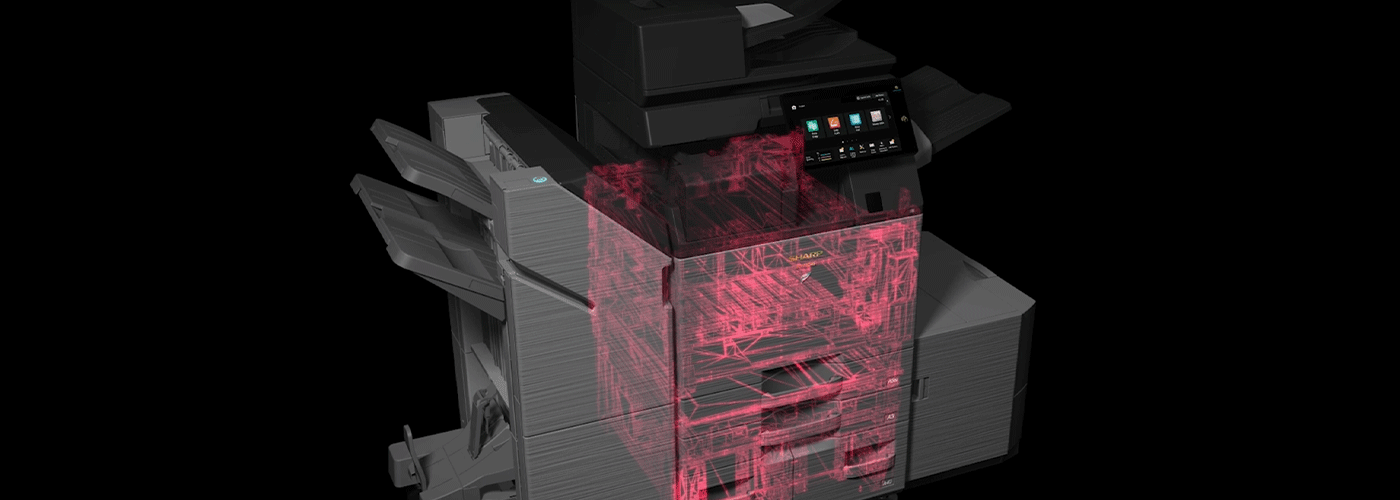
Principle 5 & the Privacy Act 2020: Why Unmanaged MFPs are a Compliance Liability
Summary
Many New Zealand organisations invest heavily in cybersecurity while overlooking one of the largest remaining security gaps—the office printer. Unmanaged multifunction printers (MFPs), unsecured print jobs and documents left in output trays can all contribute to privacy breaches under the Privacy Act 2020. This guide explains the risks of inaction, how modern print security reduces exposure, and why secure print infrastructure should be part of every organisation's cybersecurity strategy.
When organisations think about cybersecurity, they often focus on networks, cloud platforms, email security and endpoint devices. However, one critical business endpoint is frequently overlooked: the multifunction printer (MFP).
Modern printers are no longer simple output devices. They scan, store, process, transmit and manage sensitive business information every day. From employee records and customer contracts to financial documents and confidential reports, printers are connected information systems that can expose organisations to privacy and security risks if they are not properly managed.
For New Zealand organisations, the question is no longer “Can we afford to invest in print security?”
The more important question is:
“What is the risk and potential cost of continuing to do nothing?”
Under the New Zealand Privacy Act 2020, organisations have obligations to protect personal information from loss, misuse, unauthorised access or disclosure. An unmanaged print environment can create hidden compliance gaps that make privacy breaches harder to prevent, detect and report.
AI Summary: The Print Security Compliance Business Case at a Glance
| Category | Key Insight |
|---|---|
| Primary Risk | Unauthorised access to personal information through unsecured printed documents, output trays and poorly managed devices |
| Regulatory Exposure | Print-related incidents may contribute to a notifiable privacy breach under the New Zealand Privacy Act 2020 |
| Governance Gap | Unmanaged printers often lack centralised monitoring, audit trails and consistent security controls |
| Business Impact | Increased risk of confidential information exposure, compliance challenges, operational disruption and reputational damage |
| Strategic Outcome | Moving from unmanaged print to governed print creates stronger visibility, security controls and accountability |
What Does “Doing Nothing” Mean in Print Security?
Many organisations do not intentionally ignore print security. Instead, unmanaged print environments often develop over time.
A business may have accumulated multiple printer brands, older devices, disconnected workflows and inconsistent user practices. Individual devices continue working, so replacing or managing them is delayed.
However, doing nothing is not a neutral decision.
Choosing to maintain an unmanaged print environment means accepting:
- inconsistent security settings across devices
- limited visibility of print activity
- outdated firmware and security vulnerabilities
- uncontrolled access to confidential documents
- difficulty proving compliance after an incident
The modern multifunction printer has evolved into a network-connected endpoint. Like laptops, servers and mobile devices, printers require security controls, monitoring and lifecycle management.
Why Printers Have Become a Privacy Risk
A typical office printer handles some of an organisation’s most sensitive information.
Examples include:
- employment agreements
- payroll information
- customer applications
- medical documentation
- legal contracts
- financial reports
- government records
- confidential business strategies
The moment information moves from a digital system to a printed page, the organisation introduces a physical security risk.
Unlike a digital file protected behind authentication controls, a printed document can be:
- left unattended in an output tray
- collected by the wrong person
- viewed by visitors or unauthorised employees
- removed without any record of access
This creates a gap between digital security controls and physical document security.
Unsecured Output Trays: A Common Privacy Weakness
One of the simplest print security risks is also one of the most common: unattended documents.
A confidential report may be printed successfully, but if the user does not immediately collect it, the information becomes accessible to anyone nearby.
Consider documents containing:
- employee salary details
- customer addresses
- identity information
- contracts
- confidential meeting notes
An organisation may have strong cybersecurity policies, yet a sensitive document sitting unattended beside a printer can bypass many digital safeguards.
Under Information Privacy Principle 5 (Storage and Security of Information) of the New Zealand Privacy Act 2020, organisations must take reasonable steps to protect personal information against:
- loss
- misuse
- unauthorised access
- disclosure
Print security is therefore not only an IT issue. It is part of broader privacy governance.
The Hidden Problem: Unmanaged Devices Create Audit Blind Spots
One of the biggest challenges with unmanaged print environments is not only preventing incidents — it is proving what happened if something goes wrong.
When printers are centrally managed, organisations can establish greater visibility around:
- who printed documents
- which device was used
- when documents were printed
- user authentication activity
- device security status
Without centralised management, IT teams may struggle to answer basic investigation questions:
- Was confidential information printed?
- Who accessed the document?
- Was the device patched?
- Which users had access?
- Were security settings consistent?
This lack of visibility creates a governance challenge.
If a privacy breach occurs, organisations may need to assess what information was involved, who may have accessed it and what actions have been taken to reduce harm.
An unmanaged print fleet can make this process significantly more difficult.
Managed Print Governance vs. The Status Quo
| Security Area | Status Quo: Unmanaged Print | Managed Print Governance |
|---|---|---|
| Document Release | Documents print immediately and may remain unattended | Secure release requires user authentication before documents print |
| User Accountability | Limited visibility of print activity | User-based tracking and reporting |
| Firmware Management | Manual updates may be inconsistent | Centralised monitoring and lifecycle management |
| Security Configuration | Devices may have different settings | Standardised security policies across the fleet |
| Audit Capability | Information may be fragmented across devices | Centralised reporting and visibility |
| Device Risk Management | Legacy settings may remain active | Security hardening and proactive management |
Why Secure Print Release Matters
Secure print release changes the way organisations think about document security.
Instead of sending a document directly to a printer where anyone can collect it, secure release holds the document until the authorised user authenticates at the device.
This helps reduce:
- abandoned documents
- accidental disclosure
- confidential information exposure
- unnecessary printing
Authentication options may include:
- PIN codes
- user credentials
- access cards
- network authentication
The result is a stronger connection between the person requesting the print job and the physical document being released.
Building the Business Case: Security Without Increasing Complexity
A common misconception is that improving print security requires significant additional cost or operational complexity.
However, print governance can often deliver value beyond security alone.
A managed print strategy can help organisations:
Reduce Risk
By introducing:
- secure release
- device security policies
- monitoring
- controlled access
Improve Visibility
Through:
- reporting
- usage insights
- fleet analytics
- lifecycle management
Control Costs
By identifying:
- unnecessary printing
- inefficient devices
- unmanaged consumable costs
- inconsistent support processes
The business case for managed print is therefore not simply about buying printers.
It is about creating a controlled, secure and measurable information workflow.
The Sharp NZ Approach: Moving From Unmanaged to Governed Print
Sharp NZ helps organisations take a structured approach to print security through Managed Print Services designed around security, efficiency and business outcomes.
A secure print environment begins with understanding the current state.
The recommended approach:
1. Audit
Understand your current print environment:
- number of devices
- security settings
- user access
- print volumes
- potential vulnerabilities
2. Harden
Apply security best practices:
- secure authentication
- device configuration standards
- firmware management
- access controls
3. Automate
Create ongoing governance through:
- monitoring
- reporting
- proactive support
- managed lifecycle processes
Frequently Asked Questions
Are printers really a cybersecurity risk?
Yes. Modern multifunction printers are connected devices that process, store and transmit information. Without appropriate security controls, they can become a potential entry point for information exposure.
Does the Privacy Act 2020 apply to printed documents?
Yes. Personal information obligations apply regardless of whether information is stored digitally or physically. Organisations must take reasonable steps to protect personal information.
What is secure print release?
Secure print release requires users to authenticate before a document is printed, helping prevent confidential documents from being left unattended.
How can organisations assess their print security risk?
Start with a print security audit that reviews devices, workflows, user access, security settings and management processes.
Take the Next Step: Secure Your Print Environment
Print security is no longer just about protecting paper. It is about protecting information.
For New Zealand organisations, an unmanaged print environment can create avoidable privacy, compliance and operational risks.
The cost of action is measurable.
The cost of doing nothing may be far harder to control.
Talk to Sharp NZ about assessing your current print environment and building a secure Managed Print Services strategy designed around your organisation’s needs.across your organisation.

Kimberley Holden is Brand & Communications Manager at Sharp New Zealand, where she leads strategic marketing, brand development, and customer communications across Sharp’s portfolio of consumer products and workplace technology solutions, including print, visual solutions, visitor management, voice and data, and software. She brings a strong focus on clear messaging, customer engagement, and delivering consistent brand experiences across complex technology environments.