3CX Cloud PBX for New Zealand Businesses: Costs, Benefits and What to Consider
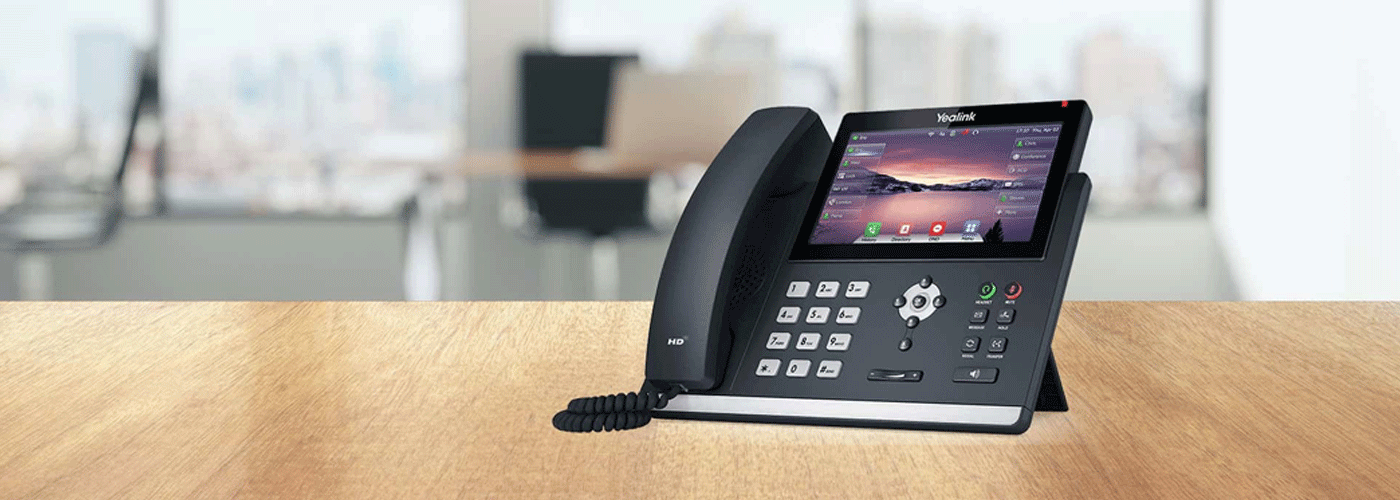
3CX Cloud PBX for NZ Businesses: What It Is, How It Works and the Business Benefits
Choosing a business phone system is no longer simply a decision about replacing desk phones. For New Zealand organisations, the right communication platform can affect operating costs, remote and hybrid working, customer service, IT administration, cybersecurity and the ability to scale as the business changes.
A 3CX Cloud PBX provides a modern alternative to traditional on-premise phone systems by delivering business calling and unified communications through an internet-connected platform. 3CX supports features including business calling, mobile applications, video conferencing, call routing and integrations with business applications.
For organisations considering a new business phone system, the key question is not simply whether cloud calling works. It is whether the communication platform provides the right combination of functionality, cost control, flexibility, security, integration and support for the organisation.
Sharp NZ provides managed 3CX Cloud PBX and Voice & Data solutions for New Zealand businesses, combining business communications with connectivity, network and ongoing support services.
What is a 3CX Cloud PBX?
A Cloud PBX is a business telephone system hosted in the cloud rather than relying on traditional on-site PBX hardware. It uses an internet connection to provide business calling, call routing and other communication services.
3CX is a business communications and PBX platform that can be hosted in the cloud or deployed through other supported hosting models. Its platform supports features such as IP telephony, video conferencing, mobile applications, CRM integration and business collaboration.
In practical terms, a 3CX Cloud PBX can allow employees to use their business extension from:
Desk phones
Computers and softphones
Smartphones and mobile applications
Remote or home offices
Multiple business locations
This makes the phone system less dependent on a specific physical office or desk.
What does PBX mean?
PBX stands for Private Branch Exchange. A PBX is the private telephone system used by an organisation to manage internal and external calls.
A traditional PBX typically relies on hardware located at the business premises. A Cloud PBX moves much of that infrastructure into a hosted environment while continuing to provide functions such as extensions, call routing, voicemail, queues and other business calling features.
Why are businesses moving from traditional phone systems to Cloud PBX?
Traditional phone systems can become difficult to manage as organisations grow, add locations or introduce hybrid working.
Common business phone system challenges include:
Ageing PBX hardware
Increasing maintenance requirements
Limited remote-working capability
Separate systems for desk phones and mobile workers
Difficult or slow user changes
Complex telecommunications contracts
Limited integration with business applications
Multiple suppliers for voice, connectivity and support
Unpredictable costs when adding users or locations
A cloud-based phone system addresses many of these challenges by moving communication services onto a more flexible software-based platform.
For example, 3CX supports central administration of extensions, call rules and configurations, while its mobile and browser-based capabilities allow employees to communicate without being tied to a physical desk phone.
What are the business benefits of a 3CX Cloud PBX?
The business case for a Cloud PBX generally comes down to five areas: cost management, flexibility, mobility, integration and simpler administration.
1. Cost management
One of the first questions businesses ask when reviewing a phone system is:
How much will a new business phone system cost?
The answer depends on the organisation's number of users, simultaneous calls, hardware requirements, connectivity, implementation requirements, integrations and ongoing support.
3CX uses a licensing approach based around simultaneous calls rather than traditional per-user-per-month licensing.
Sharp NZ also offers managed 3CX Cloud solutions with pricing structured around the requirements of the organisation rather than simply adding a monthly licence for every extension. Current Sharp NZ information identifies plans starting from $295 per month + GST for up to 16 users, subject to configuration and requirements.
When developing a business case, organisations should therefore consider total cost of ownership, rather than comparing monthly licence prices alone.
A useful business phone system cost assessment should include:
Existing telecommunications costs
Calling costs
User and licence costs
Phone hardware
Softphone requirements
Mobile requirements
Internet and network requirements
Implementation and migration
Support and administration
Future user growth
Hardware replacement cycles
Sharp NZ can also assess an existing phone bill and provide a current-versus-proposed comparison based on calling volumes and a move to its 3CX Cloud environment.
2. Support for hybrid and remote working
Modern businesses may have employees working from offices, homes, client sites or multiple locations.
A cloud phone system allows the business extension to become less dependent on a physical desk.
With 3CX, users can access communication services through supported desktop, browser and mobile applications, allowing businesses to provide greater flexibility for distributed teams.
This can be particularly useful for:
Hybrid workplaces
Remote employees
Multi-site organisations
Mobile sales teams
Service businesses
Managers travelling between locations
Organisations with distributed customer service teams
3. Easier user and system administration
A modern phone system should make common administration tasks straightforward.
3CX provides an administration console for managing extensions, call rules and system configurations. This can allow IT teams or authorised administrators to make changes without relying on a telecommunications provider for every adjustment.
Typical administration requirements include:
Adding new employees
Removing users
Changing extensions
Updating call routing
Managing business hours
Configuring queues
Redirecting calls
Managing user access
Supporting remote workers
For growing organisations, easier administration can reduce the time required to manage everyday communication changes.
4. Integration with business applications
A business phone system increasingly needs to work alongside the wider technology environment.
3CX supports integrations with platforms including Microsoft 365 and CRM systems, helping organisations connect communications with existing business workflows.
Depending on the configuration, organisations can use integrations to connect calling with:
Microsoft 365
CRM platforms
Customer records
Business applications
Contact information
Collaboration tools
This is particularly relevant for businesses where phone calls form part of sales, customer service, professional services or account-management workflows.
5. Scalability as the organisation changes
A phone system should accommodate business growth rather than become a constraint.
A Cloud PBX can support organisations as they add users, locations, devices and remote workers.
3CX describes its platform as scalable and supports deployments ranging from small businesses through to larger enterprise environments.
For a business evaluating a new phone system, scalability should include more than simply the maximum number of users.
Consider whether the system can support:
New employees
Additional offices
Remote workers
Mobile users
Contact centres or call queues
CRM integrations
New call flows
Additional concurrent calls
Changing business hours
Future communication requirements
3CX Cloud PBX vs traditional PBX
The difference between a traditional PBX and a Cloud PBX is primarily where the phone system is hosted and how it is managed.
| Consideration | Traditional PBX | Cloud PBX / 3CX |
| Infrastructure | Often relies on on-site hardware | Hosted or cloud-based deployment options |
| Remote working | May require additional configuration | Designed to support distributed users |
| Administration | Often hardware and provider dependent | Software-based administration |
| Scalability | Hardware and system dependent | Designed to scale with changing requirements |
| Mobility | Often requires additional services | Desktop and mobile applications available |
| Updates | May require hardware or onsite intervention | Software-based platform management |
| Integrations | Can require additional systems | Supports business and CRM integrations |
| IT model | Greater onsite infrastructure | Reduced reliance on onsite PBX infrastructure |
The appropriate model depends on the organisation's infrastructure, security requirements, network capability, operational needs and preferred management model.
What should you consider before choosing a business phone system?
Selecting a Cloud PBX should involve more than comparing features.
A structured evaluation should consider five areas.
1. Business requirements
Start with how the organisation actually uses voice communications.
Ask:
How many users need phone services?
How many simultaneous calls are required?
How many locations are involved?
How many employees work remotely?
Are mobile applications required?
Are call queues or reception functions important?
Does the business require CRM integration?
Are there existing phone numbers that need to be retained?
2. Network readiness
Cloud calling depends on reliable connectivity.
The organisation should assess:
Internet capacity
Network reliability
Wi-Fi coverage
Voice traffic prioritisation
Quality of Service
Firewall configuration
Network security
Redundancy requirements
Sharp NZ's Voice & Data offering combines 3CX with managed WAN, network security and Quality of Service considerations, recognising that voice quality depends on the wider network environment.
3. Security
Voice systems should be considered part of the organisation's wider technology and security environment.
Evaluation should include:
Secure SIP configuration
Encryption
User authentication
Administrator access
Firewall configuration
Network segmentation where appropriate
Monitoring
Backup and recovery
Vendor security practices
Security requirements should be assessed alongside the business's broader IT and privacy obligations.
4. Support and implementation
The platform itself is only one part of the project.
Businesses should establish who will manage:
Number porting
System configuration
Network readiness
Phone provisioning
User setup
Call-flow configuration
Testing
Staff training
Go-live support
Ongoing troubleshooting
Sharp NZ provides managed installation, hardware setup, migration and training as part of its business phone system services.
5. Total cost of ownership
The cheapest monthly phone plan is not necessarily the lowest-cost communication solution.
A meaningful comparison should consider:
Total cost = licences + calling + hardware + connectivity + implementation + support + administration + future upgrades
This gives procurement and IT teams a more complete view of the financial impact of changing phone systems.
Is 3CX suitable for small and large businesses?
3CX is designed for a broad range of business environments, from small organisations through to enterprise deployments. The platform supports different deployment models and provides functionality intended to scale with business requirements.
Sharp NZ currently positions its managed business communication solutions for organisations ranging from small teams through to businesses with thousands of users.
The more important question is whether the configuration and service model are appropriate for the organisation.
A small business may prioritise:
Simple administration
Predictable costs
Mobility
Basic call management
Minimal onsite infrastructure
A larger organisation may prioritise:
Multiple locations
Advanced call routing
Concurrent call capacity
CRM integration
Microsoft 365 integration
Network resilience
Security
Centralised administration
Managed support
Why consider a managed 3CX Cloud PBX?
Businesses can deploy and manage communications themselves, but a managed model can reduce the internal responsibility for implementation, monitoring, configuration and support.
Sharp NZ combines 3CX business communications with managed Voice & Data services, including connectivity, network security, implementation and New Zealand-based technical support.
This approach can be relevant for organisations that want one accountable technology partner rather than managing separate suppliers for phone systems, internet connectivity, network services and support.
A managed service can include areas such as:
Cloud PBX hosting
System configuration
Number migration
Phone setup
User onboarding
Network configuration
Voice traffic optimisation
Technical support
Ongoing system management
Staff training
What does a 3CX migration involve?
Moving from an existing phone system to a Cloud PBX should be treated as a structured technology project.
A typical migration can involve:
Step 1: Assess the current environment
Review the existing phone system, numbers, users, devices, call flows, contracts, network and connectivity.
Step 2: Define requirements
Document the required extensions, call groups, queues, business hours, mobile users, integrations and security requirements.
Step 3: Assess network readiness
Confirm that the internet connection, LAN, Wi-Fi, firewall and Quality of Service configuration are suitable for business voice traffic.
Step 4: Configure the 3CX environment
Configure users, extensions, call routing, SIP services, applications and integrations.
Step 5: Configure hardware and applications
Deploy desk phones, headsets, softphones and mobile applications as required.
Step 6: Test
Test internal and external calling, number presentation, call routing, voicemail, queues, mobile access and failover requirements.
Step 7: Port numbers and go live
Coordinate number porting and transition the organisation to the new phone system.
Step 8: Train users
Provide staff with the knowledge required to use desk phones, softphones, mobile applications and communication features.
Step 9: Optimise
Review call quality, user adoption, call flows and system performance after implementation.
How to build the business case for a 3CX Cloud PBX
For IT, operations and procurement teams, the business case should connect the technology investment to measurable organisational outcomes.
A useful business case can be structured around:
Current problem → Cost of current environment → Required capabilities → Proposed solution → Implementation costs → Ongoing costs → Business benefits → Risks → Expected outcomes
For example:
| Business issue | Potential Cloud PBX response |
| Ageing phone hardware | Move to a hosted software-based platform |
| High or unpredictable communication costs | Review licensing and calling model |
| Hybrid working | Provide desktop and mobile communication options |
| Multiple offices | Centralise communication management |
| Difficult user administration | Use centralised software administration |
| Disconnected CRM and phone systems | Integrate communications with business applications |
| Multiple technology suppliers | Combine voice, data and support through one provider |
| Limited scalability | Add users and services as requirements change |
The business case should be based on the organisation's actual phone bills, user numbers, calling patterns, infrastructure and requirements rather than generic savings assumptions.
Why Sharp NZ for 3CX Cloud PBX?
Sharp NZ provides 3CX business phone systems and integrated Voice & Data solutions for New Zealand organisations.
The Sharp approach combines:
3CX Cloud PBX
Business VoIP
Managed connectivity
Network security
Microsoft 365 and identity integration
Mobile and softphone capabilities
Hardware and device setup
Migration and implementation
New Zealand-based technical support
Sharp's current Voice & Data offering is designed around the idea of one technology partner managing connected voice, data and network requirements rather than treating the phone system as an isolated service.
For organisations reviewing their existing phone system, Sharp can also assess current phone bills and calling volumes to help establish whether a move to 3CX Cloud could provide a more suitable commercial and operational model.
3CX Cloud PBX FAQs
What is a 3CX Cloud PBX?
A 3CX Cloud PBX is a cloud-based business phone system using the 3CX communications platform to provide business calling, extensions, call routing and other unified communications features over an internet connection.
Is 3CX a VoIP phone system?
Yes. 3CX is an IP-based business communications platform that supports VoIP calling and a range of unified communications features.
Can 3CX support remote workers?
Yes. 3CX provides desktop, browser and mobile communication options that can allow users to access business communications away from a traditional office desk.
Does 3CX work with Microsoft 365?
3CX supports Microsoft 365 integration, including capabilities designed to connect communication and user-management workflows with Microsoft's business ecosystem.
How much does a 3CX business phone system cost in New Zealand?
The cost depends on the number of users, concurrent calls, hardware, hosting, connectivity, implementation and support requirements. Sharp NZ currently lists managed 3CX Cloud plans from $295 per month + GST for up to 16 users, subject to configuration.
Can a business keep its existing phone numbers?
Number portability depends on the telecommunications service and implementation requirements. Number retention and porting should be confirmed during the migration assessment.
Does a 3CX Cloud PBX require desk phones?
No. 3CX can support desk phones as well as software-based communication through supported computers and mobile devices.
Is a Cloud PBX suitable for a small business?
Cloud PBX can be suitable for small businesses where flexibility, mobility, simplified administration and reduced onsite infrastructure are important. 3CX provides a small-business offering alongside its broader business and enterprise platform.
Ready to assess your business phone system?
If your organisation is considering replacing an ageing PBX, reducing communication costs, supporting hybrid workers or consolidating voice and data services, a structured assessment is a useful starting point.
Sharp NZ can review your existing phone environment, calling requirements and phone bill to help identify the most appropriate 3CX Cloud PBX configuration for your organisation.
Talk to Sharp NZ about your business phone system or request a 3CX Cloud PBX assessment.

Kimberley Holden is Brand & Communications Manager at Sharp New Zealand, where she leads strategic marketing, brand development, and customer communications across Sharp’s portfolio of consumer products and workplace technology solutions, including print, visual solutions, visitor management, voice and data, and software. She brings a strong focus on clear messaging, customer engagement, and delivering consistent brand experiences across complex technology environments.