VoIP Phone Systems in NZ: What Problems Do They Solve?
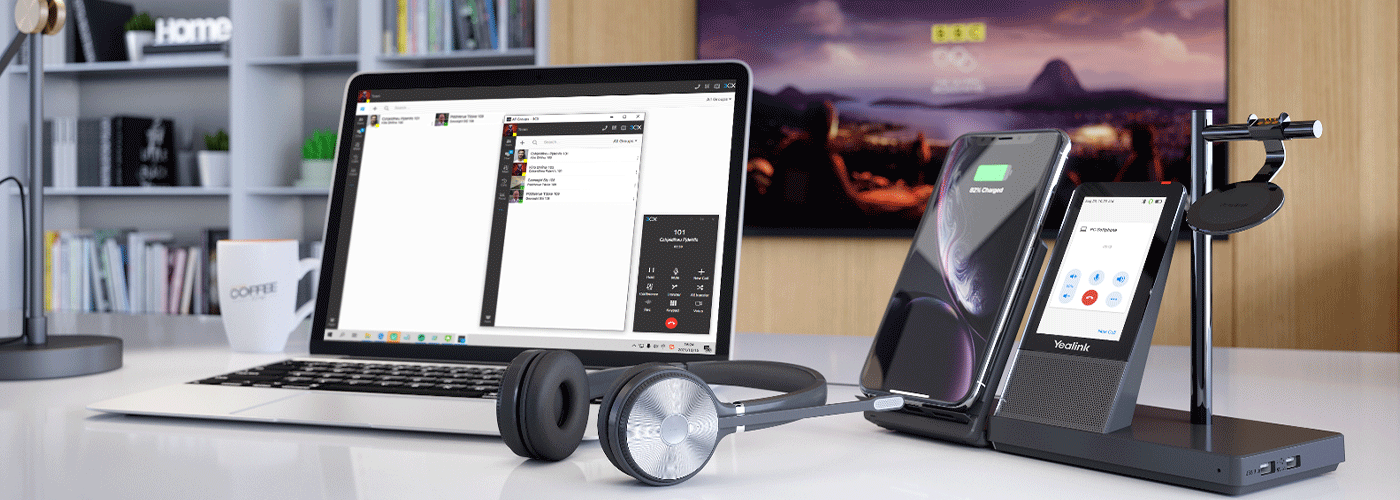
What Problems Does Business VoIP Solve for New Zealand Businesses?
Business VoIP (Voice over Internet Protocol) is a modern business phone solution that enables organisations to make and receive calls over an internet connection rather than relying solely on traditional copper telephone lines. For New Zealand businesses, VoIP can help address legacy phone system replacement, rising telecommunications costs, hybrid working requirements, disconnected branch offices and limited visibility into customer calls.
Sharp NZ provides business phone systems and communications solutions designed to help organisations modernise their voice infrastructure, connect distributed teams and manage business communications more effectively. Cloud-based platforms such as 3CX can support mobile applications, desktop softphones, call routing, automated reception and reporting, depending on the configuration and licence.
However, VoIP is not the right solution for every business. Organisations need reliable connectivity, an appropriate network configuration and a plan for maintaining phone access during power or internet outages. Understanding these requirements helps businesses determine whether switching to VoIP will deliver meaningful operational benefits.
What Is Business VoIP in New Zealand?
Voice over Internet Protocol, commonly known as VoIP, is a technology that converts voice conversations into digital data and transmits them over an IP network. Instead of relying exclusively on traditional telephone infrastructure, businesses can use fibre broadband, business internet or managed wide area networks to support voice communications.
A business VoIP system can connect desk phones, computers, smartphones and other compatible devices to a shared telephone environment. Employees can answer calls through their business extension whether they are working in the office, at another branch or remotely.
Business VoIP vs Consumer Internet Calling
Consumer calling applications are generally designed for personal communication. Business VoIP systems provide additional tools for managing customer calls, coordinating teams and maintaining a consistent business telephone identity.
Depending on the platform and configuration, business phone systems can include:
Auto-attendants: Direct callers to the appropriate department or person.
Call queues: Manage incoming calls when multiple customers contact the business simultaneously.
Call transfers and routing: Direct calls between staff, departments and locations.
Mobile applications and desktop softphones: Allow employees to make and receive business calls without being tied to a physical desk phone.
Call reporting: Provide information about call volumes, answered calls, missed calls and queue performance.
Business continuity routing: Redirect incoming calls to alternative destinations when the usual destination is unavailable.
CRM and productivity integrations: Connect calling workflows with compatible business applications.
Sharp NZ can help organisations evaluate business phone systems alongside their wider workplace technology, network and security requirements. This approach allows businesses to consider voice communications as part of their overall IT environment rather than as a standalone telephone service.
5 Key Problems Business VoIP Solves
Businesses typically begin investigating VoIP when an existing phone system becomes expensive, difficult to maintain or unsuitable for the way their employees work. The following five triggers can help organisations identify whether a modern business phone system is worth considering.
1. Replacing Legacy Copper Lines and Traditional Phone Systems
The problem: Older telephone systems may depend on legacy network services, ageing hardware or infrastructure that is increasingly difficult to maintain. As telecommunications services change, businesses may need to replace obsolete connections or equipment before they become a source of operational disruption.
New Zealand's telecommunications transition has involved the withdrawal of some legacy services, but the availability and retirement timing of individual copper services vary by location, network and service type. Businesses should check their specific service status rather than assume that every copper line has already been withdrawn or has the same retirement date.
How VoIP helps: An IP-based phone system can move business calling onto a suitable internet connection and compatible voice platform. This can reduce reliance on legacy telephone infrastructure and provide a more flexible foundation for future communications.
A migration assessment should cover:
Existing telephone numbers and number-porting eligibility.
Current phone system hardware and compatibility.
Internet connectivity and network readiness.
Alarm systems, lift phones, fax services and other equipment that may rely on legacy lines.
Emergency calling requirements and location information.
Call routing and business continuity arrangements.
Existing New Zealand geographic numbers, including 09, 04 and 03 numbers, may be transferable to a new provider, subject to number-porting rules and service eligibility. Businesses should confirm porting arrangements before disconnecting existing services.
When this trigger matters most: Organisations with ageing PBX equipment, planned office relocations, confirmed legacy service withdrawal notices or increasing maintenance requirements should assess their migration options early.
2. Controlling Business Phone Costs as Teams Grow
The problem: Traditional phone systems can involve hardware purchases, line rental, maintenance agreements, calling charges and additional costs as an organisation expands. Some cloud phone providers also charge a monthly fee for each user, which can make costs less predictable as headcount increases.
The total cost of a phone system is not determined by the monthly subscription alone. Hardware, support, call charges, integrations, connectivity and migration costs can all affect the overall investment.
How VoIP helps: A modern cloud phone system can reduce dependence on on-site telephone hardware and make it easier to add users, change extensions and manage multiple locations.
Sharp NZ's proposed 3CX Cloud PBX offering uses a simultaneous-call licensing approach rather than necessarily charging for each extension. Under an arrangement that includes unlimited extensions, an organisation may be able to add staff extensions and compatible applications without an additional monthly extension licence fee. The applicable licence, concurrent-call capacity and commercial terms must be confirmed for the selected plan.
Sharp NZ pricing provided for this article starts at $295 per month plus GST for up to 16 users, subject to confirmation of current plan inclusions and eligibility.
When comparing providers, businesses should ask:
Is pricing based on users, extensions, simultaneous calls or another licensing model?
Are mobile applications and desktop softphones included?
Are local and national calls included, or charged separately?
What hardware, installation and porting fees apply?
Is technical support included in the monthly price?
Are there minimum contract terms or additional integration costs?
What happens to pricing as the organisation grows?
The best option is the one that provides the required functionality and service reliability at a competitive total cost of ownership.
For a more detailed evaluation, see Sharp NZ's Business Phone Systems page and Business Phone System Cost and Pricing Guide.
3. Supporting Hybrid and Remote Employees
The problem: Employees who work remotely may rely on personal mobile numbers, separate calling applications or manual call forwarding. This can create inconsistent customer experiences, reduce visibility over business calls and make it harder for colleagues to transfer calls or share responsibility for incoming enquiries.
A customer may also struggle to reach the right person when employees are working across different locations or time zones.
How VoIP helps: Business VoIP can give employees access to their company telephone system through compatible smartphones, laptops, headsets and desk phones.
Depending on the selected 3CX deployment and configuration, staff may be able to:
Make and receive calls using their business extension.
Transfer calls to colleagues and departments.
Access company contacts and presence information.
Participate in supported conferencing features.
Work from different locations without publishing personal mobile numbers.
Maintain consistent business caller identification, subject to provider and network configuration.
Mobile and desktop applications can help businesses maintain a consistent communications experience across office-based, hybrid and remote teams.
Security remains important. Organisations should configure user authentication, access permissions, software updates and appropriate network protections. Business calling applications should also be managed under the organisation's wider IT and information security policies.
When this trigger matters most: VoIP is worth assessing when employees regularly work from home, customer-facing teams travel between locations or the organisation needs calls to follow staff rather than remain tied to a physical handset.
4. Connecting Multiple Offices, Branches and Franchises
The problem: Organisations operating across multiple locations may have separate telephone systems, inconsistent extension numbering and different call-handling processes at each site. Customers may be transferred between reception teams, while internal communication becomes more complicated as the business expands.
Separate systems can also make it difficult to maintain consistent call routing, centralise administration and manage changes across the organisation.
How VoIP helps: A suitably designed cloud phone system can connect multiple offices to a shared communications environment.
Possible benefits include:
A common extension directory across locations.
Centralised reception and departmental call routing.
Internal calling between branches, subject to the platform and service configuration.
Consistent call-handling rules across sites.
Easier changes when staff join, leave or move between locations.
Centralised administration and reporting where supported.
For example, a New Zealand business with offices in Auckland, Wellington and Christchurch could configure a shared telephone environment so callers reach the appropriate local team without needing to understand the organisation's internal structure.
The precise benefits depend on the design of the system, internet connectivity at each site and the provider's licensing and calling arrangements.
When this trigger matters most: Multi-site retailers, professional services firms, healthcare organisations, franchises and businesses with distributed customer service teams may benefit from evaluating a unified phone system.
5. Improving Visibility of Missed Calls and Customer Enquiries
The problem: Without appropriate reporting, managers may not know how many calls are missed, when call volumes peak or whether customers are waiting too long to speak with someone. This makes it difficult to identify staffing issues or understand where customer enquiries are being lost.
A ringing phone does not necessarily mean a call has been answered. Businesses need reliable information about what happens to incoming calls.
How VoIP helps: Business phone systems with reporting and queue management can provide greater visibility into calling activity.
Depending on the selected platform and configuration, reporting may include:
Total incoming and outgoing calls.
Answered and unanswered calls.
Call volumes by time period.
Queue waiting times and call outcomes.
Agent activity and availability.
Call distribution across departments.
Performance trends that help inform staffing decisions.
Auto-attendants can direct customers to the right team, while call queues can distribute calls among available employees. Reporting helps managers evaluate whether those processes are working as intended.
These features do not automatically eliminate missed calls. Their value depends on effective configuration, appropriate staffing and regular review of performance data.
When this trigger matters most: Businesses with reception teams, contact centres, customer support functions or high volumes of inbound enquiries should consider call reporting and queue management when evaluating their next phone system.
When Is VoIP Not the Right Fit for a Business?
VoIP can provide flexibility and useful business features, but it is not automatically the best choice for every organisation. A reliable assessment should consider connectivity, operational requirements, power resilience and the complexity of the proposed system.
1. Internet Connectivity Is Unreliable
Voice calls are sensitive to network delay, jitter and packet loss. An internet connection may appear fast during a speed test but still deliver inconsistent call quality when the network is congested.
Businesses with unreliable connectivity should assess the underlying network before migrating critical telephone services.
Potential solutions include improving the internet connection, implementing suitable Quality of Service (QoS) controls where supported, prioritising voice traffic, reviewing router configuration and considering a managed WAN.
QoS can help manage competing traffic, but it cannot compensate for every underlying connectivity problem.
2. A Sole Trader Only Needs One Mobile Number
A sole trader who conducts a small number of calls and only needs a single mobile number may not require a full cloud PBX system.
A standard mobile plan or a simpler business calling service may provide sufficient functionality at a lower cost and with less administration.
A more advanced phone system becomes relevant when the business needs shared call handling, multiple staff, business-hours routing, call queues, reporting or the ability to transfer calls between users.
3. The Business Has No Power or Connectivity Resilience Plan
Cloud-hosted phone systems may continue running in the provider's environment during a local power outage, but that does not mean the business can still make and receive calls from its premises.
Routers, fibre termination equipment, switches, wireless access points and desk phones may require local electricity. If these devices lose power, office calling can stop even when the cloud phone platform remains available.
Before migrating, businesses should consider:
Uninterruptible power supplies (UPS) for critical network equipment.
Mobile applications that can use cellular data.
Automatic or manually configured call forwarding.
Secondary internet connectivity where appropriate.
Alternative contact arrangements for critical services.
Emergency calling and location requirements.
Failover must be designed and tested. Organisations should not assume that calls will automatically redirect unless the relevant routing and backup arrangements have been configured and verified.
4. The Business Depends on Specialist Equipment or Critical Calling
Some sites use telephone lines for alarms, emergency phones, fax machines, monitoring equipment or other specialist services. These devices may not work correctly over a standard VoIP connection without suitable interfaces or alternative arrangements.
Businesses should identify every service connected to existing telephone lines before migrating. Specialist providers may need to confirm compatibility, regulatory requirements and suitable replacement options.
5. The Business Does Not Need Advanced Phone Features
If a business has a very small team, minimal inbound call volume and no requirement for shared routing or reporting, a comprehensive cloud PBX may introduce unnecessary complexity.
The appropriate solution should reflect the actual operating requirements, not simply the availability of additional features.
The key decision: VoIP is most useful when its flexibility, call management and integration capabilities solve a defined business problem. Where those needs do not exist, a simpler service may be the more practical choice.
Business Phone System Comparison: Traditional PBX vs Cloud VoIP vs Mobile-Only
The following comparison illustrates common differences between legacy on-premises phone systems, cloud VoIP and mobile-only arrangements. Actual features and costs depend on the selected provider, hardware, contract and configuration.
| Feature | Traditional PBX | Sharp NZ Cloud 3CX VoIP | Mobile-only setup |
|---|---|---|---|
| Infrastructure | On-site PBX hardware and compatible lines | Cloud or hosted phone platform with compatible network connectivity | Individual mobile services |
| Pricing model | Hardware, maintenance, line rental and calling charges may apply | Proposed plans from $295/month + GST for up to 16 users, subject to confirmation | Mobile plans and calling charges |
| Adding extensions | May require configuration, licences or hardware expansion | Extension growth depends on the applicable licence and plan | Usually requires separate user arrangements |
| Remote working | May require additional configuration or services | Compatible mobile applications and desktop softphones may be available | Supported through individual mobile devices |
| Multi-site calling | May require inter-site connectivity and configuration | Can support a shared multi-site environment when configured | Relies on separate mobile contacts or services |
| Call queues and auto-attendants | Available on supported systems | Available with suitable platform features and configuration | Generally limited without additional services |
| Call reporting | Depends on system capability | Reporting available where supported by the deployment | Usually limited to individual mobile account information |
| Microsoft 365 and Teams | Depends on hardware and integration | Integration depends on the selected 3CX configuration and licence | No shared business integration by default |
| Power resilience | Depends on local equipment and line type | Requires suitable local power and connectivity backup | Mobile service may remain available if cellular coverage and device power are maintained |
| Support | Depends on maintenance agreement and provider | Support arrangements depend on the Sharp NZ service agreement | Depends on the mobile carrier |
The comparison should be used as a starting point for evaluation rather than a guarantee of every feature or inclusion. Businesses should request a written proposal that identifies the licence, concurrent-call capacity, integrations, support commitments and any additional charges.
Is Your Business Ready for VoIP? A Readiness Checklist
Before moving to a new business phone system, assess the following five areas.
Internet readiness: Does the business have reliable fibre or another suitable business internet connection, with adequate capacity and network performance for voice traffic?
Cost and scalability: Do you want to simplify phone system administration or reduce the marginal cost of adding users and extensions?
Workforce mobility: Do employees need to answer business calls from smartphones, laptops or multiple office locations?
Business integration: Do you need call routing, reporting, CRM integration, Microsoft 365 connectivity or Microsoft Teams integration?
Support and continuity: Do you have an appropriate support arrangement, a plan for power or internet outages and a tested call-failover process?
If several of these requirements apply, a business VoIP assessment can help identify the right platform, network configuration and migration approach.
If internet performance or power resilience is a concern, address those requirements before moving critical calling services.
How to Plan a Business VoIP Migration in New Zealand
A successful migration involves more than installing phones or activating a cloud service. Businesses should assess their existing environment, confirm requirements and plan the transition around operational continuity.
Phase 1: Audit Existing Phone Services
Document current telephone numbers, users, extensions, call flows, hardware, contracts and connected equipment. Identify services that may need special treatment, including alarms and emergency phones.
Phase 2: Assess Network Readiness
Review internet performance, network equipment, traffic prioritisation and connectivity resilience. Confirm that the proposed configuration can support the expected number of concurrent calls.
Phase 3: Design the Phone System
Define the extension structure, reception workflows, call queues, business-hours routing, remote access and reporting requirements. Confirm integrations and licence inclusions before finalising the design.
Phase 4: Plan Number Porting and Deployment
Coordinate number porting with the relevant providers and confirm the migration schedule. Test the new configuration before cutover wherever possible, and document rollback or contingency arrangements.
Phase 5: Train Users and Review Performance
Provide staff with instructions for using desk phones, mobile applications, voicemail, transfers and other relevant features. Review call quality, missed calls, routing accuracy and support issues after deployment.
The duration of a migration depends on the number of users and sites, number-porting requirements, hardware, integrations and the complexity of existing services. A 30 to 90-day implementation may be achievable for some organisations, but this should be treated as a planning estimate rather than a guaranteed delivery timeframe.
Frequently Asked Questions About Business VoIP in NZ
What operational problems does business VoIP solve in New Zealand?
Business VoIP can help organisations replace legacy phone infrastructure, manage communication costs, support hybrid employees, connect multiple sites and improve visibility into incoming calls. Its value depends on the business's requirements, internet connectivity and the features included in the chosen service.
What internet speed is required for business VoIP in New Zealand?
A commonly used planning estimate is approximately 100 Kbps of bandwidth in each direction per active call, although actual requirements vary by codec, protocol overhead and configuration. Businesses should assess upload and download capacity, latency, jitter, packet loss and network congestion rather than relying on headline internet speed alone.
Can a business keep its existing New Zealand landline number when switching to VoIP?
In many cases, existing geographic numbers can be ported to a compatible VoIP service, subject to provider, number type and eligibility requirements. Businesses should confirm the porting process and cutover arrangements before cancelling their existing service.
What happens to a VoIP phone system during a power cut in New Zealand?
A cloud-hosted phone platform may remain operational during a local outage, but equipment at the business premises can lose power and connectivity. Configured call forwarding, mobile applications using cellular data, backup power and alternative connectivity can help maintain access, provided those arrangements are available and tested.
How does Sharp NZ's proposed 3CX pricing compare with per-user phone plans?
The proposed Sharp NZ 3CX Cloud PBX pricing in this guide starts at $295 per month plus GST for up to 16 users, with an extension-based model intended to avoid a separate monthly fee for every extension. The final cost and included features must be confirmed against the current service plan, including concurrent-call capacity, support, hardware, calling charges and integrations.
Can employees make business calls from their personal smartphones?
Compatible business phone applications can allow employees to make and receive calls through the company's phone system rather than relying on their personal mobile number. Organisations should configure access and security appropriately and confirm which applications and features are supported by the selected deployment.
Does business VoIP work with Microsoft Teams?
Integration options depend on the phone platform, licence, Microsoft environment and configuration. Businesses that require calling through Microsoft Teams should confirm whether the proposed solution supports the specific integration they need, along with any additional licences or setup costs.
Is VoIP suitable for businesses with multiple New Zealand locations?
Yes, a properly designed VoIP solution can connect multiple branches within a shared telephone environment. This can simplify extension management, call transfers and centralised routing, provided each location has suitable connectivity and the platform is configured for multi-site operation.
How long does it take to migrate to cloud VoIP?
Some projects may be completed within 30 to 90 days, while complex multi-site migrations can take longer. The timeframe depends on number porting, network readiness, hardware, integrations, staff training and the need to maintain existing services during the transition.
Is VoIP always cheaper than a traditional phone system?
No. VoIP may reduce hardware, line rental or per-extension costs, but the total cost depends on subscriptions, concurrent-call licences, calling charges, internet services, installation, support and integrations. Businesses should compare total cost of ownership over the expected life of each solution.
Choosing a Business Phone System with Sharp NZ
Modern business communications should make it easier for customers to reach the right people and for employees to work effectively across locations. The right solution can help simplify call management, support business growth and provide greater visibility into customer communications.
Sharp NZ helps New Zealand organisations assess business phone systems in the context of their broader workplace technology and connectivity requirements. Depending on the project, this may include cloud-based business calling, network readiness, security considerations, user applications and ongoing support.
The best starting point is to identify the problem that needs to be solved, establish the technical and operational requirements, and compare solutions based on functionality, resilience and total cost of ownership.
Explore Sharp NZ Business Phone Systems to learn more about business communications options, or review the Business Phone System Cost and Pricing Guide to help structure your evaluation.
Sharp NZ helps make technology easy by connecting business communications with the people, processes and systems that organisations rely on every day.

Kimberley Holden is Brand & Communications Manager at Sharp New Zealand, where she leads strategic marketing, brand development, and customer communications across Sharp’s portfolio of consumer products and workplace technology solutions, including print, visual solutions, visitor management, voice and data, and software. She brings a strong focus on clear messaging, customer engagement, and delivering consistent brand experiences across complex technology environments.