Secure Digital Signage Deployment: The Enterprise IT & Network Hardening Playbook
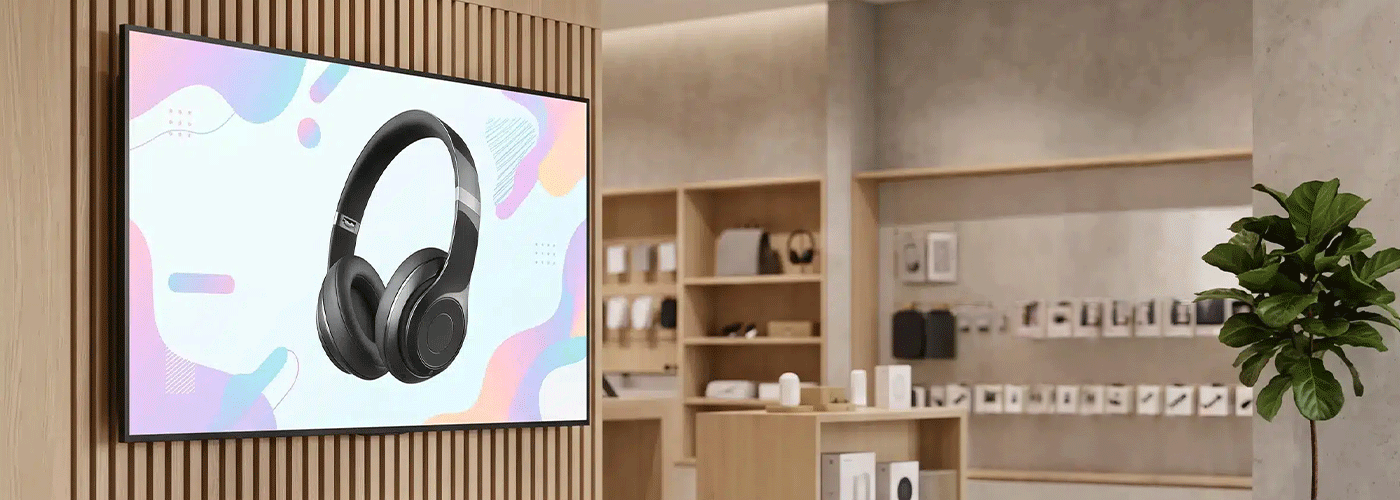
How to Secure Digital Signage on an Enterprise Network
Digital signage is no longer simply a screen displaying a PowerPoint presentation or promotional video.
Modern commercial displays can connect to corporate networks, access cloud services, communicate with content management systems, support wireless collaboration and, in the case of interactive displays, incorporate touch, cameras, microphones and embedded computing.
That makes every connected display an endpoint that needs to be considered within an organisation's IT security architecture.
For New Zealand organisations deploying digital signage, interactive displays or workplace visual technology at scale, the right question is therefore not simply "Is this screen secure?"
The better question is:
How will this visual endpoint be securely deployed, managed, updated, monitored and retired within our existing IT environment?
A secure digital signage deployment should combine network segmentation, controlled authentication, device hardening, centralised management, physical security, software lifecycle management and appropriate privacy controls.
This guide provides a practical framework for CIOs, CISOs, IT managers, network administrators, facilities teams and security professionals responsible for deploying connected visual technology across corporate, retail, education, government and other commercial environments in New Zealand.
Digital Signage Security Starts With Treating the Display as an Endpoint
A connected commercial display should be managed using the same basic security principles applied to other network-connected workplace technologies.
That means understanding:
What network does the display connect to?
What services does it need to communicate with?
Which ports and protocols are required?
Who can administer the device?
How are firmware and software updates managed?
What happens if the device is compromised?
Can the device communicate with other systems unnecessarily?
What information can the device collect or store?
How is the device securely decommissioned?
This approach is particularly important when deploying displays across multiple offices, branches, retail locations or campuses.
Sharp NZ's current visual-solutions guidance identifies centralised administration, role-based permissions, scheduled playlists, remote monitoring, device health monitoring and network architecture as important considerations for enterprise digital signage. Sharp's e-Signage S platform can support deployments of up to 1,000 displays, depending on configuration.
The enterprise security principle
Do not design the network around the display. Design the display deployment around the organisation's existing security architecture.
That distinction helps prevent a common deployment problem: adding visual technology to a production network first and attempting to secure it afterwards.
The Network Administrator's Blueprint: Segmentation & Access Controls
The first layer of a secure digital signage deployment is the network.
A display that needs internet or internal network access should not automatically receive the same level of network access as a workstation, server or corporate laptop.
Instead, IT teams should define exactly what the device needs to communicate with and restrict everything else.
Logical Network Isolation via Dedicated VLANs
For larger deployments, consider placing digital signage and other visual endpoints on a dedicated IoT, AV or Media VLAN.
The objective is straightforward:
A compromised display should not provide an attacker with an easy path into the wider corporate network.
A dedicated VLAN can create a logical security boundary between visual endpoints and systems such as:
File servers
Domain controllers
Finance systems
Customer databases
Corporate workstations
Printers
Internal applications
Management networks
Recommended network controls
A network administrator should consider the following configuration steps.
1. Create a dedicated network segment
Assign signage displays to an appropriate VLAN rather than the standard employee LAN.
2. Apply restrictive ACLs
Use Access Control Lists and firewall policies to restrict traffic between the signage VLAN and other network segments.
Allow only the destinations, ports and protocols required for:
Content management
DNS
NTP/time synchronisation
Firmware or software updates
Authentication, where required
Monitoring and management
Approved cloud services
3. Block unnecessary east-west traffic
Displays generally have no business reason to communicate directly with other displays, employee computers or internal servers.
Where possible, prevent unnecessary device-to-device communication.
4. Control physical network access
Unused network ports should be disabled where practical.
For wired deployments, organisations can also consider controls such as:
802.1X authentication
MAC-based authentication
Network Access Control
Switch-port security
Device certificates
The exact approach should align with the organisation's existing network security architecture.
5. Document the required traffic
Before deployment, create a simple connectivity matrix showing:
| Connection | Requirement |
| Display → DNS | Required if hostname resolution is used |
| Display → NTP | Required for accurate scheduling |
| Display → CMS | Required for centrally managed signage |
| Display → Internet | Only where required |
| Display → Corporate LAN | Restrict unless specifically required |
| Corporate LAN → Display administration | Restrict to authorised administrators |
This provides IT teams with a practical baseline for firewall and ACL configuration.
Enterprise-Grade Wireless Authentication
Wireless displays introduce another layer of network security.
Consumer-grade wireless configurations should not automatically be used for enterprise deployments.
Modern Sharp interactive displays support WPA3 wireless security, alongside WPA/WPA2 enterprise options on supported models. For example, Sharp's PN-LM Series specifications list IEEE 802.11 a/b/g/n/ac/ax connectivity and WPA/WPA2/WPA3 Enterprise encryption support.
For enterprise environments, IT should consider:
WPA3 Enterprise where supported
802.1X authentication
RADIUS integration
Certificate-based authentication where appropriate
Separate wireless networks for AV/IoT devices
Client isolation where appropriate
Strong administrative credentials
Disabling unnecessary wireless features
The objective is to ensure that the display is treated as a managed corporate endpoint rather than simply another device connected to the office Wi-Fi.
Wired versus wireless
There is no universal rule that wired networking is always more secure than wireless.
The better question is:
Which connection method can be most effectively controlled within the organisation's existing security architecture?
For fixed signage, wired Ethernet may provide predictable connectivity and easier network segmentation.
For interactive displays in meeting rooms, wireless connectivity may provide greater flexibility.
Either way, the security controls should be defined before deployment.
Identity, Authentication & Administrative Access
One of the easiest ways to weaken an otherwise secure deployment is to leave device administration unmanaged.
IT should establish:
Who can change network settings?
Who can install or configure software?
Who can publish content?
Who can change device settings?
Who can remotely manage the display?
Who can reset the device?
How are administrator credentials stored and rotated?
Where identity-platform integration is required, it should be assessed as part of the overall solution architecture.
Microsoft Entra ID and Microsoft 365 may form part of a wider workplace technology environment, but organisations should verify exactly which display, software platform and workflow supports the required authentication method rather than assuming that every display has native Entra ID integration.
This distinction is important when writing technical specifications or procurement documents.
System-on-Chip (SoC) vs External Media PCs: A Security Architecture Comparison
One of the most important architectural decisions in digital signage is whether content is driven by:
An integrated System-on-Chip (SoC) platform within the commercial display, or
An external media player or PC connected to the display.
Neither architecture is automatically secure or insecure.
The security outcome depends on the operating system, software, configuration, patching regime, network controls and management model.
However, the architectures create different security and operational considerations.
| Security consideration | Integrated SoC | External media PC |
| Computing hardware | Integrated into display | Separate physical device |
| OS footprint | Typically purpose-built/embedded | Often general-purpose Windows/Linux |
| Endpoint management | Display/platform dependent | Separate PC management required |
| Physical hardware | Integrated into display | Additional device to secure |
| Patch management | Display/firmware lifecycle | OS + applications + drivers |
| Antivirus/EDR | Product dependent | Typically easier to integrate with standard endpoint tools |
| Physical ports | Display ports remain relevant | PC ports add another physical attack surface |
| Failure points | Fewer separate components | Display + PC + cabling + power |
| Network configuration | Display endpoint | PC becomes separate network endpoint |
| Theft risk | Primarily display | Display plus removable media PC |
| Administration | Centralised where supported | PC and signage platform may require separate management |
Why SoC can simplify the security architecture
An integrated SoC can reduce the number of separate components that IT needs to deploy and manage.
Instead of:
Display + Windows PC + power supply + HDMI cable + USB peripherals + network connection
the architecture can potentially become:
Commercial display + integrated computing platform + managed network connection
That can reduce physical complexity and the number of separately managed endpoints.
However, an SoC should not be considered inherently secure simply because it is integrated.
IT teams should still assess:
Operating system
Firmware update process
Application controls
Network services
Authentication
USB access
Remote administration
Logging
Vulnerability management
Vendor support lifecycle
External media PCs can still be the right choice
A Windows or Linux media player may be preferable where the organisation requires:
Existing endpoint-management tools
EDR/antivirus
Domain policies
Custom applications
Advanced browser functionality
GPU-intensive content
Integration with existing enterprise software
The correct architecture is therefore the one that provides the required functionality without creating unmanaged security debt.
Centralised Digital Signage Management
Managing one screen manually is very different from managing 100 or 1,000.
Enterprise deployments need to reduce the amount of physical intervention required.
A centralised signage management platform should ideally provide capabilities such as:
Content publishing
Playlist scheduling
Remote configuration
Device monitoring
Power scheduling
User permissions
Multi-site management
Content approval
Device health monitoring
Firmware/software management where supported
Sharp e-Signage S is designed to provide centralised creation, scheduling, distribution and management of digital signage content. Sharp NZ states that the platform can support up to 1,000 displays depending on configuration.
Centralisation is not simply a convenience feature.
It can also improve security.
Instead of employees physically visiting displays with USB drives, an organisation can establish a controlled publishing process.
Role-Based Access Control: Keep Marketing Out of Network Settings
Digital signage often sits between IT, marketing, communications and facilities.
That creates an important governance question:
Who should be able to do what?
A useful role-based model might look like this:
| Role | Suggested permissions |
| Marketing | Upload and schedule approved content |
| Communications | Manage campaigns and playlists |
| Facilities | Power scheduling and physical location information |
| IT Administrator | Network, device and security settings |
| Security Team | Security policy, monitoring and incident response |
| System Administrator | Full platform administration |
The principle is least privilege.
Marketing users should not need access to:
Wi-Fi credentials
Network configuration
Firewall settings
Device administrator passwords
Firmware controls
System-level configuration
Likewise, IT administrators should not necessarily be responsible for approving every piece of marketing content.
Separating these responsibilities reduces both accidental configuration changes and the impact of compromised accounts.
The Compliance Officer's Guide: NZ Privacy Act 2020 & Digital Signage
Digital signage itself does not automatically create a Privacy Act issue.
The privacy risk generally increases when the visual solution starts collecting, processing, storing or transmitting information about identifiable people.
Examples could include:
Cameras
Microphones
Video conferencing
Visitor identification
Facial recognition
Age estimation
Audience analytics
Behavioural analytics
Wi-Fi tracking
Interactive user data
New Zealand organisations need to consider the Privacy Act 2020, along with applicable privacy codes and guidance.
This is particularly important for biometric processing.
Biometric Processing & Digital Signage
New Zealand's Biometric Processing Privacy Code 2025 came into force in November 2025, with the transition period ending on 3 August 2026. The Code regulates organisations that collect and process biometric information to verify, identify or categorise people.
This matters for digital signage where cameras or analytics systems are used to analyse audiences.
Examples include systems that attempt to:
Recognise individuals
Estimate age
Analyse facial characteristics
Infer emotions
Categorise audiences
Identify repeat visitors
The Privacy Commissioner's guidance states that biometric collection must have a lawful purpose, be necessary for that purpose, use appropriate privacy safeguards and be proportionate to the likely impact on people.
Don't make "anonymous analytics" an assumption
If a digital signage system uses a camera, organisations should establish exactly:
What is captured?
Is the image processed locally?
Is any image transmitted?
Is biometric information generated?
Is information retained?
Where is it stored?
Who can access it?
Is it used for identification or categorisation?
Can the same objective be achieved without biometric processing?
The Privacy Commissioner also recommends organisations conduct a Privacy Impact Assessment before implementing biometric technology.
A privacy-by-design approach
For many signage applications, the safest approach may be to avoid collecting personal information in the first place.
Where audience analytics are genuinely required, organisations should consider whether they can use:
Aggregated data
Anonymous counts
Local/edge processing
No persistent identifiers
Minimal retention
No unnecessary cloud transmission
These are design principles rather than blanket legal requirements. The appropriate controls depend on what the system actually collects and processes.
Video Conferencing Accessories Need Their Own Security Review
Interactive displays can become full collaboration endpoints when paired with cameras, microphones and speakers.
For example, the Sharp PN-ZCMS1 combines a camera, microphone array and speakers and connects via USB for audio, microphone and camera functionality. Sharp lists a 12MP camera with a 120° field of view and a six-array microphone system.
That changes the security profile of the room.
A boardroom display with a camera and microphone should therefore be assessed differently from a passive reception screen.
Recommended controls
IT and security teams should establish:
When the camera can activate
Which applications can access the camera
Which applications can access the microphone
Whether meeting participants are authenticated
Whether recordings are created
Where recordings are stored
Who can access meeting data
Whether USB peripherals are permitted
How the device is secured when the room is unattended
For executive, legal, healthcare and other sensitive environments, camera and microphone permissions should be explicitly defined rather than left to default settings.
Secure Content Distribution Across Multiple Locations
Multi-site digital signage creates another security consideration: content integrity.
A national retailer, bank, university or corporate organisation may have hundreds of displays distributed across different locations.
The publishing system therefore becomes an important part of the security architecture.
A secure deployment should consider:
Authenticated administrators
Role-based permissions
Encrypted connections
Secure credential management
Content approval workflows
Device authentication
Audit logging
Network segmentation
Centralised monitoring
For Sharp e-Signage S deployments, the solution architecture should be configured according to the organisation's network, server/cloud and security requirements rather than assuming that every installation will use the same topology. Sharp's current implementation guidance specifically distinguishes standalone, networked and enterprise digital signage architectures.
Content security is brand security
Digital signage is often customer-facing.
A compromised signage system could therefore create more than a technical problem.
It could result in:
Incorrect pricing
Unauthorised advertising
Brand damage
Misinformation
Offensive content
Reputational damage
Operational disruption
Digital signage security should therefore be considered part of both cybersecurity and brand governance.
The Facilities Manager Checklist: Thermal Safety, Power & Mounting
Cybersecurity is only one part of a secure deployment.
A commercial visual system also needs to be physically safe and appropriate for the operating environment.
Commercial Display vs Consumer TV
A consumer television and a commercial display may both provide 4K resolution, but that does not make them equivalent for enterprise deployment.
Commercial specifications should be assessed against:
Duty cycle
Operating environment
Brightness
Thermal management
Orientation
Connectivity
Remote management
Power consumption
Warranty
Serviceability
Mounting requirements
Sharp NZ's current visual portfolio guidance specifically identifies duty cycle, thermal management, orientation, operating environment, remote management and support as factors organisations should consider when selecting professional displays.
For signage that needs to operate for extended periods, selecting hardware designed for the intended duty cycle is therefore more important than simply selecting the cheapest large screen.
Seismic & Physical Mounting Considerations in New Zealand
New Zealand organisations also need to consider physical installation conditions.
Large displays can represent substantial loads, particularly when installed in:
Reception areas
Retail stores
Public spaces
Schools
Training rooms
Boardrooms
High-traffic areas
Mounting systems should be selected according to:
Display weight
Display size
Wall construction
Fixing points
Installation location
Seismic requirements
Public access
Manufacturer specifications
Applicable NZ requirements
For mobile deployments, Sharp's PN-ZS703 is a certified trolley designed for Sharp displays and interactive whiteboards 65" and larger. Sharp NZ states that it meets NZ certifications and includes locking and height-adjustment features.
Facilities teams should always have the mounting solution assessed for the specific installation rather than treating a display trolley or wall mount as a generic accessory.
Energy Optimisation & Power Scheduling
A screen that is unnecessarily powered on overnight represents wasted energy and unnecessary operating hours.
Enterprise signage systems should therefore use scheduling wherever appropriate.
Typical schedules could include:
Power on before opening
Display content during business hours
Reduced-power mode during quiet periods
Automatic shutdown overnight
Weekend scheduling
Holiday schedules
Sharp NZ identifies power scheduling as part of its centralised visual-solution management capabilities.
Power scheduling can help organisations:
Reduce electricity consumption
Reduce unnecessary operating hours
Extend hardware lifecycle
Reduce heat generation
Support sustainability initiatives
Standardise operating behaviour across sites
The schedule should, however, be designed around the operational requirement. Critical information displays may need to remain available outside normal office hours.
The Enterprise Digital Signage Hardening Checklist
Before connecting a new commercial display to the corporate network, IT should be able to answer "yes" to the following wherever applicable.
Network
Display assigned to the appropriate VLAN
Firewall/ACL rules documented
Unnecessary inter-VLAN communication blocked
Required destinations and ports documented
Wired/wireless connection secured
Enterprise wireless authentication used where supported
Unused network ports disabled where practical
Device
Default administrator credentials changed
Administrative access restricted
Unnecessary services disabled
Firmware is current
Supported security updates documented
USB and peripheral access considered
Physical access controls established
Identity & Access
Administrative roles defined
Least-privilege access implemented
Content publishing separated from technical administration
Identity integration assessed where required
Shared administrator accounts avoided where practical
Digital Signage CMS
Centralised management implemented where appropriate
User roles configured
Content approval process established
Multi-site permissions defined
Device monitoring enabled where supported
Content distribution architecture documented
Privacy
Cameras and microphones identified
Personal information flows documented
Analytics requirements assessed
Retention requirements defined
Biometric processing assessed where relevant
Privacy Impact Assessment completed where appropriate
Privacy notices/consent requirements assessed
Physical Security
Display mounting assessed
Seismic requirements considered
Physical ports protected where appropriate
Device access restricted in public areas
Power requirements assessed
Thermal/operating environment assessed
Lifecycle
Firmware update process defined
Vulnerability management responsibility assigned
Monitoring and support process established
End-of-life date documented
Secure decommissioning process defined
Security & Network Hardening FAQ
Are Sharp Android-powered displays secure from application sideloading?
Security controls vary by model and software configuration, so organisations should confirm the exact application-management and administrative controls for the display being deployed.
The important enterprise principle is to restrict installation and configuration privileges to authorised administrators and disable unnecessary functionality wherever possible.
Sharp's current interactive display range uses embedded Android platforms on supported models, while Sharp NZ describes its professional displays as supporting managed device configuration, user authentication options and protected device-management processes.
For a security-sensitive deployment, IT should validate the specific model's application, USB, firmware and administrator controls during technical evaluation.
Does WPA3 make a digital signage deployment secure?
No.
WPA3 strengthens the wireless security layer, but it is only one component of endpoint security.
A secure deployment should also consider:
VLAN segmentation
Firewall rules
Authentication
Device configuration
Firmware management
Administrative access
Physical security
Application controls
Monitoring
Sharp's PN-LM Series, for example, supports WPA/WPA2/WPA3 Enterprise wireless security.
The correct approach is to treat WPA3 as one control within a broader defence-in-depth architecture.
Is an integrated SoC safer than using a Windows media player?
Not automatically.
An integrated SoC can reduce the number of separate components and operating systems that need to be managed.
A Windows media player may provide stronger integration with an organisation's existing endpoint security, EDR, domain and device-management infrastructure.
The right choice depends on:
Security requirements
Application requirements
Management platform
Patch lifecycle
Network architecture
Content complexity
Existing IT standards
The key is to choose an architecture that your IT team can secure, monitor and maintain throughout its lifecycle.
How should digital signage be isolated from the corporate network?
A common enterprise approach is to place signage devices on a dedicated VLAN and use firewall or ACL rules to restrict communication to approved destinations.
The exact architecture should be determined by the organisation's network-security policy and the connectivity requirements of the signage platform.
Avoid allowing displays unrestricted access to the internal corporate network simply because they require internet connectivity.
Does the NZ Privacy Act apply to digital signage?
The Privacy Act 2020 can apply when digital signage systems collect, hold, use or disclose personal information.
The privacy implications become particularly important when displays are combined with cameras, audience analytics, facial recognition, age estimation or other technologies that process information about identifiable people.
Where biometric information is processed, organisations must also consider the Biometric Processing Privacy Code 2025. The Code establishes specific requirements around matters including purpose, necessity, safeguards, transparency and use of biometric information.
Can cameras and microphones be used securely with interactive displays?
Yes, but they should be treated as additional connected endpoints.
A display with a camera and microphone has a fundamentally different privacy and security profile from a passive signage screen.
Organisations should define:
Which applications can access the camera
Which applications can access the microphone
Who can initiate meetings
Whether meetings can be recorded
Where recordings are stored
Who can access them
How peripherals are secured when not in use
Sharp's PN-ZCMS1, for example, combines a Full HD USB camera, microphone array and speakers in a single conferencing accessory.
Can digital signage be securely managed across multiple NZ locations?
Yes.
For multi-site organisations, centralised management can reduce the need for local administration and physical intervention.
Sharp e-Signage S supports centralised creation, scheduling, distribution and management of digital signage content, with Sharp NZ stating support for deployments of up to 1,000 displays depending on configuration.
The platform should still be deployed within the organisation's broader security architecture, including appropriate authentication, network controls, role-based access and administrative governance.
The Bottom Line: Secure the Architecture, Not Just the Screen
The security of an enterprise digital signage deployment is determined by more than the display itself.
A secure solution combines:
Secure hardware + secure network architecture + controlled identity + centralised management + least-privilege access + lifecycle management + privacy-by-design.
For New Zealand organisations, this means involving IT and security teams before displays are installed, rather than treating cybersecurity as a configuration task after deployment.
The strongest deployment model is one where every display has a defined role, a defined network path, defined administrators, defined update responsibilities and a defined lifecycle.
That turns digital signage from an unmanaged collection of connected screens into a controlled enterprise technology environment.
For organisations evaluating commercial displays, interactive collaboration technology or multi-site digital signage, Sharp NZ can help assess the wider solution architecture — from display selection and network requirements through to centralised management, installation and ongoing support.
The goal isn't simply to put screens on the network. It's to make visual technology fit securely into the network you already trust.

Craig Betteridge is a Product Marketing Manager at Sharp New Zealand, specialising in visual solutions, visitor management, voice and data, and workplace software. With extensive experience across leading technology brands, he brings a strong understanding of enterprise technology and customer needs, focused on helping organisations improve efficiency, security, and workplace performance.