Deploying Digital Signage in New Zealand: The Plain-Language Buyer’s Starter Guide
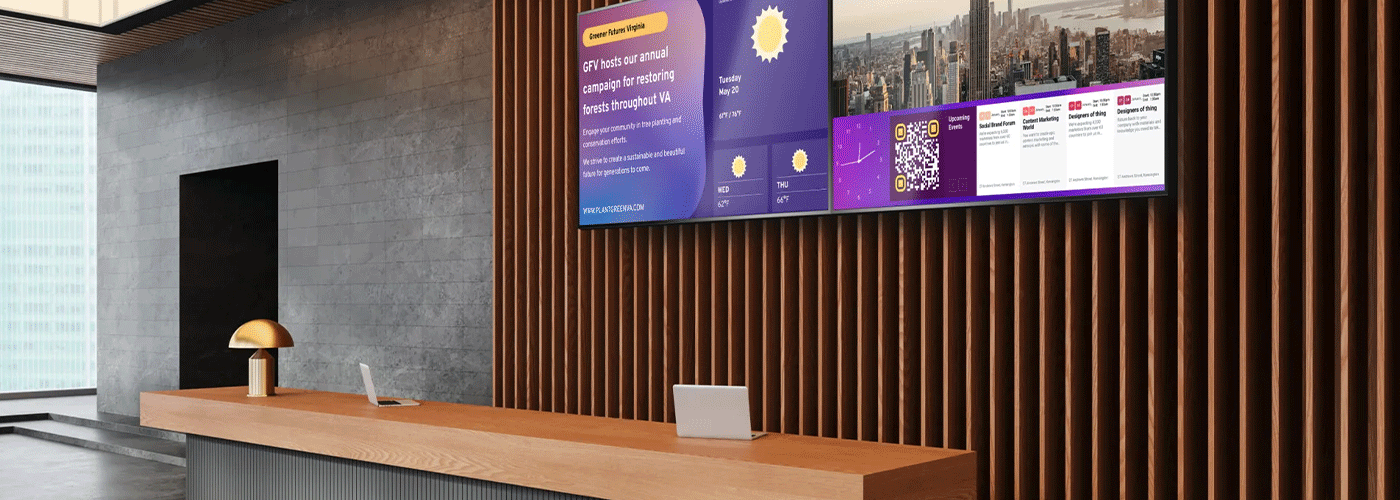
What to Consider Before Deploying Digital Signage in New Zealand
Digital signage has moved well beyond a screen playing slideshow.
For New Zealand businesses, schools, healthcare providers, retailers, government organisations and professional services firms, modern visual technology can support everything from customer communication and workplace messaging to interactive collaboration, wayfinding, digital menus and large-scale presentations.
But choosing the right technology is not simply a matter of asking, "What size screen do we need?"
A successful digital signage or visual technology deployment needs to consider operating hours, brightness, viewing distance, orientation, mounting, network connectivity, security, content management, installation, support and total cost of ownership.
This guide explains what to consider before investing in commercial displays, interactive screens or professional projectors in New Zealand—and how to avoid some of the most common deployment mistakes.
Quick answer: The best digital signage solution for a New Zealand organisation depends on the environment, operating hours, viewing conditions, content requirements, network infrastructure and scale of deployment. Commercial displays are generally preferable to consumer TVs where reliability, extended operation, portrait orientation, remote management and long-term support matter.
Commercial Display vs. Consumer TV: What's the Difference?
One of the first questions organisations ask when planning digital signage is:
"Why can't we just use a normal TV?"
You can, in some situations. But a consumer television and a commercial display are designed for fundamentally different jobs.
A consumer TV is primarily designed for entertainment in a home environment. A commercial display is designed for business environments where the screen may operate for extended periods, be installed in portrait orientation, need remote management or form part of a larger technology deployment.
The right choice therefore depends less on how similar the screens look and more on how the screen will be used.
Commercial display vs consumer TV at a glance
| Consideration | Commercial display | Consumer TV |
| Operating hours | Many models are designed for extended commercial operation, including selected 16/7 and 24/7 models | Primarily designed for typical household viewing |
| Orientation | Selected commercial displays support landscape and portrait installation | Generally designed around landscape viewing |
| Brightness | Commercial models are available with higher brightness for challenging environments | Generally optimised for residential environments |
| Remote management | Designed to integrate with professional monitoring and signage systems | Usually more limited |
| Built-in signage capabilities | Selected models include System-on-Chip or USB media playback | Usually requires additional equipment or apps |
| Installation | Designed for commercial mounting and professional AV environments | Primarily designed for residential installation |
| Product lifecycle | Commercial ranges are designed with business deployment and support in mind | Retail product cycles can be shorter |
| Warranty/support | Commercial products may have dedicated commercial warranty and support arrangements | Consumer warranty and support models apply |
Sharp's current professional display portfolio includes models with features such as 24/7 operation, portrait and landscape orientation, high brightness, System-on-Chip functionality and remote management.
When should you choose a commercial display?
A commercial display is generally worth considering when the screen:
operates for long periods every day
is installed in a public or customer-facing environment
needs to operate in portrait orientation
is exposed to strong ambient light
needs to be centrally managed
forms part of a multi-screen deployment
needs predictable commercial support
will be permanently mounted
needs to remain operational with minimal intervention.
For a single screen in a small office that is only used for occasional presentations, the requirements may be very different.
The key is to specify the environment first and the screen second.
Choosing the Right Visual Solution for Your Environment
There is no single "best digital signage display" for every New Zealand organisation.
A reception display, classroom interactive board, retail window screen and lecture-theatre projector have very different requirements.
Start by identifying what the technology needs to achieve.
Corporate Offices and Professional Services
The workplace need
Modern meeting spaces need to support more than presentations.
Teams may be collaborating with colleagues in another city, joining Microsoft Teams meetings, reviewing documents, brainstorming ideas or presenting information to customers.
The objective should be to remove technology friction rather than create another complicated system for employees to learn.
Recommended solution
Interactive displays can combine:
4K visualisation
touchscreen collaboration
digital whiteboarding
wireless content sharing
USB-C connectivity
video conferencing integration
annotation and presentation capabilities.
Sharp's PN-LC, PN-LM and PN-L2B ranges are examples of interactive display platforms designed for business and education environments. The PN-LC Series, for example, is available in 65", 75" and 86" models and supports 20-point touch, 4K resolution and both landscape and portrait orientation.
Suggested screen sizing
As a starting point:
Small meeting room — 2–8 people
Consider a 55"–65" display, depending on room dimensions and viewing distance.
Medium meeting room — 8–15 people
A 65"–75" display can provide a better viewing experience for larger groups.
Large meeting room or boardroom — 15–30+ people
An 86" 4K display may be appropriate, particularly where participants need to read detailed presentations, spreadsheets or shared content.
These are starting points rather than fixed rules. Viewing distance, room layout and the type of content being displayed should determine the final specification.
Modern Learning Environments
Education
Schools, universities, training organisations and tertiary institutions increasingly need technology that supports both teaching and communication.
The educational need
An effective visual solution should help teachers:
annotate content
display multimedia
encourage student participation
share work
collaborate around a common screen
connect with remote participants
move between different teaching resources quickly.
Interactive displays can provide a central teaching and collaboration surface, while professional projection can be more appropriate for large rooms, lecture theatres and venues where a much larger image is required.
Interactive displays
Interactive displays such as Sharp's AQUOS BOARD range can support touchscreen annotation, digital whiteboarding, multimedia and collaboration. The PN-L2B Series, for example, is available in 65", 75" and 86" sizes with 20-point touch and 4K resolution.
Professional projectors
Projectors remain particularly useful where the image needs to be much larger than a conventional flat panel.
Sharp's current P-Series professional laser projectors provide up to 6,200 lumens, while its larger professional projector solutions extend into higher brightness categories for large venues.
Laser projection also removes many of the maintenance considerations associated with traditional lamp-based projectors. Sharp's P-Series, for example, uses a sealed optical engine and offers up to 20,000 hours of laser operation.
Retail, Hospitality and Customer-Facing Spaces
Make information visible when customers need it
Retail stores, hospitality venues, showrooms and customer service environments have one major requirement:
Information needs to be noticed quickly.
Digital signage can be used for:
promotions
product information
menus
pricing
brand messaging
customer instructions
wayfinding
queue information
seasonal campaigns
real-time announcements.
The benefit of a connected signage network is that content can be updated centrally rather than replacing printed posters or manually updating individual screens.
Sharp's digital signage solutions support applications including customer engagement, workplace communication and visitor management.
Consider brightness carefully
A screen installed opposite a window is a very different proposition from one installed in a darker corridor.
For bright retail environments, look for displays specifically designed for high-ambient-light conditions.
Sharp's PN-HY Series offers 500 cd/m² brightness and 24/7 operation, while the PN-HS Series offers 700 cd/m² brightness and 24/7 operation in both portrait and landscape configurations.
Real Estate, Legal and Healthcare Environments
Digital signage is also useful in professional environments where the primary objective is communication rather than advertising.
Real estate
Displays can show:
property listings
open homes
auction information
sold properties
agent information
market updates
agency branding.
This can be particularly effective in office windows and reception areas.
Legal and professional services
Digital displays can support:
reception branding
visitor information
corporate communications
presentations
meeting-room information
wayfinding.
Healthcare
Visual technology can be used for:
reception information
patient communications
wayfinding
health education
appointment information
staff communications.
Healthcare environments require particular attention to privacy, accessibility, security and content governance.
New Zealand Deployment Considerations
Buying the screen is only one part of the project.
New Zealand's building environment introduces additional considerations around seismic resilience, mounting, installation, glare, networking and privacy.
1. Seismic Mounting and Structural Considerations
A large display is not simply a piece of furniture when it is permanently attached to a building.
Wall-mounted and suspended equipment can be considered part of a building's non-structural elements, and New Zealand Building Code requirements address the need for building elements and their connections to accommodate earthquake actions.
Building Performance guidance recommends appropriate engineering consideration of seismic restraints and connections for non-structural elements. It also notes that owners should engage appropriately qualified engineering or specialist advice where required.
Before installing a large display, check:
What is the wall construction?
Where are the structural fixing points?
Is additional wall reinforcement required?
What is the total installed weight?
Is the screen being mounted to a seismic wall or partition?
Is the display suspended from a ceiling?
Does the installation need specific engineering documentation?
Does the building owner or landlord have installation requirements?
Is the installation affecting fire systems, escape routes or other building services?
For larger or more complex installations, involve the appropriate building, structural or installation professionals early.
Don't forget mobile displays
A properly specified mobile trolley can also be an effective alternative where flexibility is important.
The objective is not simply to find a bracket that holds the screen.
The objective is to create an installation that is appropriate for the building, location, screen and intended use.
2. Brightness, Nits and Daylight Glare
Brightness is one of the most commonly overlooked factors when specifying a display.
Display brightness is generally expressed in candela per square metre (cd/m²), commonly referred to as nits.
The brighter the environment, the more important display brightness becomes.
A screen in a dark meeting room does not have the same requirements as one installed:
beside a large window
in a shopfront
in a brightly lit reception
in an airport or transport environment
in a sun-facing corridor.
A practical starting point
For standard indoor applications, brightness around 400–500 cd/m² may be appropriate depending on the environment.
For bright, customer-facing or window-facing locations, consider commercial displays offering 500–700 cd/m² or more, where appropriate.
For example, Sharp's PN-HY Series provides 500 cd/m² brightness, while the PN-HS Series provides 700 cd/m².
But don't simply buy the brightest screen available
Higher brightness is not automatically better.
The correct specification depends on:
ambient lighting
direct sunlight
viewing distance
content type
screen size
viewing angle
location and orientation.
A professional AV assessment can help determine the appropriate specification.
3. Network Security and Interoperability
The moment a display becomes connected to your organisation's network, it becomes part of your technology environment.
That means IT teams should assess the display and signage platform just as they would any other connected endpoint.
Questions to ask your supplier and IT team
How does the device connect to the network?
What wireless security standards are supported?
Is wired Ethernet available?
How are administrators authenticated?
Can unused services be disabled?
How are firmware and security updates handled?
Can devices be monitored remotely?
Does the solution require an external media player?
Where is content stored?
What data leaves the organisation's network?
How are administrator permissions managed?
Consider System-on-Chip technology
Some commercial displays incorporate media playback directly into the display through System-on-Chip technology.
This can reduce the need for a separate external media player, simplifying the installation and reducing the number of physical components that need to be managed.
Sharp's current digital signage portfolio includes commercial displays with integrated media playback and System-on-Chip capabilities.
That does not mean every deployment should eliminate external players. Complex applications may still require dedicated hardware.
The important consideration is to choose the architecture deliberately rather than adding hardware by default.
4. Privacy and the New Zealand Privacy Act 2020
Digital signage itself does not automatically create a Privacy Act issue.
However, visual technology deployments can involve personal information where they incorporate:
cameras
audience analytics
visitor systems
facial recognition
customer tracking
interactive data collection
connected applications containing personal information.
The Privacy Act 2020 governs how New Zealand organisations collect, store, use and share personal information. Privacy obligations include keeping information safe and giving individuals appropriate information about its collection and use.
The Privacy Amendment Act 2025 also introduced IPP3A, which came into force on 1 May 2026 and addresses notification obligations where personal information is collected indirectly.
For a connected visual deployment, ask:
Are we collecting personal information?
Is a camera involved?
Are analytics being collected?
Where is the information stored?
Who can access it?
How long is it retained?
Is the purpose clearly communicated?
Is the technology collecting more information than necessary?
For example, the Office of the Privacy Commissioner notes that people can request access to CCTV recordings containing their personal information.
Privacy should therefore be considered during solution design—not after installation.
Software: Managing Digital Signage at Scale
Installing ten screens is relatively straightforward.
Managing ten screens across ten locations is a different challenge.
This is where digital signage software becomes important.
Without centralised management, an organisation can quickly find itself manually updating USB drives, visiting individual screens or relying on staff at different locations to change content.
Sharp e-Signage S
Sharp's e-Signage platform is designed to provide centralised management of digital signage content across multiple displays.
Current Sharp NZ information highlights capabilities including:
browser-based administration
remote content publishing
scheduled playlists
multi-site management
support for up to 1,000 displays
reduced reliance on external media players through System-on-Chip integration.
What this means in practice
Imagine a retailer with 50 stores.
Rather than updating each screen individually, head office can create a campaign once and distribute it across the network.
The organisation can also schedule content according to time, location or campaign requirements.
For example:
9:00am–11:00am: Breakfast promotion
11:00am–2:00pm: Lunch promotion
2:00pm–5:00pm: Afternoon promotion
5:00pm–close: Evening messaging
The same principle can be applied to corporate communications, education campuses, healthcare environments and multi-site professional services organisations.
Build a Digital Signage Content Strategy Before You Buy
One of the easiest mistakes to make is to purchase the hardware before deciding what will actually appear on the screens.
Before procurement, define:
What will the screen show?
Examples include:
promotional content
company announcements
safety information
meeting-room information
wayfinding
live dashboards
menus
product information
video
presentations
emergency communications.
Who owns the content?
Assign responsibility for:
content creation
approvals
publishing
scheduling
updates
emergency messaging.
How often will it change?
A screen displaying one static corporate message does not require the same content workflow as a retail network changing campaigns every week.
What happens if the network goes down?
Determine whether the display can continue playing previously downloaded content when connectivity is unavailable.
A good signage platform should be designed around the organisation's operating model—not the other way around.
Digital Signage Costs in New Zealand
There is no single price for a digital signage deployment.
The final investment can include:
display hardware
mounting
installation
signage software
content creation
media players
network infrastructure
cabling
project management
training
support
maintenance
financing.
This is why comparing displays purely on purchase price can produce misleading results.
Can you finance digital signage?
Yes. Sharp NZ currently promotes flexible technology financing, with visual solutions configurable from approximately $100 per month, depending on the hardware, software, installation, support and commercial arrangement.
Professional projector solutions are currently promoted from approximately $200 per month, subject to approval and solution requirements.
These figures should be treated as starting points rather than quotes.
The actual monthly cost of a solution will depend on the specification and commercial structure.
Why monthly financing can make sense
For some organisations, financing can:
reduce the upfront capital requirement
create predictable monthly costs
simplify budgeting
allow hardware and services to be packaged together
support technology refresh cycles
preserve capital for other priorities.
Finance is not necessarily the cheapest option in every circumstance, so procurement teams should compare the full commercial terms and total cost of ownership.
A Simple Digital Signage Deployment Checklist
Before approving a digital signage project, work through these questions.
Environment
☐ Where will the screen be installed?
☐ Is the location indoors or outdoors?
☐ How much natural light is present?
☐ Is direct sunlight likely?
☐ What is the expected viewing distance?
Display
☐ What screen size is appropriate?
☐ Is 4K resolution required?
☐ Does the screen need portrait orientation?
☐ How many hours per day will it operate?
☐ Does it require 16/7 or 24/7 capability?
☐ What brightness level is appropriate?
Installation
☐ What type of wall or structure is available?
☐ Does the installation require reinforcement?
☐ What seismic considerations apply?
☐ Is professional installation required?
☐ Will cabling need to be concealed?
☐ Is a mobile trolley more appropriate?
Network and security
☐ Wired or wireless connection?
☐ What authentication is required?
☐ What security standards are supported?
☐ How will the device be updated?
☐ Can the display be remotely monitored?
☐ Does it require a separate media player?
Content
☐ What will the screen display?
☐ Who owns the content?
☐ How often will it change?
☐ Does content need to be scheduled?
☐ Will multiple locations require different content?
☐ What happens if the network goes offline?
Privacy
☐ Does the solution collect personal information?
☐ Are cameras or analytics being used?
☐ Where is collected information stored?
☐ Who has access?
☐ Are appropriate privacy notices and processes in place?
Commercial considerations
☐ Hardware cost
☐ Installation cost
☐ Software cost
☐ Content management cost
☐ Support and maintenance
☐ Financing or leasing options
☐ Expected replacement cycle
☐ Total cost of ownership.
How to Deploy Digital Signage in New Zealand: A Five-Step Process
A successful deployment doesn't have to be complicated.
Step 1: Define the business objective
Start with the problem you want the technology to solve.
Is it:
improving customer communication?
reducing printed signage?
improving internal communication?
supporting hybrid meetings?
creating a better reception experience?
improving classroom engagement?
standardising communications across multiple sites?
The objective should determine the technology.
Step 2: Assess the environment
Review:
room size
viewing distance
ambient light
power
network connectivity
mounting surface
seismic requirements
accessibility
viewing angles.
Step 3: Select the technology
Choose between:
commercial display
interactive display
professional projector
video wall
digital signage network
mobile display.
Do not assume one technology will suit every room.
Step 4: Design the management platform
Decide how content will be:
created
approved
scheduled
published
monitored
updated.
For multi-site organisations, centralised signage management should be considered from the beginning.
Step 5: Install, test and manage
A deployment isn't finished when the screen turns on.
Test:
content playback
network connectivity
remote management
scheduling
audio
orientation
brightness
power scheduling
security
failure recovery.
Then establish an ongoing support and content-management process.
What Is the Best Digital Signage Solution for a New Zealand Business?
There isn't one universal answer.
The best digital signage solution is the one that matches the organisation's environment, operating requirements, content strategy, network architecture and budget.
For a basic internal communication screen, a straightforward commercial display may be sufficient.
For a retail network, the priority may be high brightness, 24/7 operation and centralised content management.
For a meeting room, an interactive display may deliver more value than a conventional signage screen.
For a large lecture theatre or auditorium, a high-brightness laser projector may be more appropriate.
And for a national organisation, the priority may be standardisation, remote management, security and lifecycle support across dozens or hundreds of devices.
The technology should therefore be selected as part of a visual solutions strategy, rather than as an isolated hardware purchase.
Sharp Visual Solutions in New Zealand
Sharp New Zealand provides commercial visual technology across digital signage, interactive collaboration and professional projection.
The current Sharp NZ portfolio includes commercial displays, interactive displays, digital signage software and professional laser projectors, with solutions designed for corporate, education, retail, healthcare, professional services and other commercial environments.
Sharp NZ also provides solution design, installation, technical support, maintenance and flexible finance options, allowing organisations to consider the complete lifecycle rather than purchasing display hardware in isolation.
For organisations planning a new deployment, the most useful starting point is to discuss the environment, intended use, number of displays, operating hours and content requirements before selecting a specific model.
Digital Signage FAQs
Can commercial displays run 24 hours a day, 7 days a week?
Yes—but not every commercial display is rated for 24/7 operation.
Organisations should check the specific model's published operating rating before specifying it for continuous use.
Sharp's current commercial signage portfolio includes displays specifically rated for 24/7 operation, including the PN-HY and PN-HS Series. Other professional displays, such as the PN-LC interactive range, are specified for 16/7 operation.
Is a commercial display better than a consumer TV for digital signage?
Generally, a commercial display is the better choice where the screen needs extended operating hours, professional installation, portrait orientation, higher brightness, centralised management or long-term commercial support.
A consumer TV may be adequate for occasional, low-demand applications.
The correct choice depends on the environment and usage requirements.
What brightness should a digital signage screen have?
There is no universal brightness requirement.
For typical indoor environments, around 400–500 cd/m² may be suitable depending on the room.
For bright environments, window-facing installations and customer-facing spaces, higher-brightness commercial displays may be preferable.
Sharp's PN-HY Series offers 500 cd/m², while the PN-HS Series offers 700 cd/m².
Can digital signage be installed in portrait orientation?
Yes, provided the specific display supports it.
Commercial signage models such as Sharp's PN-HY and PN-HS Series support both portrait and landscape operation.
Always check the manufacturer's orientation specification before purchasing.
How many displays can Sharp e-Signage S manage?
Sharp's current digital signage information states that e-Signage can support up to 1,000 displays, with browser-based administration, remote publishing, scheduled playlists and multi-site management.
Does digital signage need an external media player?
Not necessarily.
Some commercial displays incorporate System-on-Chip technology or built-in media playback, reducing the need for a separate media player.
However, some applications may still benefit from dedicated external hardware depending on the software, content and integration requirements.
Does digital signage need to be connected to the internet?
Not always.
A display may be able to play locally stored content without internet connectivity. However, internet or network connectivity is generally useful for centralised content management, remote updates, monitoring and multi-site deployments.
Your IT team should determine the appropriate network architecture before deployment.
What are the NZ requirements for mounting large commercial displays?
Mounting requirements depend on the building, display, installation method and location.
New Zealand Building Code requirements include consideration of earthquake actions and the performance of building elements and their connections. For complex or higher-risk installations, appropriate structural or engineering advice should be obtained.
Does the Privacy Act apply to digital signage?
The Privacy Act applies where a digital signage or visual technology deployment involves the collection, storage, use or sharing of personal information.
A simple screen displaying advertising does not necessarily collect personal information. However, cameras, audience analytics, visitor systems and similar technologies can introduce privacy obligations.
Organisations should assess privacy requirements during solution design.
Does Sharp NZ provide installation and support?
Yes. Sharp NZ states that its visual solutions offering includes local sales and solution design, nationwide installation services, technical support and maintenance, managed deployment services and flexible finance options.
How much does digital signage cost in New Zealand?
There is no single price because a complete deployment can include displays, mounting, installation, software, networking, content management and support.
Sharp NZ currently promotes visual solutions from approximately $100 per month, depending on the selected solution and commercial arrangement.
For an accurate price, organisations should request a solution based on their specific number of screens, locations, operating requirements and content-management needs.
Final Takeaway
Digital signage should not be treated as simply buying a screen and putting it on a wall.
The best deployments start with the environment and business objective, then work backwards to the display, mounting solution, network architecture, software and support model.
For New Zealand organisations, particular attention should be paid to:
Operating hours. Brightness. Viewing distance. Orientation. Seismic mounting. Network security. Privacy. Content management. Installation. Support. Total cost of ownership.
Get those decisions right at the beginning and digital signage can become more than a communications screen—it can become a scalable visual technology platform that supports how your organisation works, teaches, communicates and engages with people.
Planning a digital signage or visual technology deployment in New Zealand? Sharp NZ can help assess your environment and recommend a solution based on your requirements.

Kimberley Holden is Brand & Communications Manager at Sharp New Zealand, where she leads strategic marketing, brand development, and customer communications across Sharp’s portfolio of consumer products and workplace technology solutions, including print, visual solutions, visitor management, voice and data, and software. She brings a strong focus on clear messaging, customer engagement, and delivering consistent brand experiences across complex technology environments.